AI for event planning: practical tools and first steps
SnapPix TeamPublished 15 Aug 202632 min read
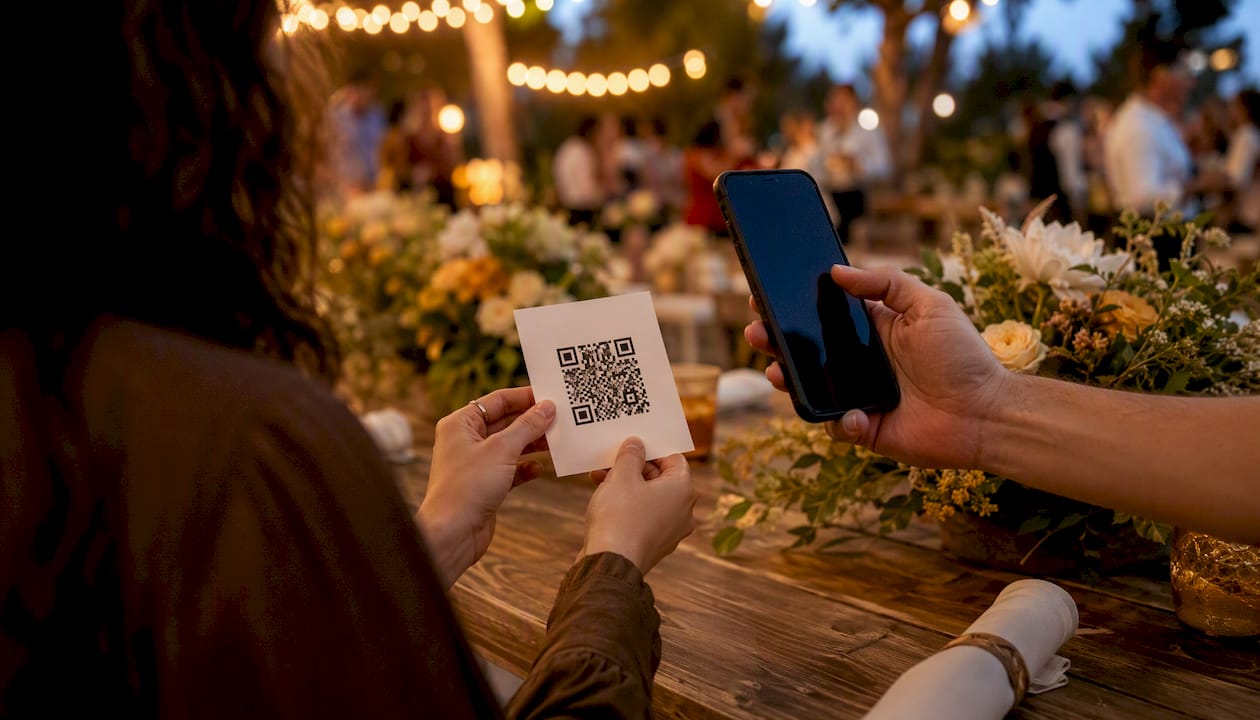
AI for event planning automates routine work, personalises attendee experiences, and surfaces insights so you spend more time on creativity and relationships. According to Skift’s Meetings Megatrends 2025, digital-first experiences and data-driven personalisation are now core industry shifts, not future aspirations. That means the tools exist today, the use cases are proven, and the only real question is where to start.
Three quick wins you can pilot within your next event:
AI for event planning delivers the most value when you start with one specific job, measure the result, and scale only what works.
| Point | Details |
|---|---|
| Start with one pilot | Pick a single job (copy, check-in, or photo collection) and measure it before expanding. |
| Match tool to job | Point tools outperform large platforms for small teams running fewer than five events a year. |
| Consent comes first | Add a clear photo consent line to your registration form and offer an onsite opt-out. |
| Ask vendors the hard questions | Confirm data ownership, deletion rights, and model training policies before signing. |
| SnapPix collects at scale | Guest photo volume increased using QR-based AI curation, with no app required. |
AI event management tools cover far more ground than content generation. The value stacks up across every stage of an event, from the first planning call to the post-event report.
Planning stage
Promotion stage
Onsite stage
Post-event stage
The Skift Megatrends 2025 PDF notes that planners report the best results when AI handles repetitive or data-heavy tasks while humans keep creative control. That principle is the most reliable guide for deciding what to hand off.
Rather than evaluating entire platforms, match the tool to the job. The table below maps common event planning jobs to the type of tool that handles them, with notes on US availability.
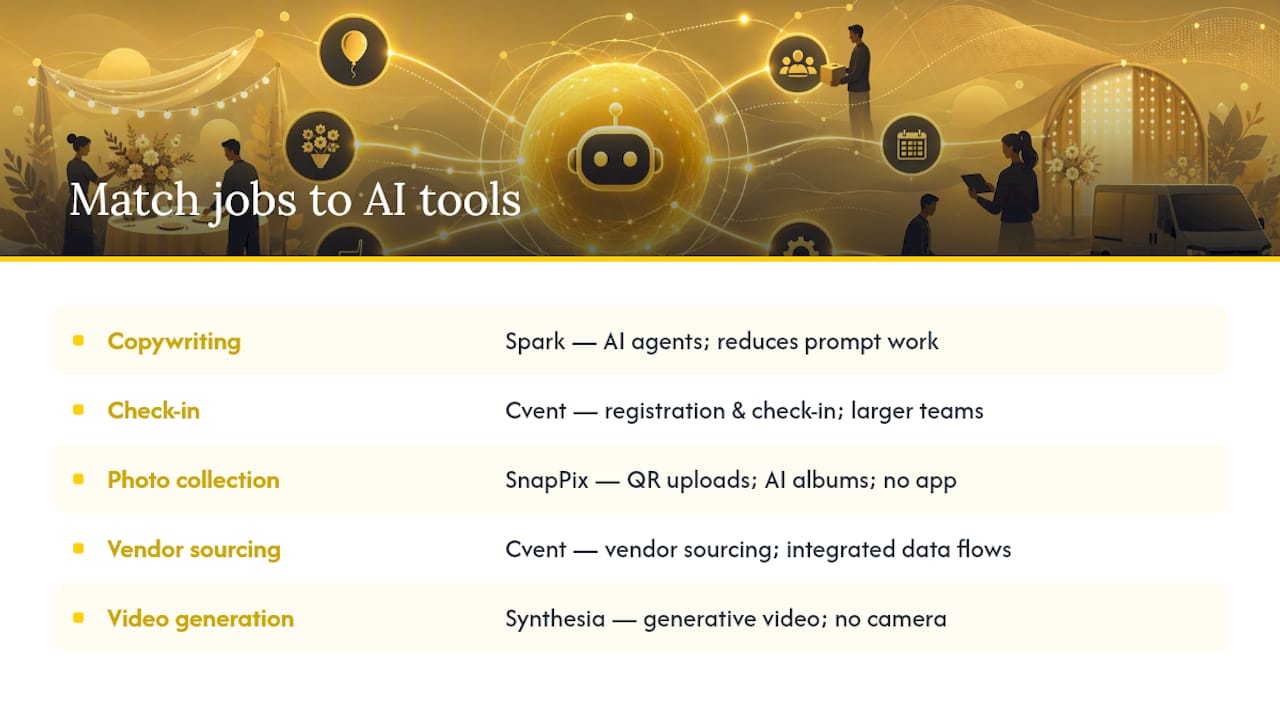
Four platforms worth knowing by job:
Spark is built specifically for event teams, with a library of pre-built AI agents covering agenda generation, feedback analysis, and content production. Pre-built task libraries reduce the prompt-design work that slows most teams down.
Cvent is a full event management platform with AI features layered across registration, content, and vendor sourcing. It suits teams that want one system rather than multiple point tools.
Synthesia handles generative video: you type a script, choose an AI presenter, and receive a polished video without a camera or studio. Useful for pre-event promotional content, virtual session intros, and post-event recaps.
SnapPix focuses on guest photo and video collection. Guests scan a QR code and upload directly from their phone browser, no app required. AI smart albums then sort and curate the gallery automatically, which is particularly useful for weddings, corporate events, and conferences where candid coverage matters.
When choosing between a point tool and an integrated platform, the deciding factor is usually team capacity. A small team running two or three events a year gets more value from a focused tool that does one job well. A larger operation running dozens of events benefits from a platform like Cvent where data flows between registration, communications, and analytics without manual export.
Forrester recommends starting with small, measurable pilots focused on a single job rather than broad platform rollouts. That advice holds for teams of any size.
A five-step pilot framework:
Implementation checklist:
Pilot success metrics to track:
Artificial intelligence event planning introduces real legal and ethical considerations, particularly around attendee data. In the United States, there is no single federal privacy law equivalent to GDPR, but state-level regulations, including the California Consumer Privacy Act (CCPA) and Illinois’s Biometric Information Privacy Act (BIPA), create specific obligations depending on where your attendees live.
Key risk areas:
Practical mitigations:
Vendor red flags:
Pro Tip: Before signing any AI vendor contract, ask one direct question: “Does your model train on our attendees’ data, and if so, can we opt out?” A vendor that cannot answer clearly or hedges with legal language is a red flag worth acting on.
On bias and transparency: AI recommendation engines can reflect the biases in their training data. If your session recommendations consistently favour certain speaker demographics or content types, audit a sample of outputs manually before sending them to attendees. EventsAir’s Air Intelligence positions its AI as human-led and auditable, which is the standard you should expect from any attendee-facing AI feature.
Budgeting for AI tools is straightforward once you separate the cost lines. The tricky part is accounting for the hidden ones.
Common cost line-items:
Illustrative cost bands:
These are illustrative bands, not quoted prices. Actual costs vary by vendor, event volume, and contract terms.
A simple ROI calculation:
If your team spends 10 hours per event drafting content (invites, session descriptions, post-event summaries) and an AI writing tool cuts that to 3 hours, you save 7 hours per event. At a fully loaded staff cost of $50 per hour, that is $350 saved per event. A tool costing $300 per year pays for itself in one event if you run more than one annually.
Add engagement lift: if personalised session recommendations increase average sessions attended per delegate by one, and each session has a sponsor or revenue value, the return compounds quickly.
Hidden costs to plan for:
The clearest way to see how AI fits into an event workflow is to follow one use case end to end. SnapPix handles guest photo and video collection using a QR-based, no-app workflow with AI-driven curation, and it works for weddings, corporate events, graduations, and parties.
The end-to-end flow:
SnapPix features that use AI:
SnapPix has collected thousands of guest photos across events, which demonstrates that the QR-based approach genuinely gets guests uploading. The no-app workflow is the key friction-reducer: guests do not abandon the process because they are asked to install something.
Pricing follows a one-time flat-fee model per event, with an optional annual extension for gallery hosting. For planners comparing this against subscription-based tools, the per-event model makes budgeting straightforward.
How to set it up in three steps:
For tips on getting guests to actually scan and upload, the guest participation guide covers copy examples and onsite encouragement techniques that work.
Use this checklist during vendor conversations and RFPs. It takes ten minutes and prevents most of the common problems.
Data and privacy:
Security:
Integration and support:
Red flags in vendor responses:
On scale: a small team running fewer than five events a year is usually better served by a focused point tool than an enterprise platform. The integration overhead and training time of a large platform rarely pays off at low event volume.

Ready to add AI-driven photo collection to your next event? SnapPix gives you a no-app QR gallery with AI smart albums, photo challenges, and a three-month upload window, all for a one-time flat fee. See how SnapPix works and set up your first gallery in minutes.
The standard guidance on artificial intelligence event planning follows a familiar pattern: list the tools, describe the features, and tell planners to “start small.” That advice is not wrong, but it misses the more important point.
The tools are not the hard part. The hard part is deciding what you are actually trying to improve and whether you will measure it. Most event teams that adopt AI and then quietly stop using it did not fail because the tool was bad. They failed because they never defined what success looked like, so they had no way to know whether it was working.
There is also a tendency in this space to frame AI as a creativity tool first. It is not, at least not yet. The clearest wins come from repetitive, data-heavy tasks: drafting copy from a brief, sorting photos, flagging check-in anomalies, clustering survey responses. These are jobs where AI saves real time and where the output is easy to verify. Creative direction, relationship management, and on-the-day judgement remain firmly human.
The privacy angle is consistently underplayed in most guides. US planners are operating in a patchwork of state laws, and the gap between what a vendor’s marketing says and what their terms of service actually permit is often significant. Reading the data processing clauses before signing is not optional; it is the job.
Finally, the photo and memory layer of events is one of the most underused opportunities for AI. Guests take hundreds of photos at every event, and most of those images are never shared with the organiser or the wider group. A QR-based collection tool with AI curation closes that gap without adding friction for guests or workload for your team. The technology is simple, the setup takes minutes, and the result is a gallery that actually reflects what happened rather than what the official photographer captured.
Start with the job that costs you the most time. Measure it. Then decide what comes next.

Event hosts' practical guide to posed and candid photos: perception research, hands on shooting tips, and no app guest uploads to boost candid coverage.

Which event technologies are production ready for 2026 and how to adopt them with clear consent, governance, and a no app QR photo pilot.

Which routes keep EXIF or strip GPS? Quick checks to view or remove metadata, plus a three month workflow to collect guest photos.