Collecting videos from guests: a host's quick setup
SnapPix TeamPublished 21 Aug 202623 min read
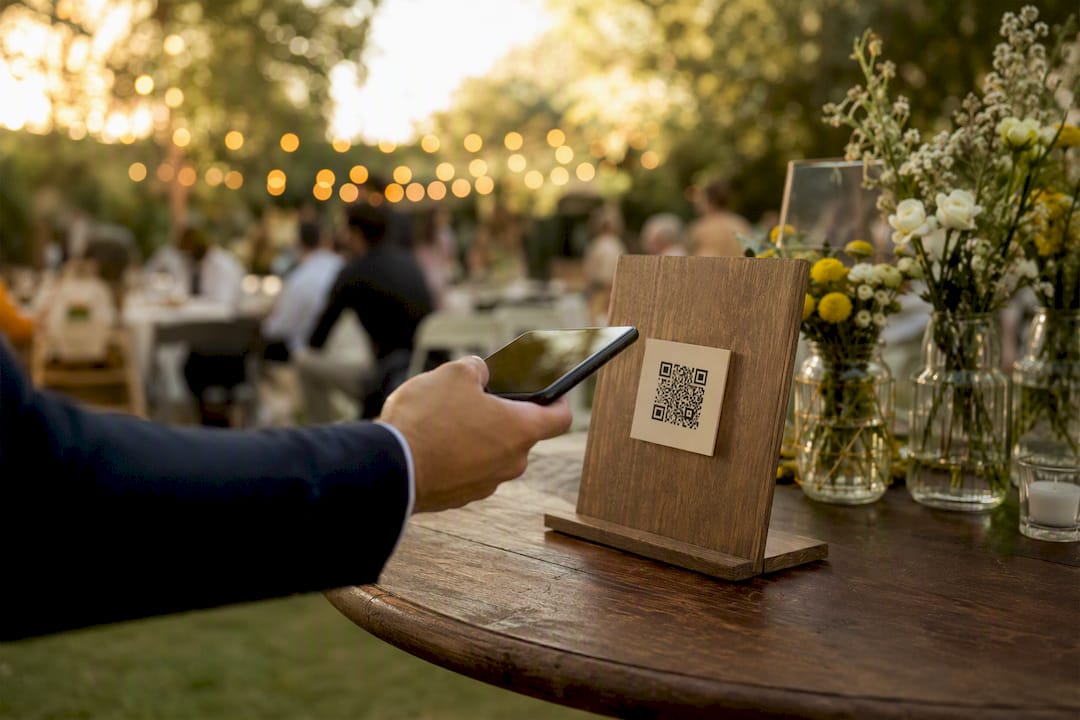
The single best way to collect videos from guests is a no‑app, browser‑based QR gallery, backed up with a shareable upload link and, for bigger events, a staffed recording station. SnapPix has already gathered over 4,200 guest photos using exactly this setup, and the New York Times’ own guidance for video guest essays shows what separates a usable clip from an unwatchable one: clear framing, steady hands, and a simple brief. You can have this running in 5 to 10 minutes: create the gallery, print the QR code, and assign one person to prompt guests as they arrive.
Browser‑based QR galleries collect more usable guest video than app downloads or open‑ended requests because they remove friction and give guests a clear, short brief.
| Point | Details |
|---|---|
| Choose the no‑app route first | A QR gallery removes the download barrier that stops many guests bothering to film at all. |
| Give short, specific prompts | A 20 to 45 second toast prompt outperforms a vague “say something” request every time. |
| Share three technical notes | Orientation, file format, and clip length prevent most unusable submissions. |
| Get consent before you edit | A verbal announcement plus a short line on signage covers most events’ reuse needs. |
| Use SnapPix as your baseline | Its flat‑fee, three‑month‑window model has already collected over 4,200 guest photos and offers a proven structure to copy or adopt directly. |
You’ve got three realistic options, and you don’t need all three to succeed.
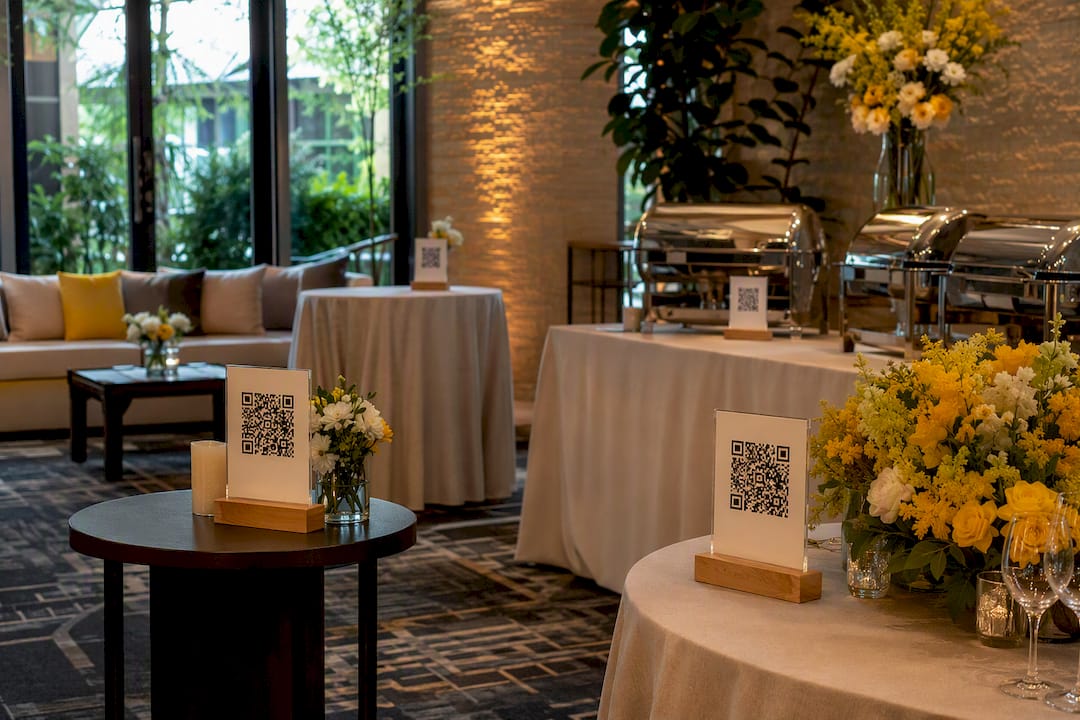
For the QR route, create your gallery, print the code onto table cards and a larger entrance sign, and test the scan yourself before doors open following the QR Code Waitlist Setup Guide for Owners and Managers. For the link route, share it in your event group chat or RSVP confirmation. For a kiosk, you need a charged tablet, a phone stand, decent lighting, and one person whose only job is reminding people it exists.
Pro Tip: Put the same call to action in at least three spots, the entrance, the tables, and the bar or photo area, and give one guest or family member the job of roving the room to nudge people towards it.
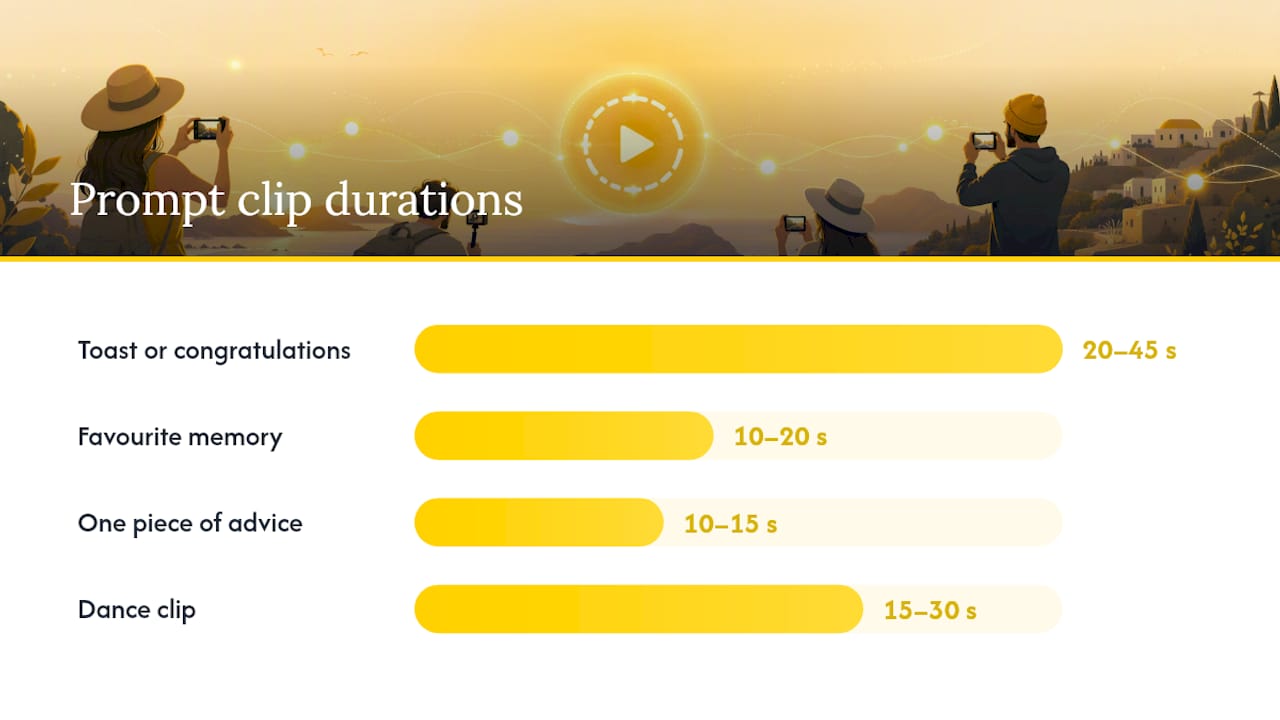
Short, specific prompts beat open‑ended ones every time. Asking “say something for the couple” gets rambling silence. Asking for a 20 to 45 second toast, a 10 to 20 second favourite memory, or a 15 to 30 second dance clip gets something you can actually use.
Print a small prompts card near your recording point with a handful of categories to choose from:
Ask guests to film in portrait orientation for the gallery view, unless you plan to edit into a widescreen reel, and to hold the phone still for the first three seconds while the camera settles. For guests who are nervous or speak a different language than most of the room, offer a short guided script they can read off, such as “Hi, I’m [name], and my favourite memory of [name] is…”.
Pro Tip: Laminate the prompts card. It gets picked up, put down, and picked up again all night.
Three quick technical notes cut your unusable‑clip rate dramatically: orientation, file format, and length. Guests won’t guess these correctly on their own.
Give them a short checklist, either printed near the recording point or read aloud by your MC:
Ask for original, unedited files rather than screen recordings or heavily compressed exports, since phone‑optimised uploads are fine for gallery viewing but original files matter if you want a proper highlight reel later.
Pro Tip: Give your MC this exact line to read out: “Grab your phone, hold it upright, and tell us your favourite memory in under a minute, there’s a QR code on every table.”
Ask for explicit permission to display, share, and edit clips, and keep a simple record of it. This matters more than most hosts assume, particularly if you plan to post a highlight reel publicly or use footage for a business event. Submission standards from outlets like Flip the Lens require permission documentation for anyone featured on camera, and platforms such as Alpha Renaissance go further, insisting consent comes from every person who appears, not just the person filming.
A working checklist looks like this:
Sample text you can copy directly onto a sign or upload screen:
By uploading, you agree that your video may be viewed, edited and shared as part of this event’s keepsake gallery.
This is practical guidance, not legal advice. For anything commercial, unusual, or involving minors, speak to a lawyer.
Use a simple collect, triage, edit, share workflow, and give yourself a short, defined timeline for each stage.
Assign one person, usually the host or a willing family member, to own this whole process, otherwise it drifts for months. Leave a buffer window of 7 to 30 days after the event so guests can submit clips they forgot to upload on the day.
Pro Tip: Batch your edits in one sitting rather than picking at them over weeks. Momentum matters more than polish here.
Costs are modest, and hosting windows are usually short by design. Most platforms charge a one‑time flat fee per event for gallery hosting, with optional add‑ons for extended storage or professional editing.
SnapPix’s own model, a flat fee with a three‑month upload window, is a useful benchmark for what “typical” looks like.
Most upload problems come down to three things: a shaky connection, an unexpected file format, or confusion over a passcode. A few quick checks solve nearly all of them.
Pro Tip: Give one person, not the whole bridal party or every table host, the job of being the single point of contact for tech questions on the day.
Test the upload flow yourself before guests arrive, keep a spare charged tablet on hand, and put your QR code or short URL somewhere it can’t be missed.
Removing the app download is what actually raises participation. Guests who’d otherwise skip a task that requires an install will happily scan a code and upload straight from their browser.
SnapPix’s approach bundles the features that matter most for this: browser‑based capture, camera‑roll uploads for clips taken earlier, password‑protected galleries, a three‑month upload window, AI‑driven smart albums that group similar shots automatically, and simple RSVP integration so your guest list and your gallery link up from the start.
The platform’s track record of over 4,200 collected guest photos shows the model holds up at scale, not just in theory. And the practical detail that makes the real difference on the day isn’t the technology itself, it’s pairing it with a human: hosts who combine visible QR placement with someone actively prompting guests table by table consistently see far higher clip counts than those who rely on a sign and hope.
The rule that holds up every time: active prompting beats passive signage. Try having a family member ask table by table during dessert. It works better than any QR code standing alone ever will.
Setting up SnapPix takes less time than briefing your caterer. Create your gallery, print the QR code onto a few signs, run one test upload yourself, and you’re ready for guests to start filming the moment they arrive.

There’s no app for guests to download, no account to create, and no awkward tech support mid‑party. Your gallery stays live and password‑protected for three months, giving stragglers plenty of time to add clips they forgot on the night, and the AI smart albums do the sorting so you’re not stuck triaging hundreds of files alone. If you’ve read this far because last time half your guests never bothered opening an app, that’s precisely the friction this removes. Browse the full feature list or head straight to SnapPix to set up your first gallery.
What’s the easiest way to collect videos from guests without an app? A browser‑based QR gallery is the simplest route. Guests scan a code, and their camera or upload screen opens directly, no download required.
How long should guest video clips be? Keep toasts to 20 to 45 seconds and quick memories to 10 to 20 seconds. Shorter, focused prompts get better results than open‑ended requests.
Do I need written consent to share guest videos? Yes, get explicit permission for reuse, either verbally announced, printed on signage, or via a checkbox on your gallery or RSVP page.
How long should I keep the upload gallery open after the event? A buffer of 7 to 30 days catches most late submissions, though platforms like SnapPix offer windows of up to three months.
What causes most guest upload failures? Weak connectivity, unexpected file formats, and passcode confusion cause the majority of problems, and testing your setup before guests arrive prevents most of them.

Event hosts' practical guide to posed and candid photos: perception research, hands on shooting tips, and no app guest uploads to boost candid coverage.

Which event technologies are production ready for 2026 and how to adopt them with clear consent, governance, and a no app QR photo pilot.

Which routes keep EXIF or strip GPS? Quick checks to view or remove metadata, plus a three month workflow to collect guest photos.