Password protected gallery setup: a photographer's guide
SnapPix TeamPublished 19 Aug 202623 min read
Yes, you can create a password protected gallery, and most hosting platforms make it simple. The fastest route: create the gallery, switch on password access, then log out and test it yourself before you send anything to a client.
Quick check before you go further:
Pro Tip: Set the password, then email it to yourself first. If you can get in without a hitch, so can your client.
A password protected gallery only works when the password, the account behind it, and the sharing method are all handled with equal care.
| Point | Details |
|---|---|
| Test before you share | Open the gallery in a private browser window and try a direct image URL before sending it to anyone. |
| Match access to the job | Use a password for weddings and proofing, email‑restricted access for corporate or sensitive deliveries. |
| Split link and password | Send the gallery link and password through two separate channels, never the same email. |
| Layer your controls | Combine a strong password with an expiry date and download limits for proofing work. |
| Choose an integrated workflow | SnapPix combines QR‑based guest collection with password protection and a three‑month hosting window for event galleries. |
The process is nearly identical across every platform, whether you’re using a dedicated proofing site or a WordPress plugin. Here’s the sequence:
WordPress users have a built‑in option for this: the platform’s native password protection locks individual posts and pages until the right password is entered, though it prefixes the title with “Protected:” unless you remove that label with a small plugin.
Pro Tip: During proofing, keep a short expiry window on the gallery. A staging copy that dies after two weeks is far safer than a live link nobody remembers to close.

Not every job needs the same lock on the door. Three models cover almost every scenario a working photographer runs into:
For weddings and family albums, a password is usually enough. It’s low friction and guests rarely have malicious intent. For proofing sessions where you’re worried about leaks before a client has paid, or for corporate and school deliveries where confidentiality actually matters, email‑restricted access is worth the extra setup time.
Pro Tip: Layer your controls. A password plus a download limit plus a short expiry date does more for security than any single measure alone.
Treat the password as a proofing‑level privacy layer, not a legal‑grade lock. That framing changes how you build the rest of the checklist.
Password rules:
File delivery controls:
Expiry and rotation: Set an expiry date on proofing galleries and rotate the password once a project moves from proofing to final delivery. Services that focus on secure sharing increasingly build encrypted uploads and expiring links into the default flow, precisely because permanent public access to a client’s photos is a liability nobody wants.
A password on the gallery means nothing if the account behind it is easy to breach. Securing the account itself is the step photographers skip most often, and it’s the one that actually matters most.
A gallery with a rock-solid password is only as safe as the account that created it. If that login is shared across three studio assistants with no second factor, you’ve built a strong lock on a door with a spare key under the mat.
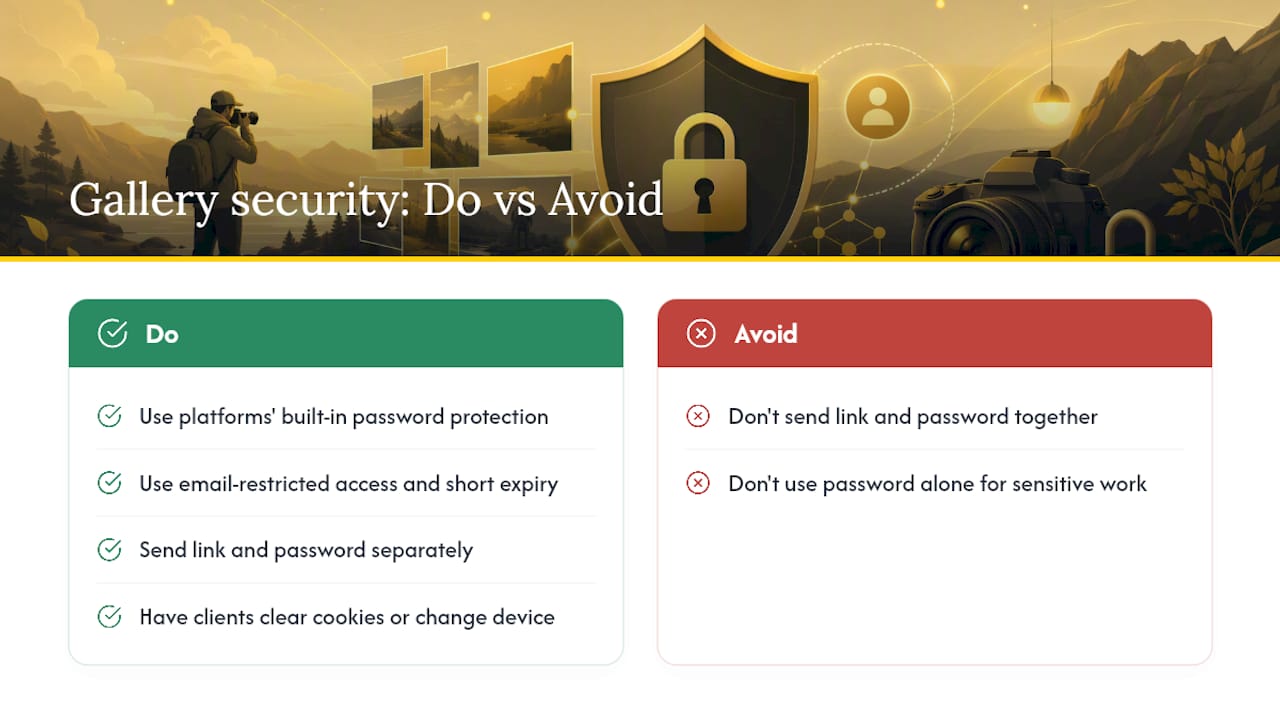
The gallery link and the password should never travel together. Send the link by email, then send the password through a separate channel, a text message, a phone call, or a secure messaging app.
Do:
Don’t:
A compact note explaining sharing rules and download limits also cuts down on support questions from clients unsure how the gallery works.
Changing or removing a gallery password should take under a minute on most platforms. Go into the gallery’s privacy settings, update or clear the password field, save, then tell the client immediately with the new credentials through your usual split channel.
Common problems and fast fixes:
SnapPix builds password protection into the same workflow that handles guest photo collection, which matters if you’re delivering event galleries rather than single sessions. A few features are worth knowing about:
The recommended sequence: collect guest photos via QR code, let the smart albums curate the set, switch on password protection, then share the link and password through separate channels as covered above. Rotate or expire the password once the couple or client has what they need. Always test the link and password yourself before you notify anyone.
Most advice on this topic obsesses over password strength and ignores the bigger risk: the account that creates the gallery in the first place. A 16‑character password means nothing if three former assistants still have login access to your studio’s gallery platform.
The conventional wisdom also oversells passwords as a security measure. They’re a privacy layer suited to proofing and family delivery, not a vault. If you’re handling something genuinely sensitive, a corporate shoot under an NDA, a school photography contract, email‑restricted access does more work than any password ever will.
What I’d prioritise first, if forced to pick one thing: test your own gallery before you ever send it to a client. Open it in a private window, try to load an image directly, see what actually happens. Most photographers set a password and assume the job is done. The ones who check their own work are the ones who never end up explaining to a client why their engagement photos turned up somewhere they shouldn’t have.
If you’re already piecing together a QR code app, a separate gallery host, and a password manager just to deliver one event’s photos, SnapPix folds all of it into a single flat fee per event. Guests upload straight from their phones with no app to install, AI smart albums do the sorting for you, and password protection sits right there alongside a three‑month hosting window.

That combination matters most for weddings and corporate events, where you’re collecting from dozens of guests and still need a gallery you can hand to a client with confidence. Browse the full feature set to see how collection, curation, and protection fit together, or check out how the QR code workflow works before your next event. Set up your first SnapPix gallery and test the password yourself before you send a single link.
Can every photo hosting platform password protect a gallery? Most modern gallery and proofing platforms support it, though the exact menu location varies. WordPress, for instance, has native password protection built into posts and pages, while dedicated photography platforms usually build it into gallery settings directly.
Is a password enough to keep client photos private? For proofing and family galleries, generally yes. For sensitive commercial or contractual work, pair it with email‑restricted access and a shorter expiry window, since a shared password can always be passed along by a well‑meaning client.
Should I send the password and the gallery link together? No. Send the link by email and the password through a separate channel like a text message or phone call, so a single compromised inbox doesn’t expose both.
How long should a client gallery stay live before I remove or change the password? That depends on your delivery process, but a common pattern is a short proofing window followed by a longer final delivery period, then a password rotation or removal once the project closes.
What should I do if a client says the gallery won’t accept the password? Ask them to clear cookies or try another device first. Many platforms remember an authorised visitor for a period after their first correct entry, which can look like a fault when it’s actually expected behaviour.

Event hosts' practical guide to posed and candid photos: perception research, hands on shooting tips, and no app guest uploads to boost candid coverage.

Which event technologies are production ready for 2026 and how to adopt them with clear consent, governance, and a no app QR photo pilot.

Which routes keep EXIF or strip GPS? Quick checks to view or remove metadata, plus a three month workflow to collect guest photos.