Welcome to SnapPix
SnapPix TeamPublished 11 Jan 20265 min read
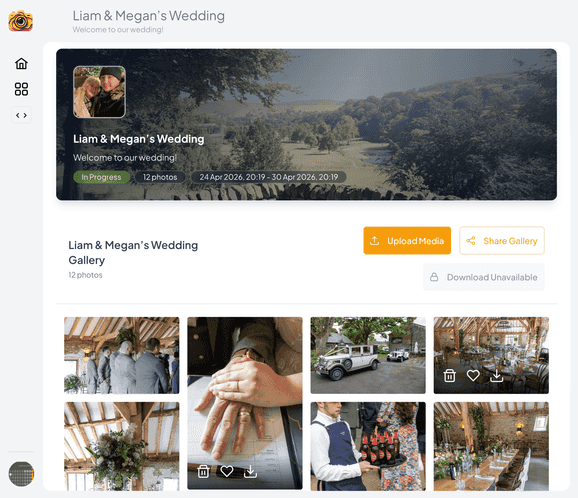
SnapPix exists for one job: help you collect every photo from your event without chasing guests for AirDrops, WhatsApp threads, or forgotten app downloads. If you host weddings, parties, corporate gatherings, or community celebrations, you can set up a gallery guests actually use.
For hosts, the flow is deliberate and calm. Create an event, customize your guest portal and QR materials, preview the capture experience, then go live when you are ready. Your dashboard is where uploads land—ready to browse, download, organize into albums, and share with a single link.
For guests, friction stays near zero. They scan your QR code or open your private link, then use the browser on their phone—no app store, no new account. They can snap live in the capture experience or upload photos and videos already on their camera roll.
Privacy and control stay with you. Password-protect the event, moderate uploads when you need to, and decide what gets shared externally. Host-exclusive AI smart albums and photo challenge albums are tools for you—not automatic public feeds.
Beyond the main gallery, SnapPix includes features hosts asked for in the real world: a digital guest book for messages alongside photos, photo challenges that tag submissions automatically, RSVP and guest-list tools, and branding options so the experience feels like your event—not a generic app.
We ship improvements regularly, and they are included in your event—photo challenges, guest portal settings, and smarter organization land without a patchwork of paid add-ons. Start free with guest uploads included, then activate anytime for unlimited uploads.
Guest uploads remain open for three months from your event start date, which covers the slow trickle of “I found another great one on my phone” messages. You focus on hosting; we handle the infrastructure.
If you are new here, start with our How It Works guide, explore pricing for a straightforward per-event model, and create a test event to see your own QR flow in under a minute. Welcome—we are glad you are here.

Event hosts' practical guide to posed and candid photos: perception research, hands on shooting tips, and no app guest uploads to boost candid coverage.

Which event technologies are production ready for 2026 and how to adopt them with clear consent, governance, and a no app QR photo pilot.

Which routes keep EXIF or strip GPS? Quick checks to view or remove metadata, plus a three month workflow to collect guest photos.