Album QR code: share event photos instantly in 2026
SnapPix TeamPublished 13 Jul 202621 min read
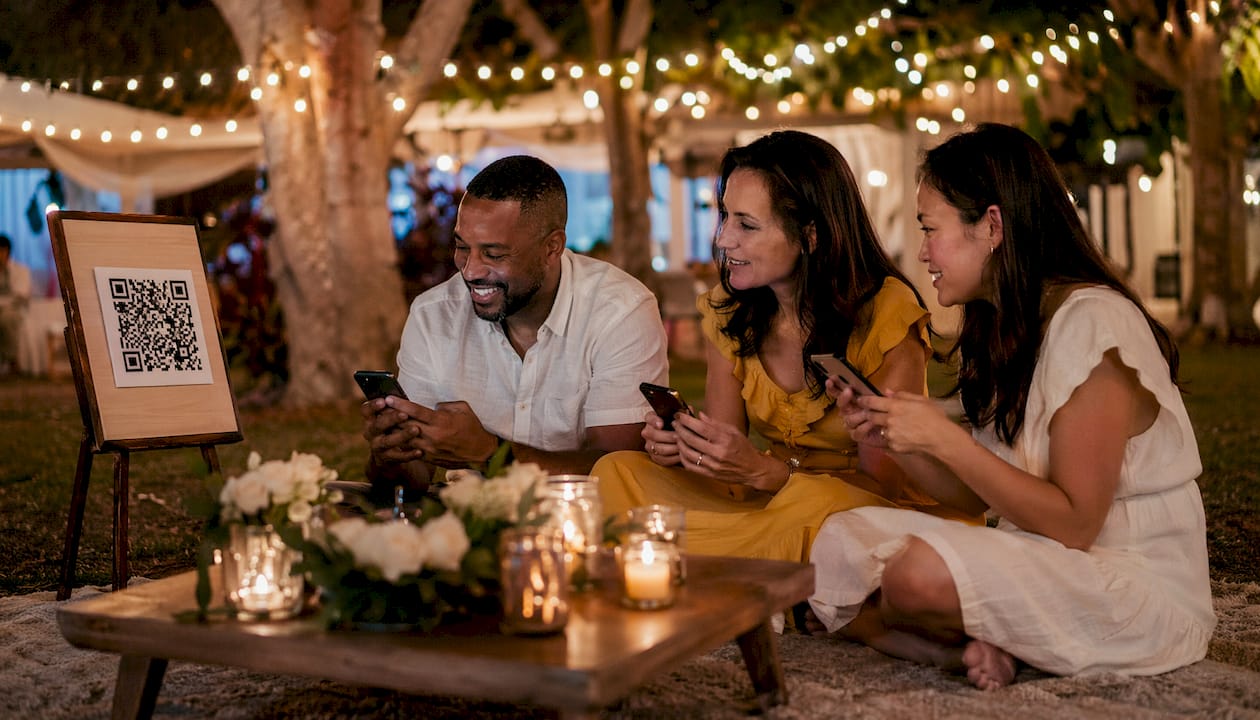
An album QR code is a scannable graphic that links directly to a digital photo album, giving guests instant access with a single scan. This approach has overtaken the traditional wedding hashtag as the preferred method for private photo sharing at events. The reason is straightforward: hashtags require guests to remember a phrase, post publicly, and hope the algorithm surfaces their photos. A QR code removes every one of those steps. Platforms like Snap-pix have built entire services around this idea, collecting over 4,200 guest photos without requiring a single app download.
An album QR code is a machine-readable image that encodes a URL pointing to a shared digital photo album. When a guest scans it with their phone camera, the browser opens the album directly. No app, no login, no friction.
The technical process splits into two types. A static QR code encodes the album URL permanently. Change the album link and the code becomes useless. A dynamic QR code routes through an editable short URL, so you can update the album link without reprinting the code. For events where you plan to add photos over several days or weeks, dynamic codes are the practical choice.

Most QR code photo albums live on cloud platforms. Google Photos and Dropbox both support shared album links that you can encode into a QR code. Dedicated event photo platforms go further, offering upload controls, guest book features, and AI-organised galleries. QR codes also support photos and videos, so your album captures the full range of moments, not just stills.
One practical constraint: scanning requires an internet connection. Guests at venues with poor signal may struggle to upload in the moment, so it is worth flagging this in your event instructions.
The steps to create and share an album QR code:
Pro Tip: Choose a platform that lets you control upload permissions separately from view permissions. That way, guests can contribute photos without seeing each other’s uploads until you are ready to share the full gallery.
Placement is the single biggest factor in guest participation. Placing QR codes where guests naturally gather prompts them to scan without any prompting from you. Think table centrepieces, bar tops, photo booth frames, welcome signs, and order-of-service cards for weddings. At corporate events, lanyards, name badges, and presentation slides all work well.
Design matters too. A plain black-and-white QR code works, but a branded one builds trust and looks intentional. Many QR code platforms offer over 1,200 templates and AI-designed pixel art, so you can match the code to your event palette. Adding a short call to action beneath the code, such as “Scan to share your photos,” removes any ambiguity for guests who have not encountered a QR photo album before.
Privacy controls are non-negotiable for private events. Set the album to accept uploads from guests while keeping the gallery view-only until after the event. Password protection adds a second layer, ensuring only invited guests can access the album even if the QR code is photographed and shared beyond the venue.
Optimal placement and security checklist:
Pro Tip: Run a photo challenge alongside your QR album. Prompts like “capture the best table decoration” or “find someone laughing” give guests a reason to take more photos and scan the code repeatedly throughout the event.
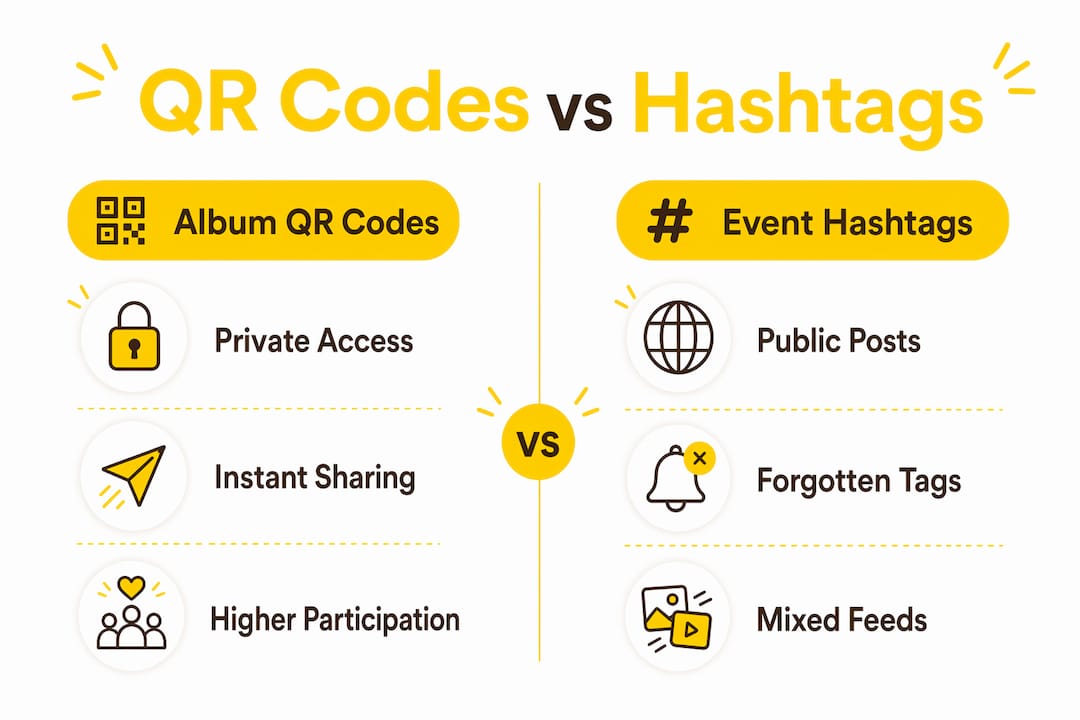
Hashtags have three structural problems. Guests forget them, the posts are public by default, and the resulting feed mixes your event photos with unrelated content from strangers who happen to use the same tag. A QR code photo album solves all three at once.
QR codes provide a friction-free alternative that removes the need for guests to remember anything or post publicly. Every photo lands in one private, organised location. You control who sees it and when. The resolution stays high because guests upload directly from their camera roll rather than compressing images through a social media platform.
Guest participation is also measurably higher with QR scanning than with hashtag-based collection. The act of scanning is immediate and satisfying. Posting to a hashtag requires opening a social app, writing a caption, and choosing a privacy setting. That friction causes many guests to simply not bother.
| Criterion | Album QR code | Event hashtag |
|---|---|---|
| Privacy | Private, controlled access | Public by default |
| Ease of use | Scan and upload instantly | Requires app, caption, and posting |
| Photo quality | Full resolution from camera roll | Compressed by social platforms |
| Guest participation | High, due to low friction | Lower, due to multiple steps |
| Album organisation | Centralised, curated gallery | Scattered across a public feed |
The table makes the gap clear. A QR code album centralises every guest’s contribution in one place, making it far easier to download, print, or share after the event.
Security for a digital photo album starts with access permissions. Set clear boundaries between who can upload and who can view. View-only settings protect guest privacy during the event itself, while upload rights let everyone contribute freely. Password protection and view-only settings are the two most effective controls for keeping albums secure.
Dynamic QR codes add another layer of control. Because they route through an editable short URL, you can deactivate or redirect the link at any point. Dynamic codes can carry expiry dates, automatically cutting off access after a set period. This is particularly useful for corporate events where sensitive moments should not remain accessible indefinitely.
Common security pitfalls and how to avoid them:
One often-overlooked risk is the QR code itself being photographed and shared beyond the venue. If your event is private, treat the printed code like an invitation: distribute it only to confirmed guests and avoid displaying it in publicly visible windows or doorways.
An album QR code is the most practical way to collect, organise, and protect event photos in 2026, outperforming hashtags on privacy, quality, and guest participation.
| Point | Details |
|---|---|
| Use dynamic QR codes | Dynamic codes let you update or deactivate the album link without reprinting. |
| Prioritise placement | Position codes at tables, bars, and photo booths where guests naturally gather. |
| Set upload and view permissions separately | Guests can contribute photos without seeing the full gallery prematurely. |
| Add password protection | Password-protect private event albums to prevent unauthorised access. |
| Set an expiry date | Use expiring links to close album access automatically after the event. |
I have watched guests at weddings, corporate dinners, and birthday parties interact with QR code albums, and the pattern is consistent. The guests who scan first are the ones who feel most connected to the event. They share the code with the table. Within ten minutes, a small group has uploaded thirty photos that the couple or organiser would never have captured themselves.
The biggest mistake I see organisers make is treating the QR code as an afterthought. They print one small code on the back of the menu and wonder why nobody uses it. Visibility drives participation. When the code appears on every table, at the bar, and on the welcome sign, it signals that photo sharing is part of the event, not an optional extra.
I also think the privacy angle is underrated. Guests are genuinely more willing to share candid, unguarded moments when they know the photos go to a private album rather than a public hashtag. You get better photos because people relax. That is the real value of a QR code wedding album: not just convenience, but authenticity.
The future of this space is AI curation. Platforms that automatically sort, group, and highlight the best guest photos will save organisers hours of post-event work. That shift is already happening, and it will make the QR photo album the standard for every event category within the next few years.
— Liam
Snap-pix is built specifically for event organisers who want every guest photo in one place without the hassle of app downloads or complicated sharing links.

Snap-pix generates a QR gallery code matched to your event theme, complete with photo challenges that build guest participation throughout the day. Guests scan, upload photos and videos, and sign the digital guest book, all from their phone browser. The AI-driven smart album then organises everything automatically. The gallery stays accessible for three months after your event, giving you plenty of time to download and print your favourites. See how Snap-pix works and explore the full feature set to find the right setup for your event.
An album QR code is a scannable image that links directly to a shared digital photo album. Guests scan it with their phone camera and can view or upload photos instantly, without downloading an app.
Yes. Most dedicated event photo platforms, including Snap-pix, open the album directly in the phone browser. No app installation is required at any point.
A static QR code encodes a fixed URL that cannot be changed. A dynamic QR code routes through an editable short URL, so you can update the album link or deactivate access without reprinting the code.
Use password protection, set the album to upload-only during the event, and apply an expiry date to the sharing link. Avoid posting the QR code on public social media if the album contains private content.
QR code albums outperform wedding hashtags on privacy, photo quality, and guest participation. Shared albums via QR codes have overtaken hashtags as the preferred method for private, comprehensive event photo sharing.

Event hosts' practical guide to posed and candid photos: perception research, hands on shooting tips, and no app guest uploads to boost candid coverage.

Which event technologies are production ready for 2026 and how to adopt them with clear consent, governance, and a no app QR photo pilot.

Which routes keep EXIF or strip GPS? Quick checks to view or remove metadata, plus a three month workflow to collect guest photos.