Digital guest book for wedding hosts: set up in minutes
SnapPix TeamPublished 31 Jul 202626 min read
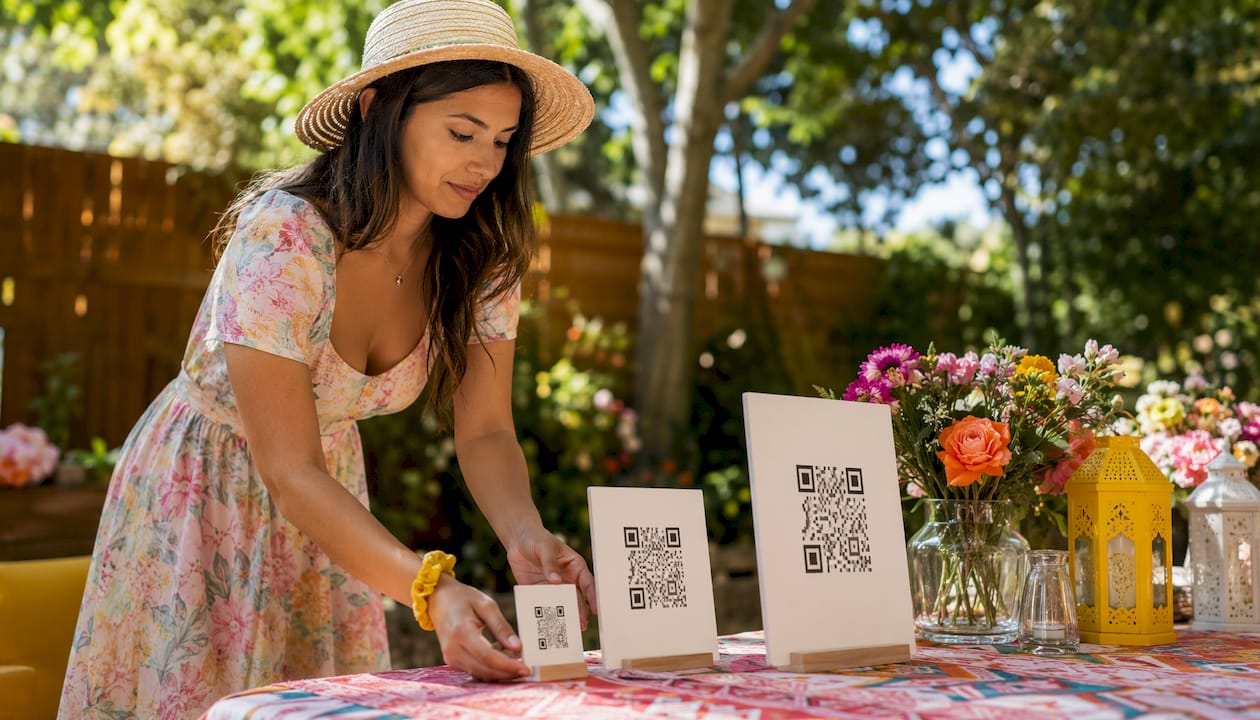
For UK wedding hosts and event planners, a QR-code digital guest book is the quickest way to collect photos, videos, and heartfelt messages from every guest in one place. Snap-pix is the go-to option: guests simply scan a QR code, upload straight from their phone browser, and your gallery fills up in real time, with no app download required.
Setup takes a few minutes, and per-event pricing starts at £14.99 with no subscription.
The flow is straightforward for both you and your guests. Here is the full journey from setup to live gallery:
The only technical requirement for guests is a smartphone with a camera and a browser. Mobile data works fine; venue Wi-Fi is a bonus, not a necessity.
Pro Tip: Before the event, scan your own QR code on a friend’s phone to confirm the upload flow works end to end. This takes two minutes and catches any settings issues before guests arrive.
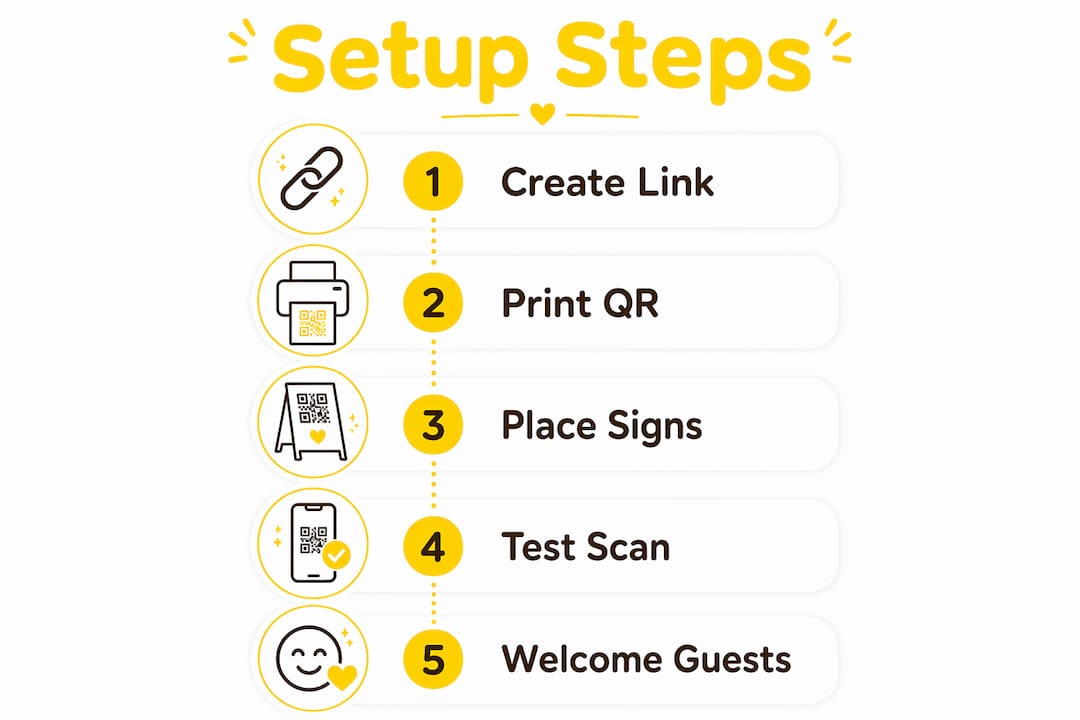
Getting your online guest book ready is genuinely quick. Work through this checklist and you will be set well before the big day.
One week before:
One day before:
One hour before:
Pro Tip: Print at least three QR code signs at different sizes. A small table card, a medium A5 print, and one large A3 sign near the entrance covers every scenario and keeps participation high throughout the day.
When a guest scans your QR code, the first thing they see is your welcome message. Keep it short and warm. Something like: “Welcome! Tap the button below to add your photo or a message for [Couple’s Names]. It takes 30 seconds and means the world to them.” That tone sets expectations and removes hesitation.

Placement of your signage matters more than most hosts expect. Tables near the bar, the photo booth area, and the entrance see the highest scan rates. If your MC mentions the guest book twice during the reception, participation tends to build momentum quickly.
Photo challenges are one of the most effective engagement tools available. You can prompt guests with specific requests: “Snap a photo with someone you haven’t seen in years” or “Show us your best dance move.” These prompts give guests a reason to pick up their phone and contribute, rather than waiting for the perfect moment.
For guests without smartphones or with limited data, set up a tablet near the entrance as an assisted upload station. A family member or usher can help anyone who needs it. This small addition means no one is left out.
Not every electronic guest book platform offers the same capabilities. Here is what to prioritise when choosing one for your event:
On pricing, watch for two things. First, a per-event flat fee (like Snap-pix’s £14.99 per event) suits a one-off occasion far better than a monthly subscription you will pay for long after the wedding. Second, check whether the platform limits how long uploads remain open. Snap-pix keeps your gallery accessible for three months post-event, which gives guests time to add photos they took on a proper camera.
The gallery does not close the moment the last guest leaves. Here is how to make the most of what you have collected.

Review and moderate first. Go through submissions within a day or two while the event is fresh. Remove anything you would not want to share, and flag your favourites for the album.
Download everything in high resolution. Save a full backup to your computer or cloud storage before the hosting window closes. Snap-pix provides high-resolution downloads, so your files will be print-ready.
Compile a keepsake album. Many hosts use their downloaded gallery to create a printed photo book through a service like Photobox or Snapfish. The AI smart albums in Snap-pix give you a curated starting point, which cuts the selection process significantly.
Share thoughtfully. Before posting guest photos on social media, consider whether everyone in the images would be comfortable with that. A private shared link to your gallery is often a better first step than a public post.
On data retention: Snap-pix’s deletion policy sets out exactly when gallery data is removed and what your options are for extending hosting. Read it before your three-month window closes.
Snap-pix has collected many guest photos across events, which gives you a reliable sense of how the platform performs at real weddings and gatherings. That is not a marketing estimate; it reflects actual usage across the platform.
The feature set is built around the practical needs of a one-day event:
| Feature | What Snap-pix offers |
|---|---|
| Guest uploads | Browser-based, no app required |
| QR code | Generated per event, printable |
| Gallery hosting | Three months post-event |
| AI smart albums | Automatic curation of highlights |
| Photo challenges | Built-in prompts to boost participation |
| Digital guest book | Messages and names captured alongside photos |
| Privacy | Password-protected galleries |
| Pricing | £14.99 per event, no subscription |
| Guests | Unlimited |
Over 4,200 guest photos collected across real events — Snap-pix’s no-app QR approach consistently delivers high participation without any technical barriers for guests.
For a full breakdown of capabilities, the Snap-pix features page covers everything in one place.
The good news is that the technical bar is low. Guests need a smartphone with a working camera and a browser. That covers virtually every phone made in the last eight years, whether it runs iOS or Android.
Wi-Fi versus mobile data: mobile data is sufficient for photo and short video uploads. Venue Wi-Fi is helpful if you plan to display the live gallery on a large screen during the event, since streaming to a TV benefits from a stable connection. If the venue has patchy Wi-Fi, ask whether they can provide a dedicated hotspot for the display device.
QR code scanning: most modern smartphones scan QR codes directly through the native camera app, with no additional software needed. Older devices may require a free QR reader app. Print your QR code at a minimum of 10cm × 10cm so it scans reliably from a normal reading distance.
Backup plan: always have the direct URL to your gallery available as a short link or on a printed card. If a guest cannot scan the QR code, they can type the address directly. Keep the link short and easy to read aloud.
The market for interactive guest book platforms has grown considerably, and UK hosts now have several options at different price points and feature levels.
Snap-pix sits at the practical end: £14.99 per event, no subscription, browser-based uploads, three-month hosting, and built-in photo challenges and AI albums. It is designed for hosts who want everything working on the day without technical complexity.
Freemium no-signup platforms (such as Wallble) offer a free tier with limited posts and a premium upgrade for unlimited submissions and PDF downloads. These suit very small gatherings or hosts who want a simple message wall rather than a full photo gallery.
Legacy guestbook services like UltraGuest, which has operated since 2003, offer customisation and moderation tools but are built around traditional web guestbooks rather than QR-first mobile uploads. They work, but the guest experience feels dated compared to a scan-and-upload flow.
Enterprise or venue-managed options typically involve dedicated hardware (a photo booth or kiosk) and significantly higher costs. They suit large corporate events but are overkill for most weddings.
For the majority of UK wedding hosts, the decision comes down to whether you want a free tool with limited features or a low-cost per-event platform with the full feature set. Snap-pix’s flat fee covers a single event completely, which is exactly what most couples need.
Even with a solid setup, small problems can occur. Here is how to handle the most common ones quickly.
QR code not scanning:
Upload failures:
Guests unsure what to do:
Gallery not displaying on the TV:
A QR-code digital guest book set up on Snap-pix is the fastest, most reliable way for UK wedding hosts to collect photos, videos, and messages from every guest in one place, at a flat fee of £14.99 with no subscription required.
| Point | Details |
|---|---|
| No app needed | Guests upload via browser after scanning a QR code — zero friction, higher participation. |
| Three-month gallery | Snap-pix keeps your gallery live for three months, giving guests time to add photos taken on cameras. |
| Per-event pricing | At £14.99 per event with no subscription, the cost suits a one-off occasion perfectly. |
| Post-event actions | Download high-resolution files and moderate submissions within a day or two of the event. |
| Try Snap-pix | Visit snap-pix.co.uk to create your event and get your QR code in minutes. |
There is a tendency to treat the digital guest book as a nice-to-have, something to set up the night before and hope for the best. That is a missed opportunity. The difference between a gallery with 40 photos and one with 400 almost always comes down to two things: signage placement and a single MC prompt. Neither costs anything extra.
What I find genuinely useful about the QR-first approach is how it removes the social awkwardness of a traditional paper book. Guests do not queue, they do not feel put on the spot, and they can contribute from their seat at any point during the evening. The result is a more honest, candid collection of memories than any posed signing session produces.
If you want to see how this plays out in practice, the Snap-pix blog has a detailed walkthrough of the QR setup for weddings, including signage tips and example welcome messages worth borrowing.

Snap-pix gives you a complete digital guest book for a single flat fee of £14.99, with no monthly charges and no subscription to cancel afterwards. That covers your QR code, unlimited guests, three months of gallery hosting, AI smart albums, photo challenges, and password-protected sharing. You can have your event page live and your QR code ready to print in under five minutes.
See exactly what is included on the Snap-pix features page, or head straight to snap-pix.co.uk to create your event today.

Event hosts' practical guide to posed and candid photos: perception research, hands on shooting tips, and no app guest uploads to boost candid coverage.

Which event technologies are production ready for 2026 and how to adopt them with clear consent, governance, and a no app QR photo pilot.

Which routes keep EXIF or strip GPS? Quick checks to view or remove metadata, plus a three month workflow to collect guest photos.