One QR Code to Capture Employee Photo Consent at US Events
SnapPix TeamPublished 7 Sept 202619 min read

If you plan to publish or promote your event with guest photos, get a signed release covering scope, duration, and territory before you use anything commercially. Signage can cover general crowd shots, but not close-up marketing images. Collect signatures early, through registration or an on-site QR flow like SnapPix, so you have a timestamped, auditable record if anyone ever asks.
TL;DR:
- Obtaining a signed release that clearly defines the scope, duration, and territory is essential for commercial use, especially for close-up images or marketing purposes.
- Signage at event entrances cannot replace a signed release for recognisable individuals used in promotional materials or paid campaigns.
- Guardian consent is mandatory for photos of minors, and collecting it during registration ensures proper records and reduces disputes.
- Using QR codes integrated into registration or photo upload flows minimizes friction and helps gather verified consent efficiently.
- Keeping organized, secure records with metadata and clear policies is crucial for handling future requests for photo removals or proof of consent.
A photo release is only as strong as its specifics. Vague wording like “you agree we might use your photo sometime” won’t hold up if a guest disputes how their image was used later. According to guidance from the Stanford Copyright and Fair Use Center, a release needs to name the parties, define the scope of use, and be signed to be enforceable.
Here’s what belongs in a release that will actually protect you:
Skip any of these and you’re relying on goodwill rather than a document that stands up to scrutiny.
This is where most event hosts get it wrong. Signage feels easier, so it’s tempting to assume a poster at the door covers everything. It doesn’t.
Commercial and marketing uses, adverts, sponsored posts, brochures, stock licensing, require a signed release for anyone recognisable in the shot. If you’re putting a guest’s face on a flyer for next year’s event, a sign near the entrance isn’t enough.
Editorial or internal recap uses carry lower risk. A recap video for attendees or a school newsletter typically doesn’t need individual sign-off, though identifiable close-ups can still raise questions worth covering with consent.
Signage tells guests what’s happening. A release proves they agreed to it.
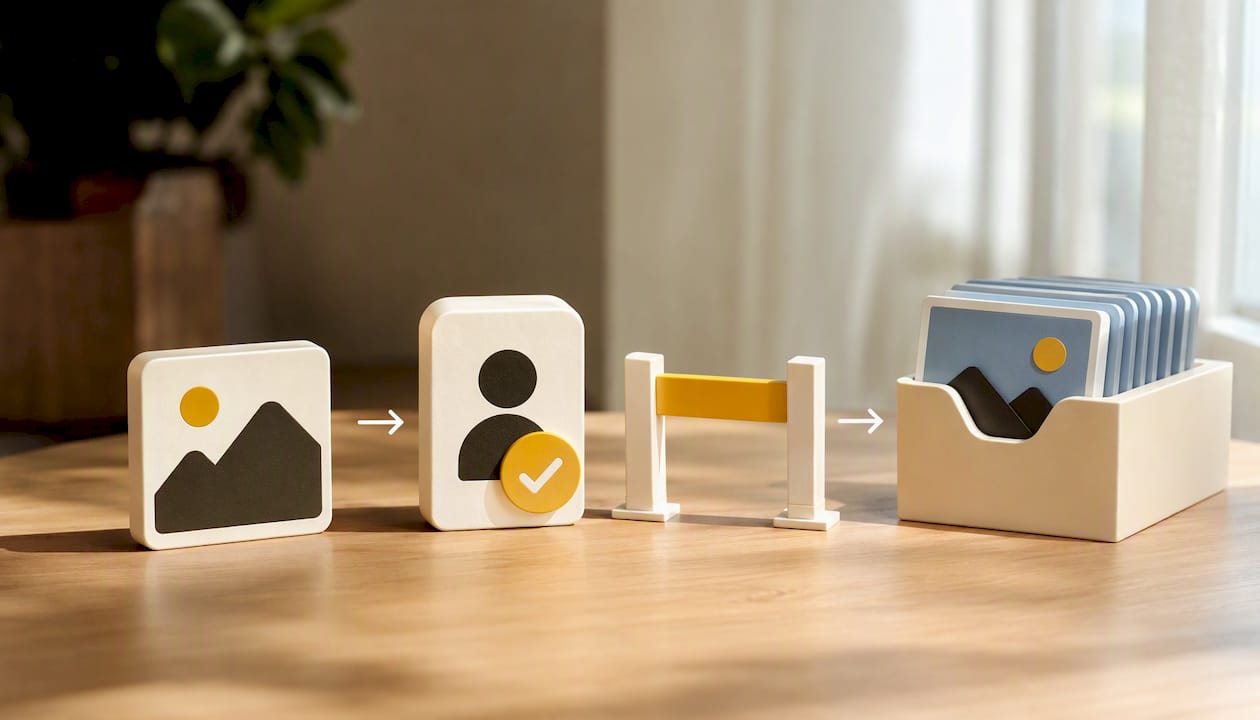
A minor can’t legally consent to anything, including having their photo used. That responsibility sits with a parent or legal guardian, full stop.
Practically, that means your release needs to capture the child’s name and date of birth, plus the guardian’s name and contact details, and confirm the guardian has the authority to sign (relevant for blended families, custody arrangements, or school trips with multiple caregivers).
That last point matters more than it sounds. Guidance for youth organisations and schools consistently favours collecting guardian consent well before the event, since rushed on-site signatures produce messier records and more disputes later.
The best consent process is the one guests barely notice. Build it into steps they’re already taking.
A no-app QR flow for photo uploads can combine both jobs at once: guests scan, upload their photos, and confirm consent in the same short interaction, without downloading anything.
Pro Tip: Put your QR code at eye level near the entrance and again at the bar or photobooth. Guests who missed it the first time almost always catch it the second.
Once the party’s over, the paperwork still matters. Keep a copy of every signed release linked to the specific images it covers, whether that’s a signed PDF or a digital record tied to a file name.
A searchable record beats a folder of loose signatures every time someone comes back with a question six months later.
Releases generally fall into two camps: limited and unlimited. A limited release restricts use to specific media, a defined territory, and a fixed term, useful for a one-off campaign or a single social post. An unlimited release grants broad, perpetual rights, better suited to ongoing marketing use but heavier to ask a guest to sign.
Short, clear clauses work better than legal density:
Get a lawyer to review anything involving paid campaigns, celebrity guests, or minors in paid roles. And never bury the consent line inside dense terms and conditions. If a guest has to hunt for it, it isn’t really consent.
QR-based consent flows cut friction noticeably compared with paper forms. Guests scan, tick a box, upload, and move on, no clipboard, no queue. Brief your staff before doors open: someone should always know where the signage sits and be ready to point guests to it.
Small fixes make the biggest difference on the night. Move a poorly placed sign five feet closer to the entrance and completion rates climb. SnapPix’s guest galleries show what this looks like at scale, with real events collecting thousands of guest photos through exactly this kind of low-friction flow.
— Liam
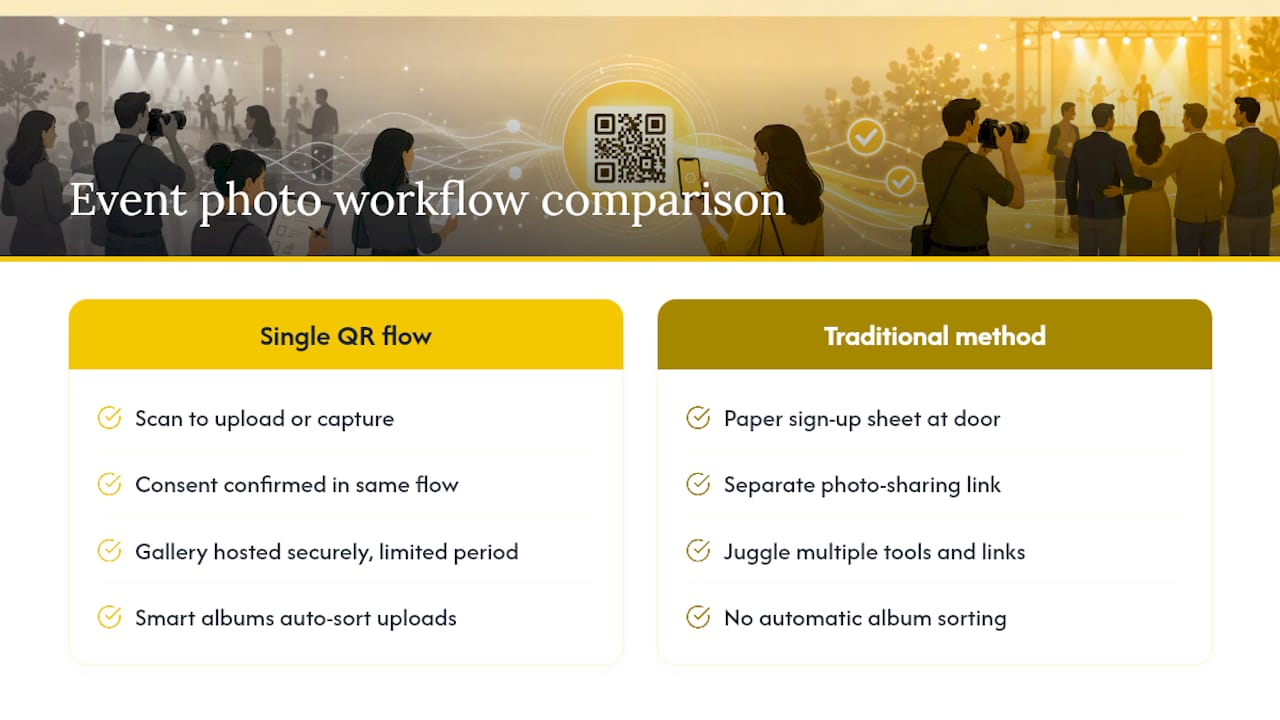
Guest photo collection can be paired with the consent step organisers actually need, all through one QR code, no app required. Guests scan, upload straight from their camera roll or capture live, and confirm consent in the same flow, with your gallery hosted securely for a limited period afterwards.

Compare that with juggling a paper sign-up sheet at the door and a separate photo-sharing link, and it’s easy to see why hosts switch. Smart albums can sort the flood of uploads automatically, photo challenges can keep guests contributing throughout the night, and password-protected galleries keep everything private to your guest list. Whether running a wedding, a corporate gathering, or a school event, the same QR flow can handle both jobs at once.
Take a look at the full feature set on the SnapPix features page and see how quickly you can set up a gallery for your next event.
For deeper legal wording, start with the Stanford Copyright and Fair Use Center on release agreements, and cross-check state-specific practicalities via Sprintlaw’s guidance for US businesses. Templates are a starting point, not a substitute for legal review once paid campaigns, minors, or public figures are involved.

Comparing wedding guest photo apps and the alternatives: what to look for, what to avoid, and how a no-app QR gallery works for UK couples.

How to gather, display and share memorial service photos in the UK: family permission, photo boards, slideshows, and a private QR gallery for guests' memories.

Stop chasing guests for photos. Learn how to centralize event photos in one QR gallery, with a simple workflow, privacy basics and copyright tips for hosts.