QR code for guests to upload photos: your event guide
SnapPix TeamPublished 29 Jul 202639 min read

The fastest way to collect every guest photo at your event is a no-app QR code upload platform. Scan, open browser, upload. No downloads, no sign-in friction, no chasing people afterwards. Our recommendation: Snap-pix — create your event page, generate your QR, and you’re ready.
Three reasons this works:
Not every approach suits every host. Here is a compact comparison of the main options, so you can pick the right fit quickly.
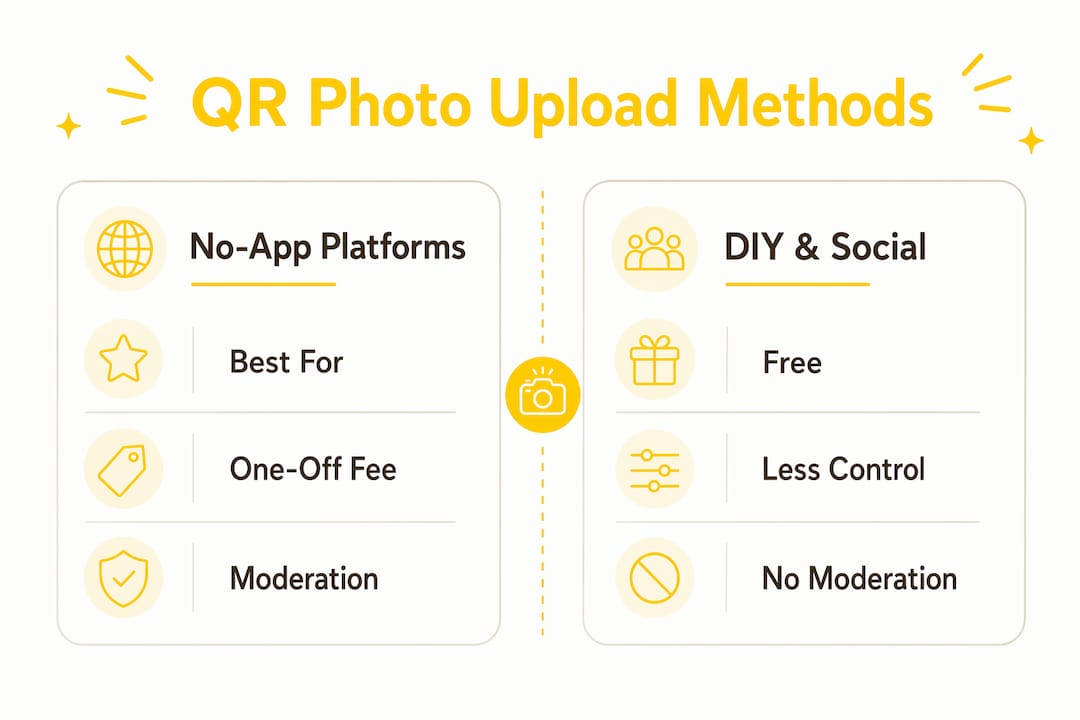
| Approach | Best for | Price model | Storage / retention | No-app ease | Privacy / GDPR | Extra features |
|---|---|---|---|---|---|---|
| Dedicated no-app platform (e.g. Snap-pix) | Weddings, parties, corporate events | One-off event fee | 3 months upload window; optional extension | Excellent — scan, open, upload | Password protection, GDPR-aligned | AI albums, photo challenges, digital guest book, live slideshow |
| Entry-level hosted platforms | Small gatherings | Free tier or low monthly fee | Often 30 days or less | Good, but varies by provider | Basic; check privacy policy | Limited moderation, no AI sorting |
| DIY cloud + QR generator | Budget-conscious hosts | Free (Google Photos / Drive) | Indefinite but manual | Moderate — sign-in prompts reduce participation | Depends on cloud provider settings | None built-in |
| Custom / agency integration | Large-scale or branded events | Project fee (—) | Configurable | Varies by build quality | Configurable | Full branding, API webhooks |
Recommended pick: Snap-pix. It combines no-app upload, a three-month upload window, AI-driven smart albums, and a straightforward setup that takes minutes. Guests upload in original quality, video is supported, and the gallery stays private behind a password.
A few things worth noting on upload behaviour:
Snap-pix was built specifically to solve the problem every host knows: you get a handful of photos from one or two guests, and the rest disappear into people’s camera rolls. The platform’s QR-to-browser upload flow means guests do not need to download anything or create an account. They scan, the page opens, they upload.
The proof points are concrete. Snap-pix has already collected a substantial number of guest photos across events, with hosts reporting that the photo challenge feature drives noticeably higher participation than a plain upload prompt. The AI smart albums and photo challenges automatically sort uploads by chronology and content, so you are not left with a folder of 300 unsorted files.
For a wedding, the flow looks like this: the host creates an event page, sets a password for the gallery, prints the QR on table cards, and adds a short privacy notice. Guests scan at any point during the day, upload from their camera roll or take a new shot, and the gallery builds in real time. A corporate event works the same way — the QR goes on lanyards, screens, or delegate packs, and the digital guest book collects written messages alongside photos.
Snap-pix also supports online RSVPs and a custom RSVP form builder, which means the platform can handle more than just photo collection if you want a single tool for the whole event.
4,200+ guest photos collected across events using Snap-pix’s no-app QR upload — with zero app installs required by guests.
Privacy and terms pages are publicly listed on the Snap-pix website and worth reviewing before your event to confirm the data-retention and export terms suit your needs.
The whole process takes under 30 seconds for most guests. How QR photo collection works covers the full host and guest flow in more detail if you want a visual walkthrough.
This is the most reliable option for most events. You pay a one-off fee, get a purpose-built upload page, and guests scan and upload without any friction. Snap-pix sits in this category, as do other hosted services.
Best for: Weddings, milestone birthdays, corporate events, graduations — any occasion where you want a clean, private gallery and minimal setup effort.
Pros: No app installs, original quality, password protection, moderation tools, AI sorting, video support.
Cons: Costs money (though typically a modest one-off fee). You rely on the provider’s uptime.
Create a shared upload album in Google Photos, copy the share link, paste it into a free QR generator (such as QR Code Generator or QRCode Monkey), and print the result. Guests tap the link and upload.

The catch: Google Photos often prompts guests to sign in, which kills participation. Drive shared folders have similar friction. Mobile UX is also less polished than a dedicated platform. This method works for small, casual gatherings where guests are likely to already have Google accounts.
Steps:
Limitation: No moderation, no password protection, and sign-in prompts will reduce how many guests actually upload.
Ask guests to post to Instagram or X with a custom hashtag. Simple to set up, costs nothing, and guests are already familiar with the apps.

The downsides are significant, though. Images are public by default, image quality is often compressed, you have no control over what gets posted, and you cannot easily export a clean gallery afterwards. For events where privacy matters — weddings, corporate functions, children’s parties — this approach is not suitable.
Decision guide:
Pricing across the market falls into three broad bands. What drives the cost up is retention length, moderation tools, and video support — not the number of guests.
| Price band | Typically includes | Typical retention |
|---|---|---|
| Free (DIY) | Cloud share link + free QR generator; no moderation, no password | Indefinite but manual management |
| One-off event fee in a modest price range | Hosted upload page, password protection, original quality, basic moderation | 1–3 months post-event |
| Premium one-off or subscription pricing starting at a higher tier | AI sorting, video support, live slideshow, digital guest book, extended hosting | 3–12 months; optional extension |
An upload window lasting several months is common for single-event galleries. It balances guest convenience (someone who uploads three weeks after the wedding is still within the window) with manageable storage costs for the provider.
A few practical points on storage:
Collecting photos of guests means collecting personal data. Under UK GDPR, you need a lawful basis for doing so. For most events, that basis is consent — guests choose to upload, which constitutes a clear affirmative action.
Keep it short. Guests will not read a paragraph, but a two-line notice next to the QR code satisfies the transparency requirement and builds trust.
The ICO’s guidance on consent is the authoritative UK reference for hosts who want to confirm their approach is compliant. Keep a brief record of how and when consent was collected — a note in your event file is sufficient for most private events.
Snap-pix provides password-protected galleries and a three-month upload window as standard, which covers the core practical requirements. Review the platform’s privacy policy before your event to confirm data storage location and deletion terms.
UK GDPR tip: A short privacy notice beside the QR code, combined with a password-protected gallery, covers the two most visible compliance requirements for private event photo collection.
Pro Tip: Place the QR at eye level on table cards rather than flat on the table — guests scan more readily when the code faces them directly.
Photo challenges build momentum. Give guests a list of shots to find: “the first dance,” “a silly group photo,” “the best table decoration.” Structured prompts give people a reason to open their camera. Snap-pix’s photo challenges feature is built for exactly this.
A small prize helps. Announce that the guest who uploads the most photos wins a bottle of wine or a small voucher. You will see uploads spike within minutes.
Timed prompts work. Ask your MC or host to mention the QR code at two or three points during the event — after the meal, before the first dance, and at the end of the night. Each mention drives a fresh wave of uploads.
Print at A5 or A6 for table cards, A4 for standing displays. Bold the instruction line and keep the QR at least 4cm × 4cm for reliable scanning from 30cm away.
For most events, an off-the-shelf hosted platform is the right call. But if you are running a large-scale conference, a branded activation, or a multi-day festival where photo collection needs to plug into your own systems, a custom API integration is worth considering.
QR-Bridge is one example of a QR code file-upload API that supports encrypted direct uploads to your application without storing images on the QR service’s own servers — a useful privacy assurance for events handling sensitive content.
Go the custom route when: you need white-label branding throughout, you are integrating with an existing CRM or event management system, you expect thousands of simultaneous uploads, or your legal team requires images to be stored on specific servers.
For everything else — weddings, birthday parties, corporate away-days, graduations — a hosted platform like Snap-pix delivers the same outcome in a fraction of the time and at a fraction of the cost.
Security note: Whether you use a hosted platform or a custom build, confirm that uploads are encrypted in transit (HTTPS) and at rest, and that the storage location complies with UK GDPR requirements.
A no-app QR upload platform is the fastest and most reliable way to collect guest photos at any event, with Snap-pix offering the clearest combination of ease, privacy, and features for UK hosts.
| Point | Details |
|---|---|
| No-app upload is the standard | Guests scan a QR, open a browser page, and upload — no downloads or accounts needed. |
| Snap-pix leads on features | AI smart albums, photo challenges, digital guest book, and a three-month upload window in one platform. |
| GDPR requires a short notice | Display a two-line privacy notice beside the QR and use a password-protected gallery to cover core UK obligations. |
| Pricing is typically per-event | One-off fees cover most hosted platforms; free DIY options lack moderation and privacy controls. |
| Snap-pix: recommended starting point | Over 4,200 guest photos collected; create your event and generate your QR in minutes. |
There is a common assumption that the hard part of QR photo collection is the technology. It is not. The technology — scan, open, upload — is genuinely simple now, and any decent hosted platform handles it reliably. The hard part is guest behaviour.
Most hosts set up a QR code, put it on the table, and then wonder why only twelve people uploaded. The QR was fine. The problem was that nobody told guests it was there, nobody explained what it was for, and there was no reason to use it beyond a vague sense of helpfulness.
The hosts who collect the most photos treat the QR code as a prompt, not a passive tool. They mention it at the right moment (after the meal, not during the speeches). They give guests a specific task (find the funniest photo of the evening). They make the upload feel like part of the event, not an afterthought. Photo challenges, a live slideshow showing uploads in real time, a small prize — these are not gimmicks. They are the difference between 12 uploads and 120.
The technology is solved. The participation problem is a communication and design problem, and it is entirely within your control as the host.
Snap-pix gives you everything you need to collect guest photos without asking anyone to download an app. Guests scan your QR, open a browser page, and upload in under 30 seconds. You get a password-protected gallery, AI-sorted albums, and a three-month upload window — all for a one-off event fee with no monthly commitment.

Key benefits at a glance:
Ready to set up your event? Create your event on Snap-pix and have your QR code ready in minutes. If you want to see the full feature set first, the Snap-pix features page covers everything in detail, including how the upload flow works for guests.
A short note before the list: prioritise UK-specific guidance for privacy and data-protection questions. The ICO is the authoritative source for UK GDPR, and its guidance takes precedence over general European resources. Links marked [Snap-pix] are internal platform pages; all others are external.
Verify retention and deletion terms directly with any platform you choose, and confirm that storage servers are located in the UK or EU before committing to a provider.

Event hosts' practical guide to posed and candid photos: perception research, hands on shooting tips, and no app guest uploads to boost candid coverage.

Which event technologies are production ready for 2026 and how to adopt them with clear consent, governance, and a no app QR photo pilot.

Which routes keep EXIF or strip GPS? Quick checks to view or remove metadata, plus a three month workflow to collect guest photos.