Bridal shower photo sharing made simple for every guest
SnapPix TeamPublished 20 Aug 202618 min read
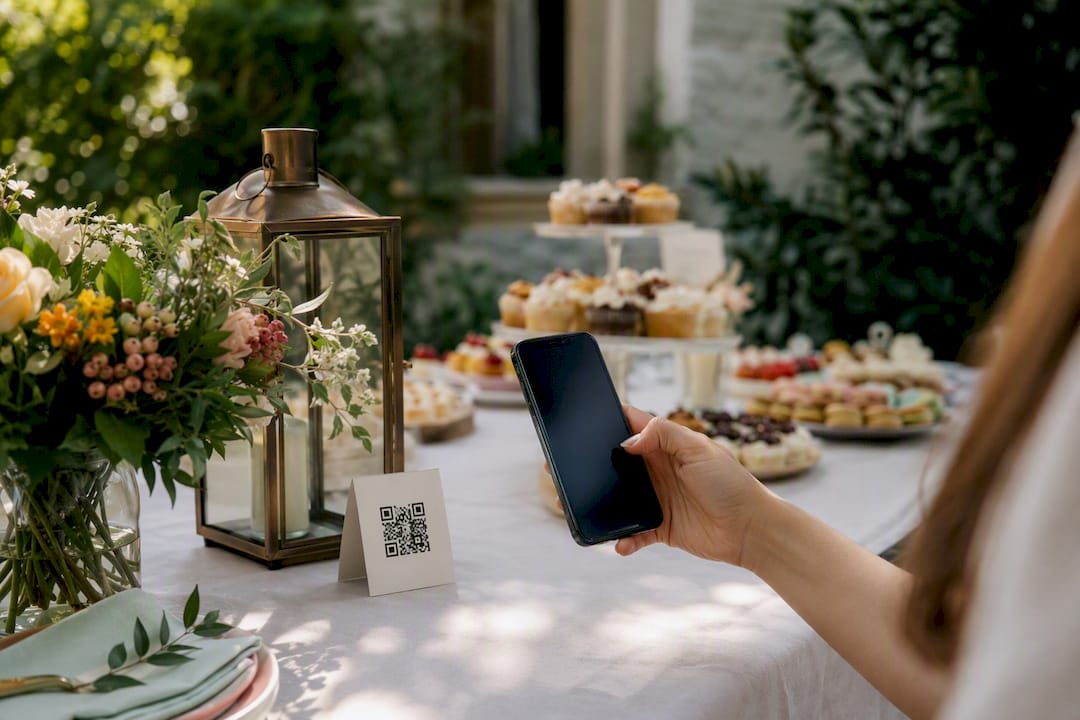
The easiest way to handle bridal shower photo sharing is a no-app QR gallery: guests scan a code and upload straight from their phone’s browser, no downloads needed. It wins on speed, privacy, and photo quality every time.
Three things make it work:
SnapPix’s QR upload method has already collected 4,200+ guest photos across real events, and independent testers at PCMag confirm that automatic uploads and simple album tools cut friction for exactly this kind of casual, group-driven sharing.
A no-app QR gallery beats every alternative for bridal shower photo sharing because it removes the download barrier that costs you your shyest guests’ best shots.
| Point | Details |
|---|---|
| Choose QR over apps | A scan-and-upload browser gallery works for every guest, regardless of tech comfort. |
| Set up in 20 minutes | Create the gallery, test an upload, print signage, and set your privacy rules beforehand. |
| Engagement needs prompts | Photo challenges, signage prompts, and live slideshows turn a quiet QR code into active sharing. |
| Settle privacy first | Agree on public versus private access, download rights, and social sharing before the party starts. |
| SnapPix handles the setup | SnapPix’s QR upload system has collected 4,200+ guest photos using password-protected galleries and AI albums. |
You don’t need to be tech-savvy to run this. You need twenty spare minutes and a phone.
While you’re setting this up, make two quick decisions: password-protected or open link, and full-resolution downloads or view-only. Most bridal showers do fine with a password shared verbally on the day, plus download access so guests can grab their own favourites afterwards.
Pro Tip: Do a final test upload ten minutes before guests arrive, and name a backup person who can help if someone’s phone camera acts up. One designated “gallery helper” saves you from troubleshooting mid-party.
Guests default to familiar tools, and most of them work, up to a point.
| Method | Speed | Privacy control | Image quality |
|---|---|---|---|
| Shared album | Moderate | Limited | Good |
| Group chat | Fast | Low | Poor (compressed) |
| Direct transfer | Fast (nearby only) | Moderate | Excellent |
These alternatives can work for a small, phone-comfortable group. For a mixed-age guest list, they usually mean more setup and weaker privacy controls than a purpose-built gallery.
A QR code on a table does nothing if nobody notices it. You need a reason to look up from the cake.
Prompts work better when they ask for a moment, not just a photo. “Show us the best hug of the day” gets more uploads than “take a picture.”
Pro Tip: Display uploads on a laptop or TV as a live slideshow during the party. Seeing photos appear in real time is the single best nudge for guests who are on the fence about joining in.
A little planning here prevents awkward conversations later.
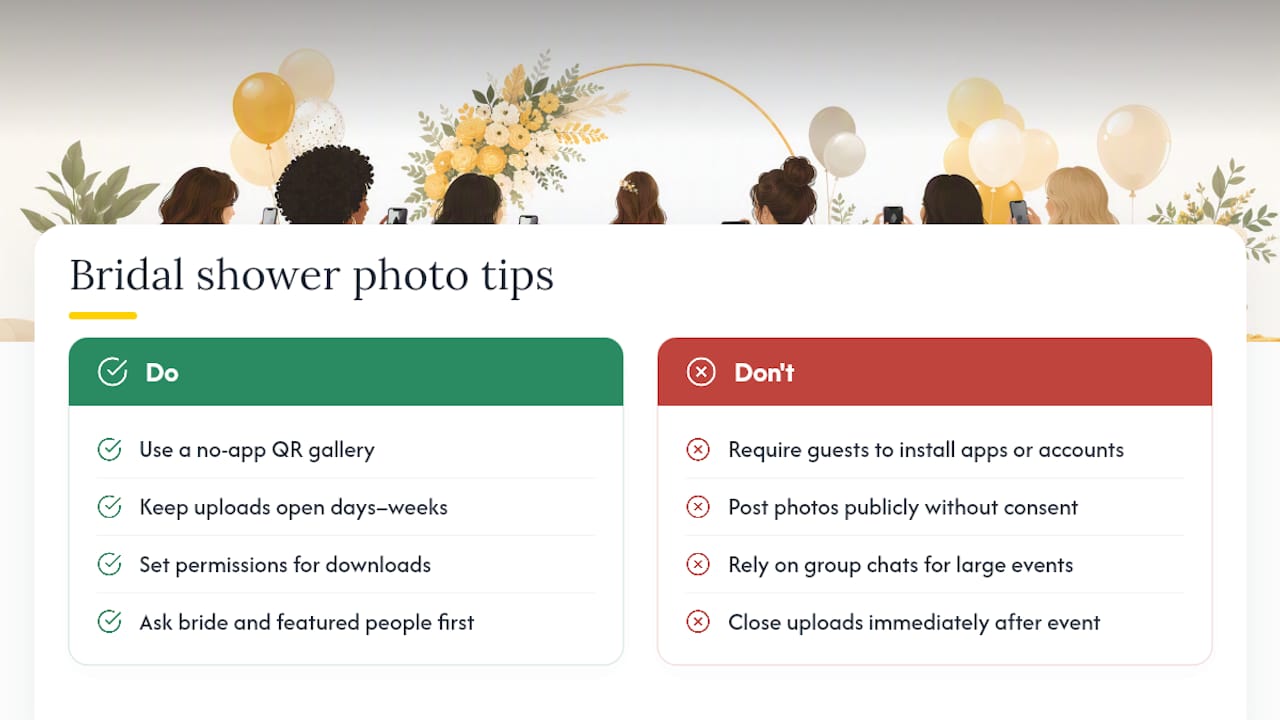
If anyone plans to post images beyond the private gallery, a quick verbal check with the bride (and anyone clearly featured) avoids surprises. On logistics, place your QR sign somewhere guests naturally pause, near the guest book or gift table, and assign one person to glance at uploads occasionally to catch blurry duplicates or off-topic shots.
Once the shower’s over, the real work is curation, not collection.
Use cases split naturally into digital and physical. A digital guest book preserves messages alongside images, a printed mini-album makes a lasting gift, and social highlights work well if consent was already agreed. Download and back up full-resolution files before you rely on any single platform.
Liam’s hands-on case study using SnapPix showed exactly why the no-app approach earns its reputation. Guests scanned a printed QR code, uploaded straight from their phone’s browser, and left an optional message alongside each photo, no account, no app store detour.
The workflow guests see is simple:
Across events like this, SnapPix has collected 4,200+ guest photos, a track record that reflects how little friction a browser upload creates compared with app downloads. Beyond collection, SnapPix’s AI-driven smart albums and photo challenges sort images automatically and nudge guests to keep contributing well after the first wave of uploads.
Most advice on group photo sharing still assumes everyone will download an app or join a shared album. In practice, that assumption loses you the shyest guests and the least tech-confident ones, exactly the people whose candid shots often turn out best. A QR code that opens straight in a browser removes that barrier entirely. The trade-off only shows up for tiny gatherings of five or six close friends, where a single group chat is genuinely simpler than setting anything up.
SnapPix gives you everything covered in this guide already built and ready to use, no app, no learning curve for guests. You get a no-app QR upload gallery, a password-protected space so only invited guests can see the photos, AI-organised smart albums, built-in photo challenges to boost participation, and a digital guest book for messages alongside the images.

Setting up takes the same steps outlined above: create your gallery, test the upload, print your QR sign, and decide your privacy settings. The difference is you’re not building any of it from scratch. Check how SnapPix works for hosts and guests and get your gallery live before the invitations go out.
What’s the easiest way to collect bridal shower photos from guests? A no-app QR gallery is the simplest option. Guests scan a code, upload from their browser, and no one needs to download anything or create an account.
How long should the photo upload window stay open? Most hosts keep it open for a few days to a few weeks after the event, giving guests time to upload photos they forgot to share on the day.
Can guests download the full-resolution photos afterwards? That depends on the permissions you set. Most galleries let you choose whether guests can only view images or download full-quality copies.
Do I need everyone’s consent before posting bridal shower photos publicly? Yes, it’s good practice to check with the bride and anyone clearly featured before sharing photos beyond the private gallery, especially on social media.
What if some guests still prefer group chats or shared albums? That’s fine for very small groups. For anything larger than a handful of guests, a QR gallery keeps quality and privacy far more consistent.

Event hosts' practical guide to posed and candid photos: perception research, hands on shooting tips, and no app guest uploads to boost candid coverage.

Which event technologies are production ready for 2026 and how to adopt them with clear consent, governance, and a no app QR photo pilot.

Which routes keep EXIF or strip GPS? Quick checks to view or remove metadata, plus a three month workflow to collect guest photos.