QR code for photo sharing: your complete event guide
SnapPix TeamPublished 12 Jul 202622 min read
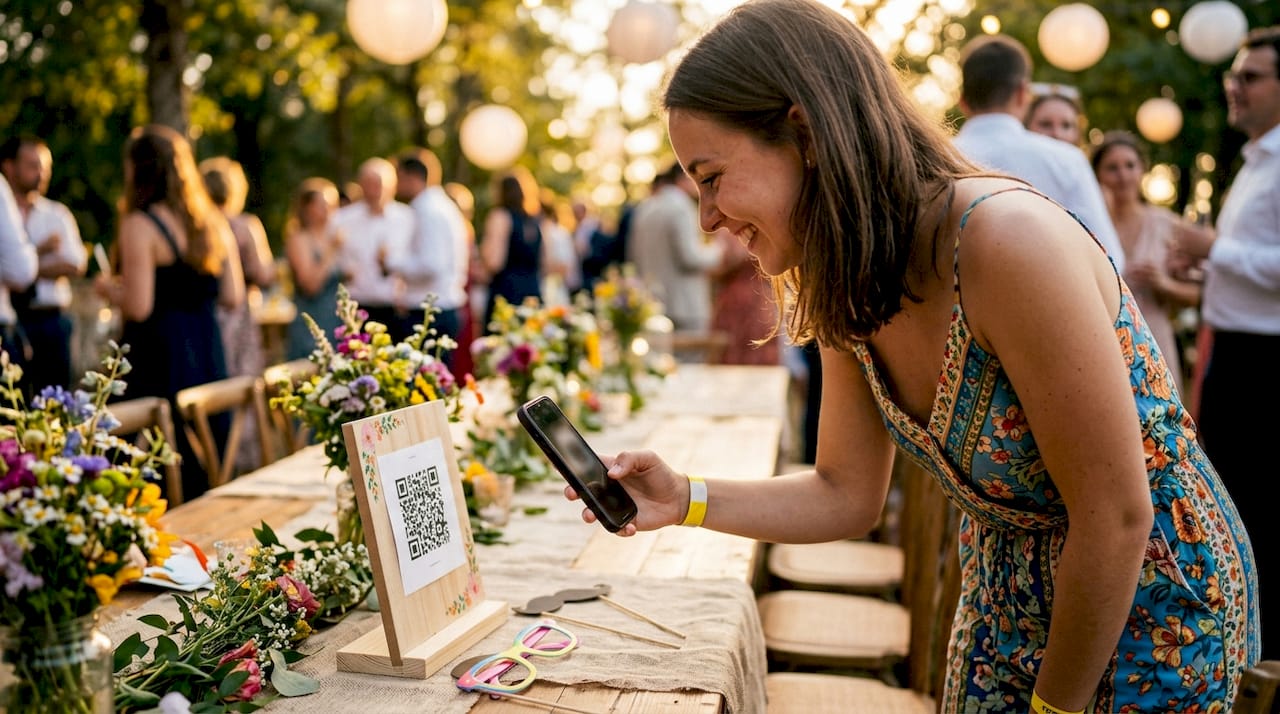
A QR code for photo sharing is a scannable image that connects guests directly to an online photo album, with no app download or account required. Guests point their phone camera at the code, and a browser page opens instantly. From there, they upload photos in seconds. The technology works on iPhones from iOS 11+ and most Android phones running version 8.0 or above, which covers the vast majority of smartphones in use today. Snap-pix has built its entire platform around this principle, collecting over 4,200 guest photos across weddings and events without guests installing a single app.
QR code photo sharing, also known as browser-based photo collection, works by encoding a URL into a scannable image. The QR code stores only the web address, not the photos themselves. Photos live on cloud platforms or hosted galleries, and the QR code simply acts as a gateway to reach them. This matters for privacy, because the organiser controls access to the gallery, not the code itself.
The guest experience follows a clear path:
Scan the code. The guest opens their phone camera and points it at the QR code. No third-party scanner app is needed on modern devices.
Browser opens automatically. The phone launches the upload page directly in Safari, Chrome, or the default browser. No login screen appears.
Select and upload photos. The guest taps to choose photos from their camera roll or takes a new one on the spot. The upload process takes 10–15 seconds on most devices.
Photos appear in the shared gallery. The organiser sees uploads in real time. Guests can often view the growing collection immediately.
Pro Tip: Ask a trusted friend or family member to be your “photo champion” at the event. Their job is to demonstrate the scan to nearby guests at key moments, such as during the drinks reception or before the first dance. One visible demonstration triggers a wave of participation.
The simplicity of this process is its greatest strength. Guests who would never download a dedicated app will happily scan a code and upload a photo in under a minute. The friction is almost zero, which is why browser-based QR photo sharing consistently outperforms app-based alternatives for casual event guests.
Not all QR codes behave the same way, and the distinction matters enormously for event organisers.

A static QR code encodes a fixed URL directly into the pattern. Once printed, it cannot be changed. If your photo gallery URL changes after the invitations go out, the code becomes useless. Static codes suit situations where the destination will never change and tracking is unnecessary.
A dynamic QR code works differently. It encodes a short redirect URL that points to your actual gallery link. Dynamic codes allow you to update the destination link at any time without reprinting physical materials. If your gallery moves, you update the redirect and every printed code still works.
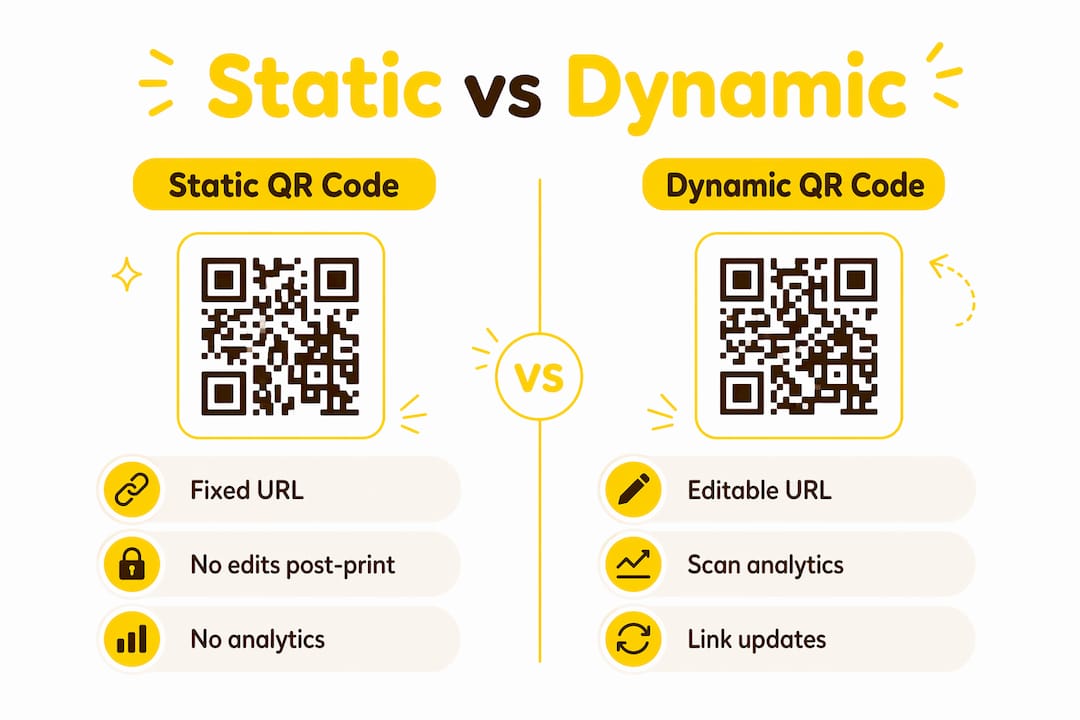
| Feature | Static QR code | Dynamic QR code |
|---|---|---|
| Editable after printing | No | Yes |
| Scan analytics available | No | Yes |
| Prevents dead links | No | Yes |
| Redirect after event | No | Yes |
| Best for events | Rarely | Always |
Dynamic codes also provide scan analytics, showing you when guests scanned, from which devices, and in what volume. That data helps you understand engagement and plan future events better. After the event, you can redirect the same code to a thank-you page or a highlights reel, keeping the guest experience alive beyond the day itself.
Pro Tip: Generate your dynamic QR code at least two weeks before the event. This gives you time to test it across multiple devices and make any gallery adjustments before printing signage.
Professional event organisers consistently choose dynamic codes for photo sharing. The small additional effort at setup pays back every time something changes between printing and the event day.
Setting up a photo sharing QR code is straightforward when you follow a clear sequence. Here is the process from start to finish:
Choose a hosting platform. Select a platform that supports guest uploads via a shareable URL. Snap-pix is built specifically for this, with guest-friendly photo collection that requires no account creation from guests.
Configure your album. Set up your photo gallery and enable guest upload permissions. Decide whether guests can view each other’s uploads or only the organiser can see them. Both options have merit depending on the event.
Download the provided dynamic QR code. Download the code in a high-resolution format such as SVG or PNG at 300 DPI or above for print quality.
Test on both iOS and Android. Testing on both platforms before printing is non-negotiable. Phones behave differently, and a code that works on your iPhone may render oddly on an older Android. Test the full upload journey, not just the scan.
Print on signage and table cards. Place the code on materials guests will naturally look at: table centrepieces, welcome signs, bar menus, and photo booth backdrops. Include a short typed URL beneath the code for guests with older devices.
Share the link digitally before the event. Send the gallery link in your event WhatsApp group or on your wedding website a day before. Early awareness builds momentum and means guests arrive already knowing what to do.
Following this sequence removes the most common failure points: broken links, incompatible devices, and guests who simply did not know the code existed.
Getting the QR code in front of guests is only half the job. Getting them to actually use it requires a few deliberate choices.
Place codes at multiple points. A single sign at the entrance is not enough. Put codes on every table, at the bar, near the dance floor, and in the toilets. Guests encounter the code repeatedly throughout the evening, which builds familiarity and increases the chance they act on it.
Write a clear call to action. A simple prompt like “Scan to share your photos” significantly increases scan rates. Tell guests exactly what will happen when they scan. Remove any uncertainty.
Size the code correctly. QR codes should be at least 2 inches square on printed cards and considerably larger on standing signs. High-contrast printing, black on white, ensures reliable scanning in dim lighting.
Ask the host or MC to prompt guests verbally. A 30-second announcement at a natural pause in the event, such as after the speeches, can double participation. Verbal prompts reach guests who missed the signage.
Specify file formats and size limits. Photos in JPG or PNG format under 10MB upload reliably across all devices. Phones shooting in HEIC format can cause compatibility issues, so your upload page should ideally convert files automatically or prompt guests to switch formats.
Remind guests no app is needed. Many guests assume they need to download something. A single line of text beneath the QR code, such as “No app needed, just scan and upload,” removes that hesitation immediately.
Pro Tip: Use Snap-pix’s photo challenges feature to give guests a fun reason to pick up their phones. Prompts like “Get a photo with someone you haven’t seen in a year” turn passive guests into active contributors.
The combination of prominent placement, clear instructions, and a verbal prompt from the host produces the highest participation rates. Each element reinforces the others.
A dynamic QR code linked to a browser-based gallery is the most reliable and flexible method for collecting guest photos at any event, requiring no app installation from guests and no reprinting if details change.
| Point | Details |
|---|---|
| Use dynamic QR codes | Dynamic codes allow gallery link updates after printing, preventing dead links. |
| No app needed for guests | Browser-based uploads work on iOS 11+ and Android 8.0+, covering most modern phones. |
| Size and placement matter | Print codes at least 2 inches square and place them at multiple points throughout the venue. |
| Verbal prompts boost participation | An MC announcement after speeches can significantly increase the number of guests who scan. |
| Test before you print | Always test the full upload journey on both iOS and Android before committing to print. |
Most event organisers I speak with focus all their energy on the day itself and treat the QR code as an afterthought. They generate a static code the night before, print it on one sign, and wonder why only a handful of guests used it. The technology is not the problem. The preparation is.
The single biggest lesson I have taken from working with events of all sizes is that dynamic QR codes change everything for organisers. The ability to update the gallery link after printing removes a genuine source of stress. I have seen weddings where the couple changed their photo platform two days before the event. With a dynamic code, that is a five-minute fix. With a static code, it means reprinting every table card.
Device variability is the other challenge people underestimate. I always recommend testing on at least three different phones, including an older Android model, because that is where edge cases appear. A guest with a three-year-old Samsung should have exactly the same experience as someone with the latest iPhone.
The good news is that once you get the setup right, the technology genuinely works. Guests respond well to it because it asks almost nothing of them. The wedding QR code guide I point people to most often covers these nuances in detail, and the results speak for themselves. Over 4,200 photos collected through Snap-pix, and the most common piece of feedback from organisers is that they wished they had known about it sooner.
— Liam
Snap-pix is built specifically for event organisers who want every guest photo collected without the usual friction. Guests scan a single QR code, upload directly from their phone browser, and photos land in a beautifully organised gallery within seconds.

The platform includes dynamic QR code galleries, AI-driven smart albums that sort photos automatically, and photo challenges that keep guests engaged throughout the event. Your gallery stays live for three months after the event, so nothing gets lost in the post-celebration chaos. With over 4,200 guest photos already collected, Snap-pix has a proven record across weddings, corporate events, and family gatherings. See exactly how it works and explore the full range of platform features to find the right setup for your event.
A QR code for photo sharing is a scannable code that links guests directly to an online photo gallery or upload page. Guests scan it with their phone camera and upload photos instantly through their browser, with no app required.
No app download is needed. Browser-based photo sharing works on iPhones running iOS 11 or later and Android phones running version 8.0 or above, which covers the vast majority of smartphones in use today.
A static QR code has a fixed URL that cannot be changed after printing. A dynamic QR code uses an editable redirect link, so you can update the destination gallery at any time without reprinting your signage.
QR codes should be at least 2 inches square on table cards and considerably larger on standing signs. High-contrast printing, such as black on white, improves scanning reliability in low-light conditions.
JPG and PNG files under 10MB upload reliably across all devices. Phones that shoot in HEIC format may encounter compatibility issues, so choosing a platform that handles format conversion automatically saves guests any extra steps.

Event hosts' practical guide to posed and candid photos: perception research, hands on shooting tips, and no app guest uploads to boost candid coverage.

Which event technologies are production ready for 2026 and how to adopt them with clear consent, governance, and a no app QR photo pilot.

Which routes keep EXIF or strip GPS? Quick checks to view or remove metadata, plus a three month workflow to collect guest photos.