No App QR Tactics to Encourage Guest Photos for Event Hosts
SnapPix TeamPublished 9 Sept 202620 min read
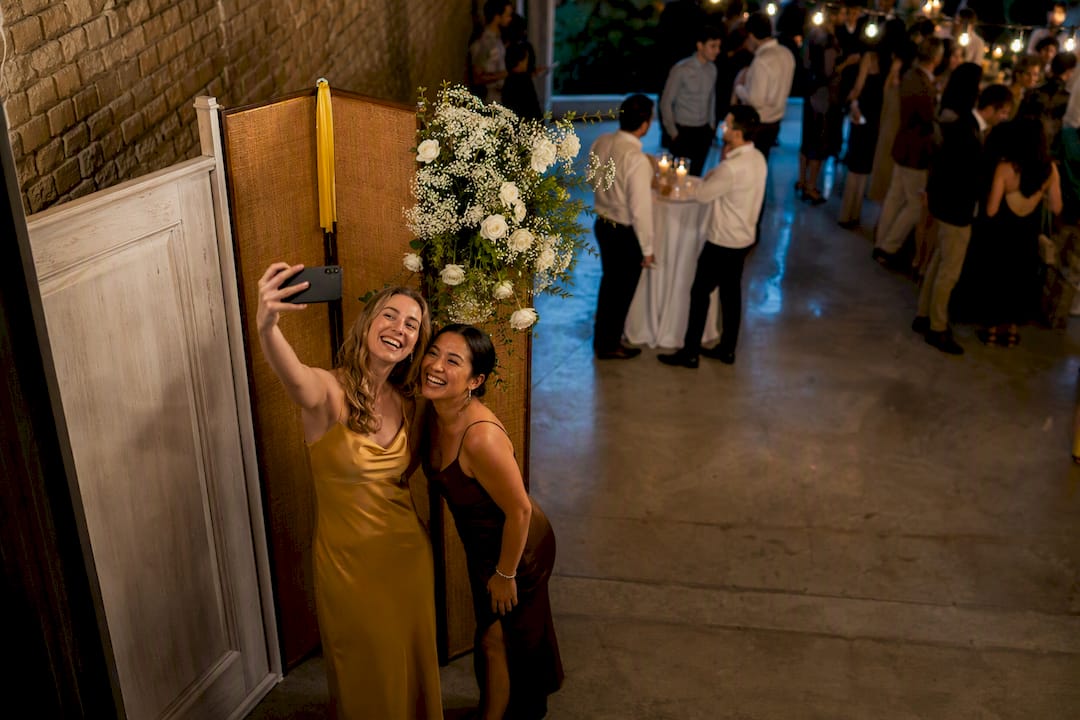
The fastest way to encourage guest photos is to combine signposted, flattering photo spots with a no-app upload path, usually a QR code, and back it with one or two short prompts. Add a small incentive if you want extra momentum. Do this well and you get more candid, usable shots, a gallery that curates itself, and a lot less “can you send me your photos?” chasing after the event.
TL;DR:
- Using well-lit, styled photo spots paired with clear signage and prompts increases guest photo submissions by making participation easy and cohesive.
- A no-app, QR code gallery with simple instructions significantly boosts immediate uploads, especially when placed at eye level near key event areas.
- Incentives such as small rewards and timed photo challenges effectively motivate guests to share more candid shots during the event.
- Assigning a person to moderate uploads and securing permissions maintains respectfulness, legal compliance, and quality control over the gallery.
- Tracking total uploads, contributor numbers, and gallery views helps evaluate the success of your photo collection strategy and informs improvements.
Before you build anything elaborate, run through the tactics that consistently pull results. Each one solves a different problem, so pick two or three rather than trying all of them at once.
Each tactic works best paired with at least one other. A backdrop without a prompt often gets ignored; a QR code without signage gets missed entirely.
Three things separate a photo spot guests actually use from one they walk past: ease, cohesion and participation. Ease means the spot is obvious, well lit and not competing with foot traffic. Cohesion means the styling matches the event, so a rustic wedding backdrop of dried flowers and fairy lights won’t suit a corporate product launch, where a branded step-and-repeat works better. Participation means there’s a reason to stop, not just scenery to admire.
Props help, but only when they’re specific to the event rather than generic. A birthday party benefits from oversized number balloons; a graduation does better with a chalkboard for guests to write a message before the photo. Lighting matters more than most hosts expect. A single well-placed uplight or string of warm bulbs does more for photo quality than an expensive backdrop under flat overhead lighting.
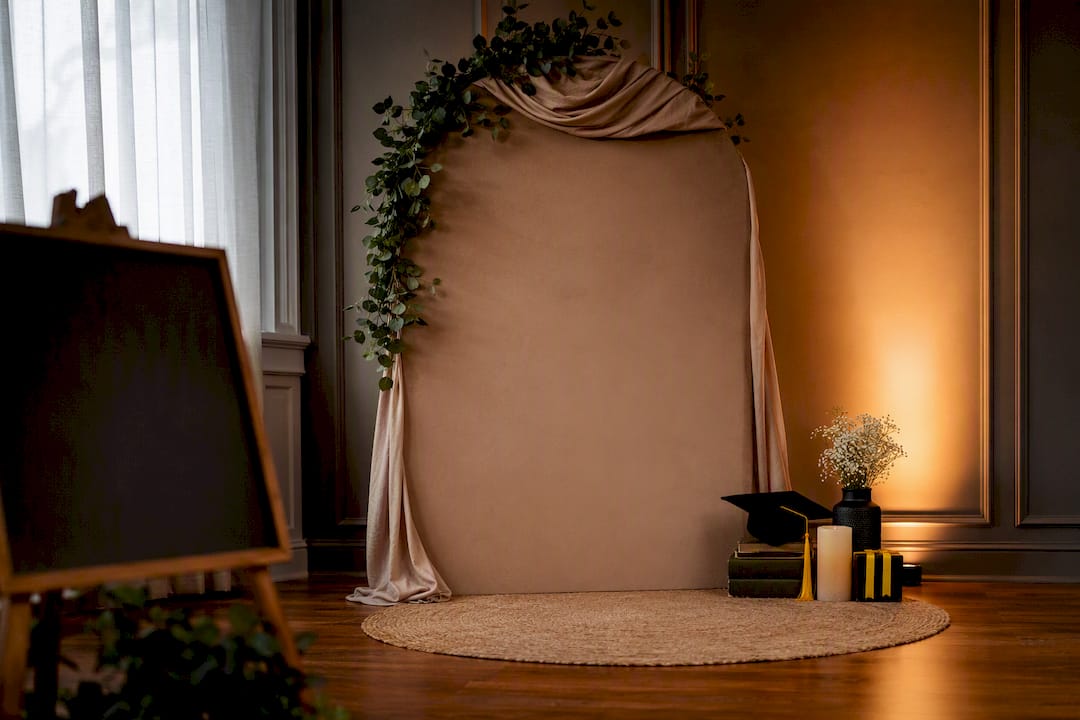
Prompts should suggest a moment, not just a pose. “Capture a candid laugh at the bar” works better than “take a photo here.” Design that emphasises ease, cohesion and participation consistently produces more cohesive guest collections than ad hoc styling, because guests know exactly what’s expected of them.
The method you choose determines how much work lands on your desk afterwards. A no-app QR gallery is usually the least friction path available, because guests scan a code, upload from their camera roll or shoot live in the browser, and never have to download or register for anything. Industry practice consistently shows that removing the app-install step increases same-day uploads, simply because most people won’t stop mid-party to download something new.
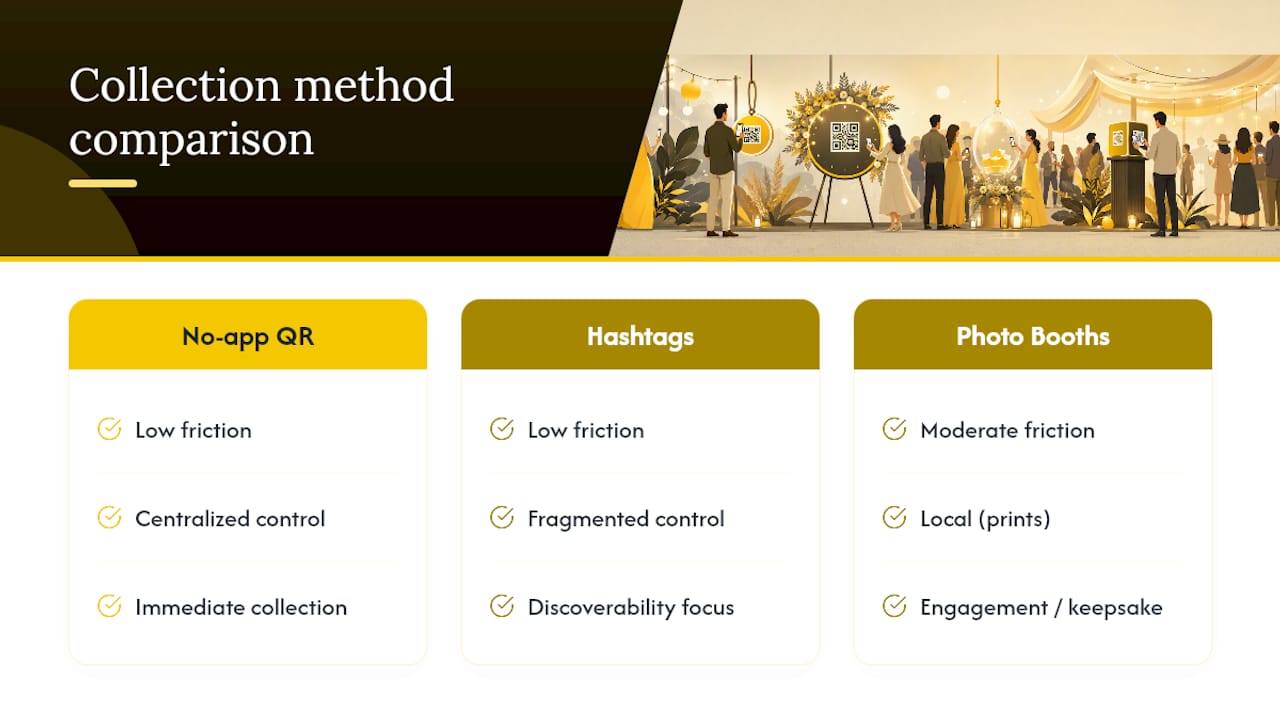
Hashtags still have a place, particularly for public visibility on Instagram or TikTok, but they fragment your collection across platforms and accounts you don’t control. A guest who forgets the exact spelling, or posts privately, effectively disappears from your archive. Treat hashtags as a discoverability layer on top of a central gallery, not a replacement for one.
Photo booths and instant prints serve a different purpose entirely. They’re not collection tools so much as engagement tools, giving guests a tangible keepsake and a reason to gather. Place booth signage near natural queuing points, such as the entrance to the dance floor or beside the bar, where people are already pausing. Pair the booth with your QR gallery sign nearby so digital copies of booth shots still make it into the main collection instead of living only on a paper strip in someone’s bag.
Signage lives or dies on brevity. One action per sign, written in plain language, placed where guests naturally pause, works far better than a paragraph of instructions nobody reads. Short visual prompts consistently outperform vague instructions, so treat every sign as a single, clear nudge rather than an explanation.
Try these as starting templates:
Place these at eye level, near seating, entrances and anywhere guests naturally slow down.
Cash prizes feel transactional and rarely justify the cost. Small, genuine perks work better: a free drink for the first ten uploads, a dessert table priority pass, or a printed copy of the best shot mailed after the event. Hospitality operators have found that offering modest rewards alongside photo-worthy spots reliably lifts sharing rates without turning the ask into a marketing pitch.
Timed challenges add structure without much effort on your part. A “golden hour” challenge during the last hour of daylight, or a “first dance selfie” moment, gives guests a specific window and a specific goal. Keep rules simple: one entry per person, one clear theme, one clear deadline for claiming a prize. Announce the winner before the event ends if you can. Waiting days to follow up kills the momentum you built on the night.
Asking permission doesn’t need to be formal for casual reposting; see this step‑by‑step guide for yearbook advisers for useful permission flows and upload workflows. A quick “mind if we share this?” message and a thumbs-up reply is usually enough for social media use. Simple permission requests and a casual written reply often suffice for reposting, though formal written consent is worth getting if you plan to use a shot in paid advertising or on your website long-term.
Crediting is straightforward: tag the photographer if they have a handle, or simply write “photo courtesy of [name]” in a caption. Guests appreciate the acknowledgement and it builds goodwill for next time you ask.
Moderation needs one clear owner. Assign someone (a planner, a co-host, or a designated family member) to review uploads within a day or two, flag anything inappropriate, and handle takedown requests quickly if a guest changes their mind. A centrally hosted gallery makes this far easier than chasing photos across multiple platforms, since everything sits in one place for a single reviewer to check.
Four windows consistently produce the best results: arrival, any styled backdrop moment, just before dinner service, and the last hour of the evening. Each spot needs one action and one sign, ideally reinforced by a brief mention from the host or MC. Asking at natural photo moments and following up within a day measurably increases response rates, so don’t rely on a single ask at the door. Repeat the reminder once, politely, rather than nagging throughout the night.
Track four numbers after each event: total uploads, unique contributors, hashtag mentions if you used one, and gallery views in the weeks after. These tell you whether your prompts landed or your incentive fell flat. Run a small experiment next time, such as swapping a generic sign for a specific prompt, and compare the upload count. Guest photos on product or event pages convert 74% higher than pages without them, so what you learn here has value well beyond the gallery itself.
SnapPix runs on exactly this model: a no-app QR gallery, a three-month upload window, and AI-driven smart albums that sort candid shots automatically. Photo challenges keep guests engaged without a booth. Hosts using the platform have collected over 4,200 guest photos this way. A simple setup checklist: print your QR code, place it at two or three key spots, add one short prompt per sign, and assign someone to moderate uploads.
The one habit worth adopting: put your upload sign at the same height as a wine glass, roughly chest height, because that’s where wandering eyes actually land at a party. The non-obvious bit of guest psychology is this: people share more when they think they’re contributing to a shared memory, not completing a marketing task. Frame the ask as “help us remember this” rather than “post about our event” and participation climbs. The tactics above come from watching what guests actually do at real events, not what hosts hope they’ll do.
— Liam
SnapPix gives you a no-app QR gallery, guest photo challenges and a digital guest book in one setup, without the usual scramble of collecting shots from a dozen phones after the event. Where hashtags scatter photos across platforms you don’t control and booths only capture one corner of the room, SnapPix centralises everything guests shoot, live or from their camera roll, into a single gallery you can moderate and download in high resolution.

Quick benefits worth knowing before your next event:
If you’re planning a wedding, birthday or corporate event, view the SnapPix features page and set up a one-time event activation before your guest list is finalised.

Comparing wedding guest photo apps and the alternatives: what to look for, what to avoid, and how a no-app QR gallery works for UK couples.

How to gather, display and share memorial service photos in the UK: family permission, photo boards, slideshows, and a private QR gallery for guests' memories.

Stop chasing guests for photos. Learn how to centralize event photos in one QR gallery, with a simple workflow, privacy basics and copyright tips for hosts.