Party QR code: the complete guide for event hosts
SnapPix TeamPublished 14 Jul 202622 min read
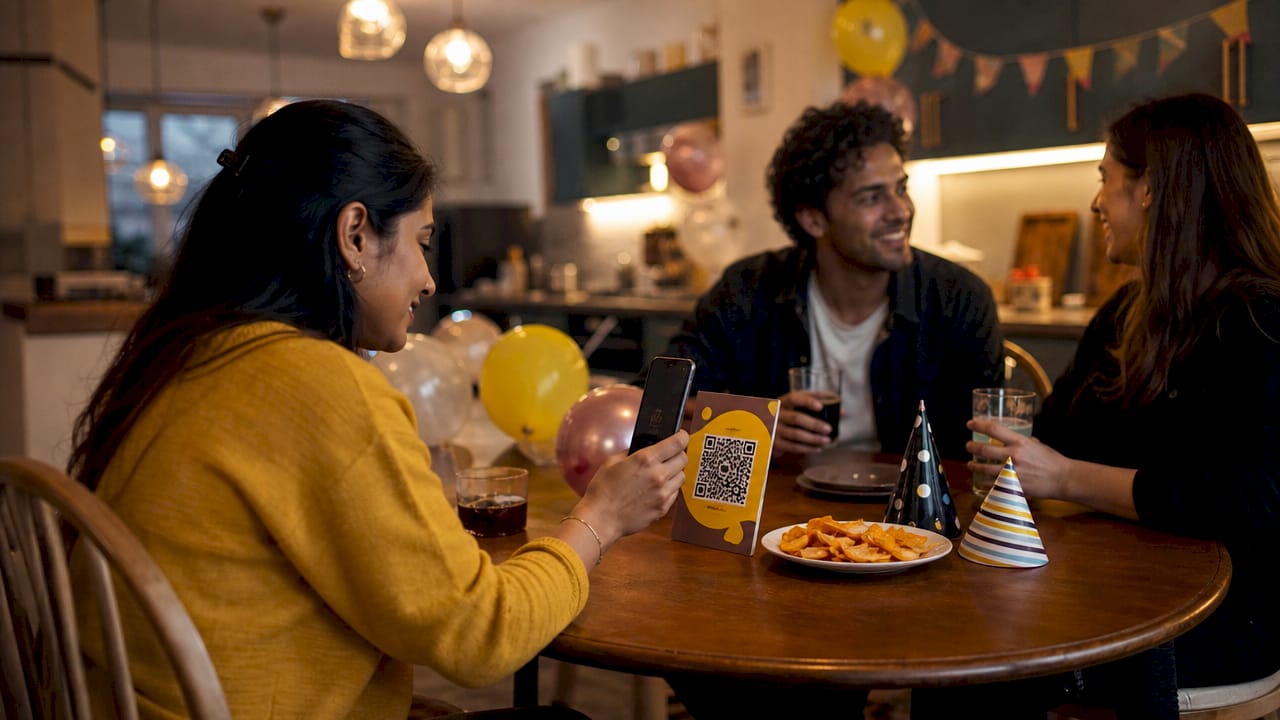
A party QR code is a scannable image that links guests directly to a shared photo album, letting them upload pictures and videos instantly without downloading any app. The technique has moved from weddings into birthday parties, corporate events, and casual gatherings because it solves a genuine problem: photos taken on a dozen different phones rarely end up in one place. Snap-pix has collected over 4,200 guest photos using this approach, which shows how quickly hosts and guests adopt it when the process is simple. This guide explains how the technology works, why it outperforms traditional methods, and how to set it up at your next event.
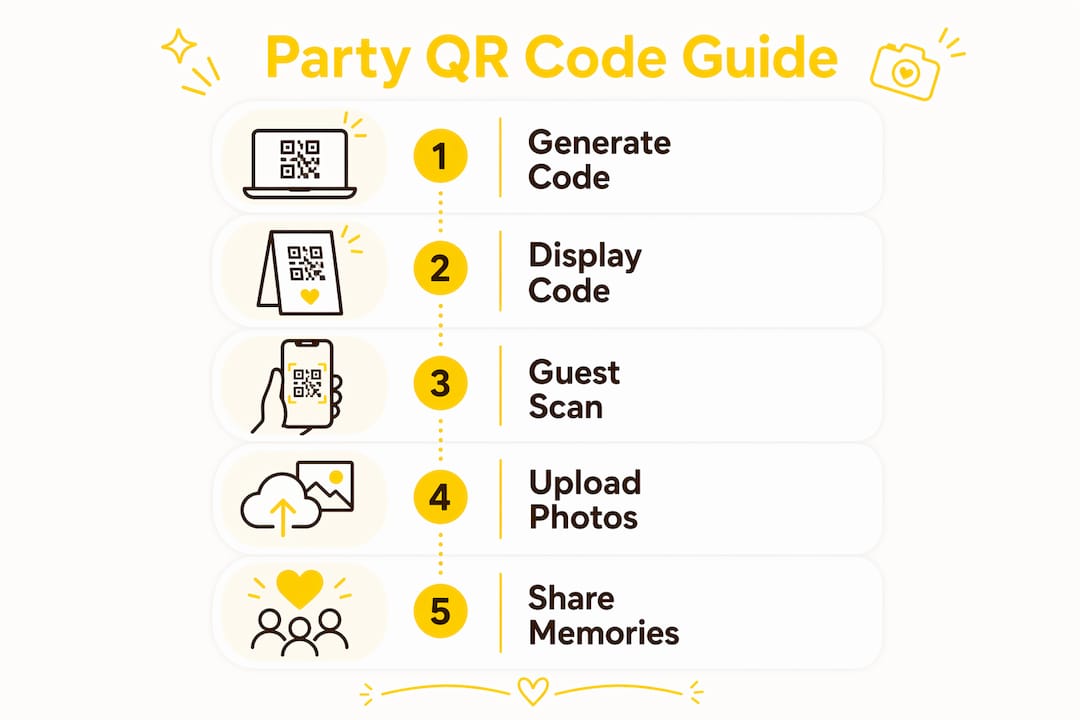
A party QR code works by linking a unique web address to a private photo album. You generate the code before the event, print or display it at the venue, and guests scan it with their phone camera. No app or sign-up is required. Photos upload directly to the shared album in real time.
The process from the guest’s side takes about ten seconds. They point their camera at the code, tap the link that appears, and choose a photo or video to upload. The album updates immediately, so everyone at the party can see new pictures as they arrive. This real-time element adds a social dimension that a WhatsApp group or USB stick simply cannot replicate.
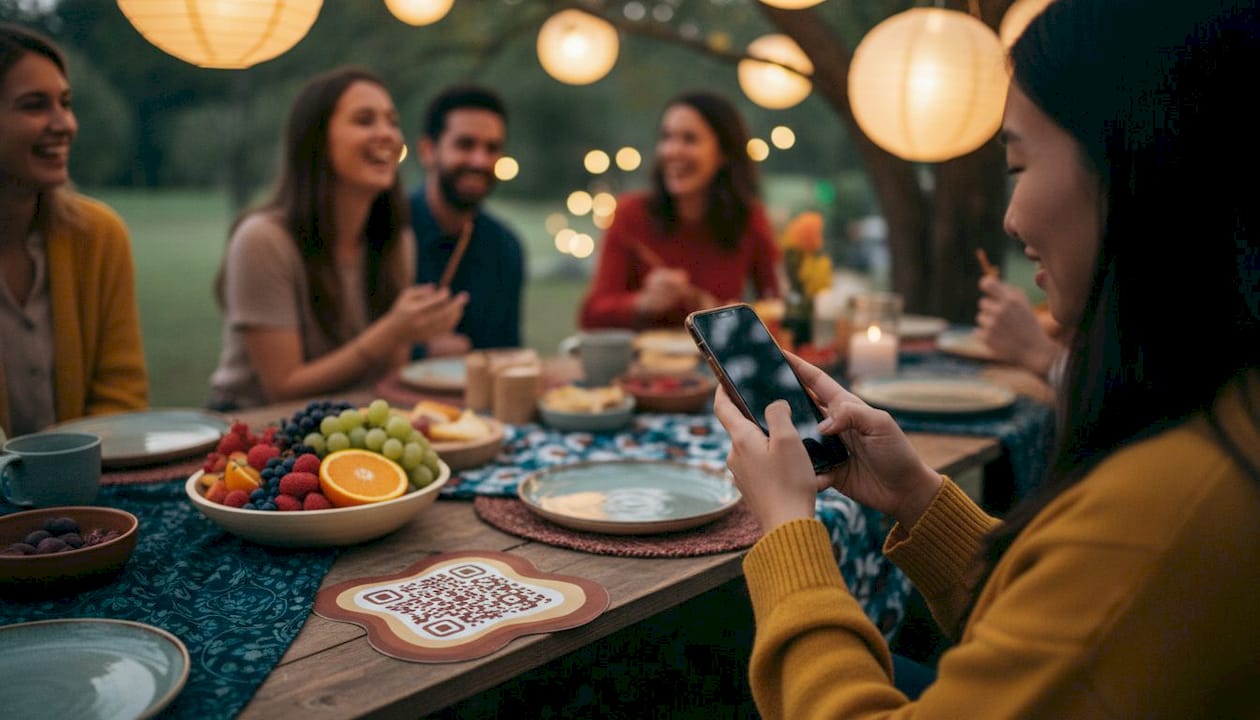
Beyond basic photo uploads, shared albums can include calendar sync, private guest books, dress code information, and live event updates to keep guests informed and engaged throughout the evening. These features turn a simple photo collection tool into a light event management layer.
Privacy controls are built into the better platforms. The album is private by default, meaning only invited guests can view, contribute, and react to content. That matters for personal events where you do not want photos circulating publicly.
Pro Tip: Set the album live 30 minutes before guests arrive. Early arrivals who scan the code immediately feel included, and it builds momentum before the main event begins.
Traditional photo sharing after a party is slow and unreliable. You send a WhatsApp message asking everyone to share their photos, a few people respond, and the rest forget. Disposable cameras produce charming results but require development time and cost. Standard photo booths capture only posed shots and miss the candid moments between friends.
A QR code for party pictures consolidates everything into one place, in real time. Using a party QR code eliminates the need to collect photos from multiple devices after the event, reducing scatter and the loss of memories. That is the core advantage: you end the night with a complete album rather than a chase.
Here is how the comparison breaks down in practice:
A QR code for party pictures does not just collect photos. It creates a shared experience during the event itself, not just a record of it afterwards.
The social layer is worth emphasising. Guests can see who took each photo and react to their favourites, adding interactivity that a shared Google Drive folder cannot provide. That attribution feature also encourages guests to upload more, because their contribution is visible and acknowledged.
Getting the setup right takes less time than most hosts expect. The steps below cover creation, display, and guest encouragement.
Start by choosing a platform that matches your event size. Generate the QR code, set your privacy preferences, and give the album a clear name so guests know they are in the right place. Customise the landing page with the event name and a short instruction such as “Scan to add your photos.” That single line removes any hesitation from guests who have not used this method before.
Visibility is everything. A single small printout on the welcome table will be missed by most guests.
The more touchpoints you create, the higher the participation rate.
Pre-event countdowns and story updates build anticipation and drive engagement when the party starts. Mention the QR code in your invitation with a line like “Scan on the night to share your photos with everyone.” That primes guests to look for it.
During the event, a brief verbal announcement works well. Ask the host or MC to mention the code once during the evening. Photo challenges are particularly effective: give guests a prompt such as “capture the funniest moment” or “find someone wearing a hat.” Structured prompts produce more uploads than a general invitation to share.
Pro Tip: Print a small QR code on each guest’s name badge or place card. When the code is physically in their hand, the barrier to scanning drops to almost nothing.
Set a moderation option if your platform supports it. This lets you approve uploads before they appear in the main album, which is useful for formal events. After the party, download the full gallery in high resolution and back it up immediately. Share the album link with guests within 48 hours while the event is still fresh in their minds.
Pricing for QR code photo sharing services follows a clear pattern. Entry-level plans are free and support a limited number of uploads. Paid plans scale by guest count and are charged per event rather than as a monthly subscription.
Free plans typically cap at 50 photo and video uploads, which suits small gatherings of ten guests or fewer. That limit is reached quickly at a lively party, so it is worth checking the cap before your event.
Paid plans for 25 to 50 guests typically range from £25 to £70 per event. The one-time payment model is straightforward: you pay once for the event and own the gallery. There are no recurring fees.
| Plan tier | Guest count | Typical price | Key features |
|---|---|---|---|
| Free | Up to 10 | £0 | Limited uploads, basic album |
| Starter | Up to 25 | ~£25 | Higher upload limit, reactions |
| Standard | Up to 50 | ~£50 | HD downloads, guest book |
| Large event | 50+ | ~£70 | Full feature set, moderation |
Snap-pix uses a per-event pricing model with no subscription fees, which suits hosts who run occasional events rather than weekly ones. The gallery remains accessible for three months after the event, giving guests time to download their favourite shots.
The value calculation is simple. A disposable camera costs around £15 and produces 27 shots of variable quality. A mid-range QR code plan at £50 collects hundreds of high-resolution photos from every angle, with no development wait.
A party QR code is the most practical way to collect photos from every guest in real time, with no app required and full privacy control from the start.
| Point | Details |
|---|---|
| No app needed | Guests scan and upload instantly using any smartphone camera, with no download or sign-up. |
| Real-time album | Photos appear in the shared gallery as they are taken, encouraging more contributions during the event. |
| Privacy by default | Only guests with the QR code can view or contribute to the album, keeping content secure. |
| One-time pricing | Most platforms charge per event rather than a monthly fee, making costs predictable and fair. |
| Placement drives participation | Displaying the code at multiple points in the venue is the single biggest factor in guest uptake. |
Liam here. I have seen hosts spend an hour designing a beautiful QR code and then print one copy and leave it on the welcome table. By the end of the night, fewer than a third of guests have scanned it. The technology is not the problem. Visibility is.
The hosts who get the best results treat the QR code like a fire exit sign: it should be impossible to miss from any point in the room. Table cards, a screen near the bar, a mention from the MC, and a line in the invitation. That combination reliably produces full participation.
The other thing I would push back on is the idea that guests find QR codes confusing. They do not. Most people under 60 have scanned dozens of QR codes since 2020. The friction is not technical. It is motivational. Guests need a reason to scan, which is why photo challenges work so well. Give people a prompt and they will contribute. Leave it open-ended and many will not bother.
Privacy is the third thing hosts overlook. A private album that only your guests can access is genuinely different from asking everyone to post to Instagram. Some guests share more freely when they know the audience is limited to people they already know. That privacy feature is not a nice-to-have. It changes the quality and quantity of what people upload.
— Liam
Snap-pix is built for exactly this use case. You create a QR code for your event, display it at the venue, and guests upload photos directly to a private gallery without installing anything. The platform uses AI to organise uploads into smart albums, and photo challenges encourage guests to contribute more than they otherwise would.

Snap-pix has already collected over 4,200 guest photos across events ranging from birthday parties to corporate gatherings. The gallery stays live for three months after your event, and there are no subscription fees. You pay once per event and keep the memories. Visit the Snap-pix features page to see what is included at each tier, or go straight to how Snap-pix works to get started today.
A party QR code is a scannable image that links guests to a shared photo album for your event. Guests scan it with their phone camera and upload photos instantly, with no app or account required.
No. Guests scan the code using their phone’s built-in camera and upload directly through a web browser. There is no app download or sign-up process involved.
Print the code on table cards, display it on a screen near the entrance or bar, and include it in your digital invitation. Multiple display points produce significantly higher guest participation.
Yes. The album is private by default, meaning only guests who have the QR code can view or contribute content. This keeps your event photos secure and away from public social media.
Free plans typically support up to 50 uploads and suit small gatherings. Paid plans for events of 25 to 50 guests generally range from £25 to £70, charged as a one-time fee per event with no ongoing subscription.

Event hosts' practical guide to posed and candid photos: perception research, hands on shooting tips, and no app guest uploads to boost candid coverage.

Which event technologies are production ready for 2026 and how to adopt them with clear consent, governance, and a no app QR photo pilot.

Which routes keep EXIF or strip GPS? Quick checks to view or remove metadata, plus a three month workflow to collect guest photos.