How to collect photos from a group: simple on-the-day methods
SnapPix TeamPublished 27 Jul 202638 min read
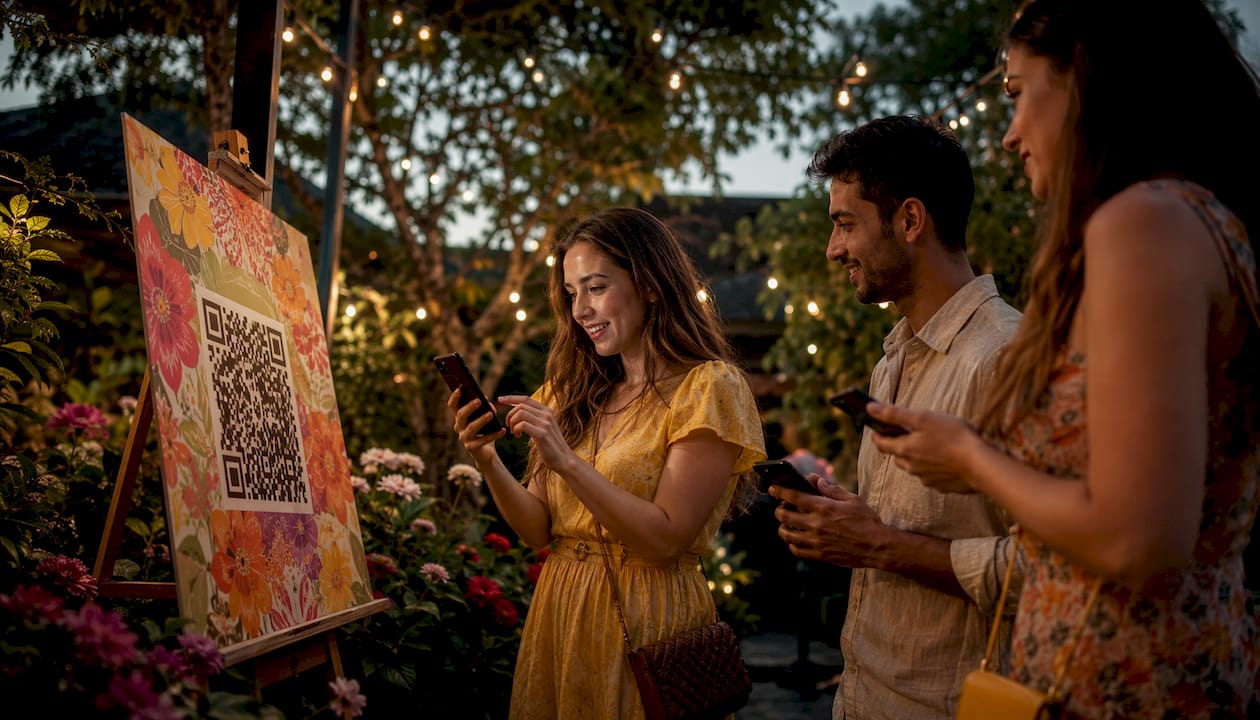
The fastest way to collect photos from a group is a no-app QR code or share link that guests tap, upload to, and walk away from in under a minute. Create your gallery link now, print one small sign, and you’re ready. If that’s not possible on the day, a shared cloud folder is your best fallback.

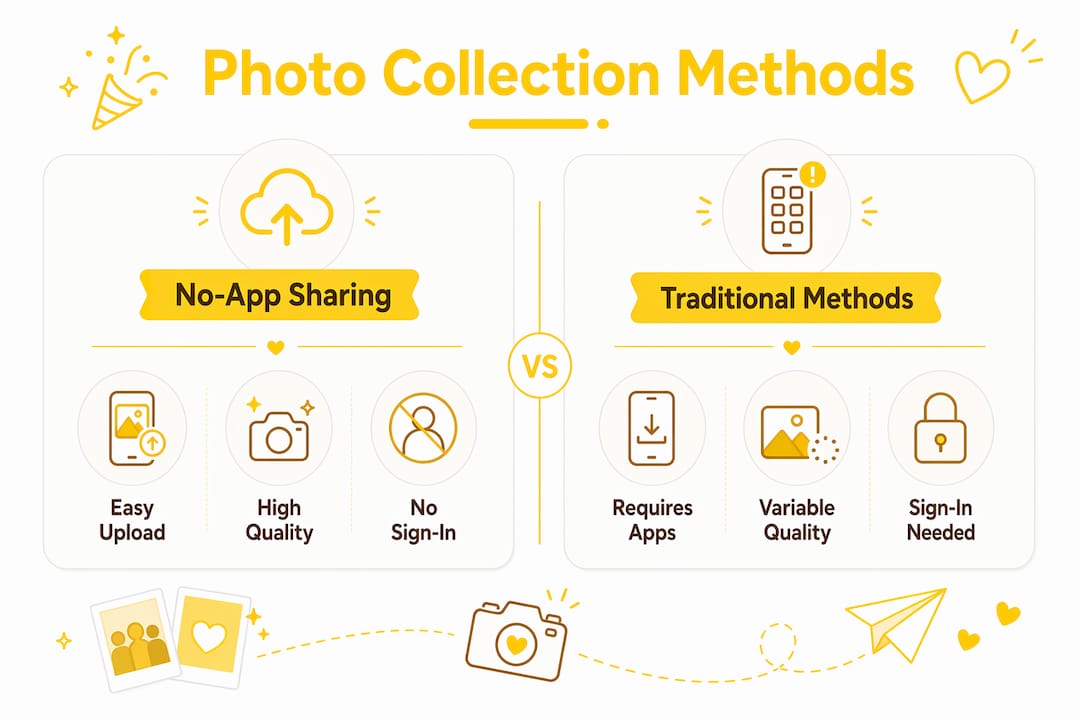
Not every method suits every event. Here’s a quick comparison of the most common ways to collect photos from guests, so you can pick the right one before you print a single sign.
The main options at a glance:
| Method | Ease for guests | Quality preserved | Sign-in needed | Best for |
|---|---|---|---|---|
| No-app QR / share link | Very high | Yes (originals) | No | Any event size |
| Shared cloud folder | Medium | Usually yes | Often yes | Tech-comfortable groups |
| Shared phone album | Medium | Varies | Yes (platform account) | Small, same-platform groups |
| Messaging app | High | No (compressed) | No | Informal, small gatherings |
| Email / USB | Low | Yes | No | Pro photographers, tiny groups |
The no-app QR upload removes the biggest single barrier guests face: having to install or log into something new. That one change makes a measurable difference to how many people actually contribute.
This is the method that works best at almost every event, from a birthday party to a corporate away-day. Guests scan a QR code with their phone camera, a browser page opens, and they upload directly from their camera roll. No download, no password, no friction.
Sample table card text:
Sample emcee announcement:
Pro Tip: Announce at the 30-minute mark, not at the very start. Guests need time to settle, take a few photos, and feel comfortable before they’re ready to share. A second prompt after dinner typically doubles the number of uploads from the first.
Photo challenges are another reliable nudge. Give guests a simple prompt (“Find someone wearing something blue” or “Get a photo with the happy couple”) and watch contributions climb.
A shared cloud folder is a solid fallback when you want a free, familiar option and your guests are comfortable with technology. The setup is straightforward, but a few common mistakes can cost you photos.
| Approach | Typical sign-in required | Quality impact | Storage limit (free tier) |
|---|---|---|---|
| Shared drive folder | Often yes | None if settings correct | Usually 15 GB |
| Link album (upload-enabled) | Sometimes | Minimal | Varies by service |
| Browser-based QR gallery | No | None (originals) | Depends on plan |
Album owners can update cover images, delete photos and edit album details after the event, which gives you useful control if something inappropriate is uploaded.
Shared phone albums are convenient for small, close-knit groups where everyone uses the same platform. They sync automatically, which means you don’t have to chase anyone for files after the event.
When they work well:
How to create a shared album on iPhone:
To select and share multiple photos on iPhone: open Photos, tap “Select” in the top right, tap each photo you want to share, then tap the share icon and choose your method.
Limitations to keep in mind:
For larger events or mixed-device groups, shared phone albums quickly become unmanageable. Google Photos shared albums are widely used for weddings as a free option, but the sign-in requirement and resolution limits are real trade-offs worth knowing about before you commit.
WhatsApp, Signal, and Telegram feel like the obvious choice because everyone already has them. The problem is that they’re built for conversation, not archiving.
The core issues:
Practical workarounds:
Messaging apps are acceptable for informal gatherings of five or six people where quality isn’t a priority. For anything larger, or where you want to keep originals, they’re a frustrating way to collect photos from friends. You’ll spend more time hunting through chat history than actually enjoying the photos.
Direct transfers are slower and more effort for guests, but they give you the most control over file quality. They’re the right choice in specific situations.
Use direct transfer when:
Checklist for smooth direct transfers:
For most social events, direct transfer is more effort than it’s worth. Reserve it for professional handovers or situations where you genuinely need uncompressed originals and have the time to coordinate.
Getting guests to actually upload is the part most hosts underestimate. The method matters, but so does how you ask.

Reducing friction is the single most effective lever: no app installs, clear signage, a short upload window, and a simple call to action consistently produce the best participation rates.
Signage that works:
Announcement scripts:
Photo challenge ideas that build participation:
Photo challenges give guests a clear, quick reason to take and upload photos. A small prize (a bottle of wine, a gift card) for the best submission adds a competitive edge that noticeably increases contributions.
Pro Tip: The best moments to prompt uploads are natural pauses: after the first course, during a speech break, or when music changes. Guests are relaxed, phones are already out, and the ask feels natural rather than disruptive.
iPhone users often share photos in HEIC format or at reduced quality without realising it. A few simple steps help you get originals.
iPhones save photos in HEIC format by default, which is smaller than JPEG but not universally compatible. To avoid compatibility issues:
Organiser checklist for requesting originals politely:
Collecting photos from guests involves personal data under UK GDPR. You don’t need a legal degree to handle this well, but a few simple steps protect both you and your guests.
Privacy checklist for hosts:
Sample consent text for signage or upload pages:
Practical storage advice:
This is general guidance, not legal advice. For events involving sensitive data or commercial use of images, check the current rules with the ICO or a qualified professional.
Run through this checklist before your event to pick the method that fits.
How many guests are you expecting? Under 15: shared phone album or messaging app may be sufficient. Over 15: use a QR/link upload or shared cloud folder.
How tech-comfortable are your guests? Mixed ages and devices: no-app QR upload is the safest choice. All on the same platform: shared phone album works.
Do you need original, full-resolution files? Yes: use a no-app QR gallery or direct transfer. No: messaging apps or shared albums are fine.
Are you collecting on the day or afterwards? On the day: QR code with signage and announcements. Afterwards: a shared link sent by email works.
Do you have privacy requirements? Any event with children, or where photos may be shared beyond the group: use a password-protected gallery with a clear consent statement.
What’s your budget? Free options (shared drive, phone albums) work for small informal events. For weddings, corporate events, or anything where quality and organisation matter, a dedicated platform is worth the one-off cost.
Recommended method by event type:
Your next 24 hours:
A no-app QR upload gallery is the most reliable way to collect photos from a group at any event, combining zero friction for guests with full-resolution downloads and simple privacy controls for hosts.
| Point | Details |
|---|---|
| Best method for most events | A no-app QR or share link lets guests upload originals from any device, with no account required. |
| Reduce friction to increase uploads | Clear signage, two timed announcements, and a photo challenge consistently improve participation. |
| Shared albums have trade-offs | Phone albums and cloud folders often require sign-in and may compress images; check settings before the event. |
| Privacy matters for UK hosts | State your purpose, set a retention period, and use a password-protected gallery to stay GDPR-aware. |
| Snap-pix for events | Snap-pix combines browser-based QR uploads, AI smart albums, photo challenges, and secure galleries in one flat-fee platform. |
Most event hosts spend weeks planning food, music, and decorations, then give photo collection about five minutes of thought. The result is a group chat full of blurry thumbnails and a folder of compressed JPEGs that nobody can print.
The no-app QR approach isn’t just a convenience. It’s a structural fix to a real problem: guests are willing to share photos, but they won’t jump through hoops to do it. Every extra step — downloading an app, creating an account, remembering a password — cuts participation. The browser-based upload removes all of those steps at once.
What surprises most hosts is how much the timing of the announcement matters. Asking at the very start of an event, before guests have taken any photos, produces almost nothing. Asking at the 30-minute mark, when people are relaxed and phones are already out, works far better. A second prompt after dinner typically brings in another wave of uploads from people who missed the first.
Photo challenges are underused. They feel gimmicky until you try one, and then you see guests actively hunting for the right shot rather than passively scrolling. A simple prompt (“best candid of the night”) with a small prize attached changes the dynamic entirely.
The other thing worth saying: back up immediately after the event, before you do anything else. Galleries expire, storage limits fill up, and phones get lost. Download everything the morning after and put it somewhere safe.
Chasing photos after an event is one of the most common frustrations hosts face. Snap-pix solves it before the event starts. Guests scan a QR code, upload straight from their phone browser, and you get high-resolution originals in one organised gallery. No app, no account, no chasing.

The platform is built for exactly the events covered in this article: weddings, birthday parties, corporate gatherings, and everything in between. AI smart albums sort uploads automatically, photo challenges keep guests engaged, and a digital guest book captures messages alongside photos. Galleries stay open for three months, so guests who upload the morning after are still covered. Everything is password-protected, and you can download the full set in high resolution whenever you’re ready.
It’s a one-off flat fee per event, with no monthly subscription. See how it works and create your event gallery today.
Snap-pix resources:
External references:

Event hosts' practical guide to posed and candid photos: perception research, hands on shooting tips, and no app guest uploads to boost candid coverage.

Which event technologies are production ready for 2026 and how to adopt them with clear consent, governance, and a no app QR photo pilot.

Which routes keep EXIF or strip GPS? Quick checks to view or remove metadata, plus a three month workflow to collect guest photos.