Nonprofit event photo sharing made simple with QR galleries
SnapPix TeamPublished 18 Aug 202630 min read
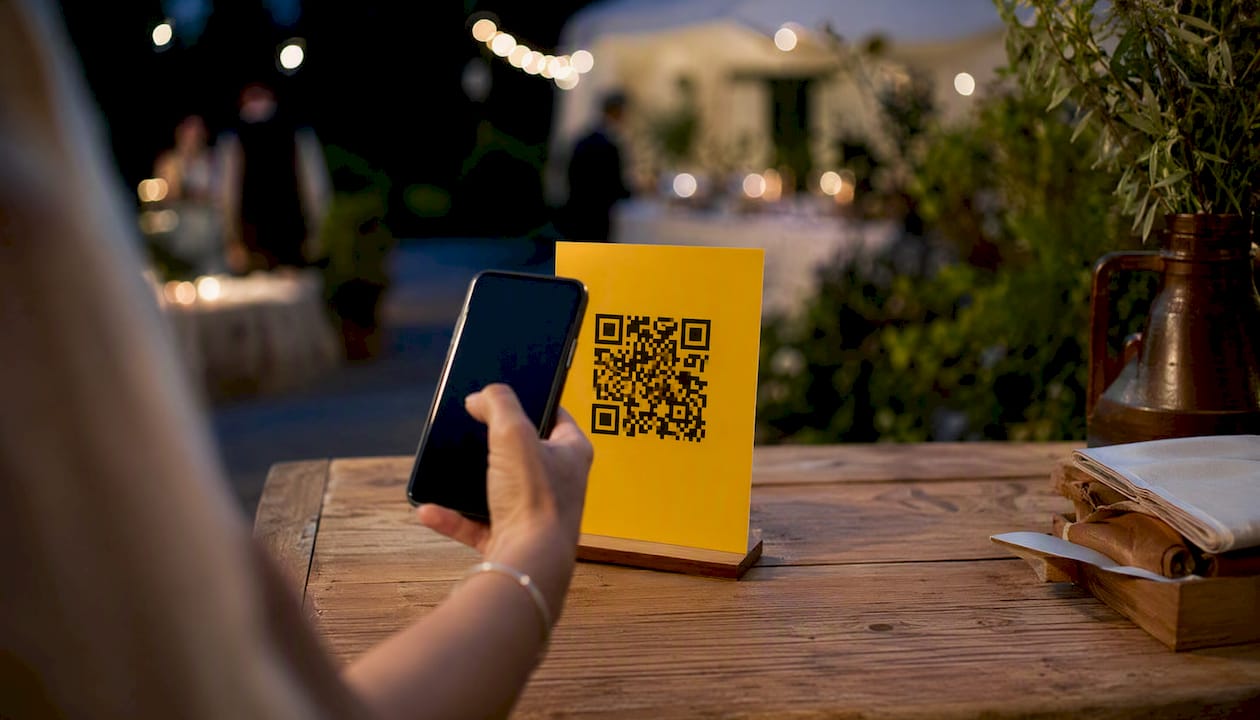
If you’re organising a nonprofit event and want guest photos without chasing everyone to install an app, SnapPix is your simplest option. It works through a QR code or link, so guests upload directly from their phone browser, and the gallery stays password-protected and live during your event. There’s no app download, no per-guest limit, and a one-time event fee, which suits fundraisers and galas that need every photo without an ongoing subscription. Fundraising events see photo-sharing rates averaging 51%, ranging from 30% to 70%, so the platform you choose genuinely changes how many images you collect.
Your next step takes about five minutes: create your event gallery, generate the QR code, and print a sign for the entrance table — see examples in the Gallery | Atavia Weddings for inspiration. Test it on your own phone before doors open.
Nonprofit event photo sharing works best with an app-free QR gallery that pairs visible signage with real-time moderation and a flat one-time event fee.
| Point | Details |
|---|---|
| Choose app-free collection | QR or link uploads remove the biggest barrier to guest participation: app downloads. |
| Set realistic sharing goals | Fundraisers average a 51% photo-sharing rate, ranging from 30% to 70%, depending on event tactics. |
| Prioritise moderation and consent | Manual approval and password protection protect beneficiaries and donor trust alike. |
| Budget around a flat fee | A one-time event fee avoids surprise costs; ask about charity pricing before booking. |
| Recommended platform | SnapPix offers no-app QR uploads, AI smart albums, and password-protected galleries for a one-time event fee, with over 4,200 guest photos collected to date. |
Guests scan a QR code or tap a link, and their browser opens straight to an upload page. No download, no account creation, no friction. Here’s what that unlocks for your event:
For nonprofits specifically, the resolution and moderation features matter more than they might for a birthday party. A blurry phone snap is fine for a personal album; it’s useless in a donor newsletter.
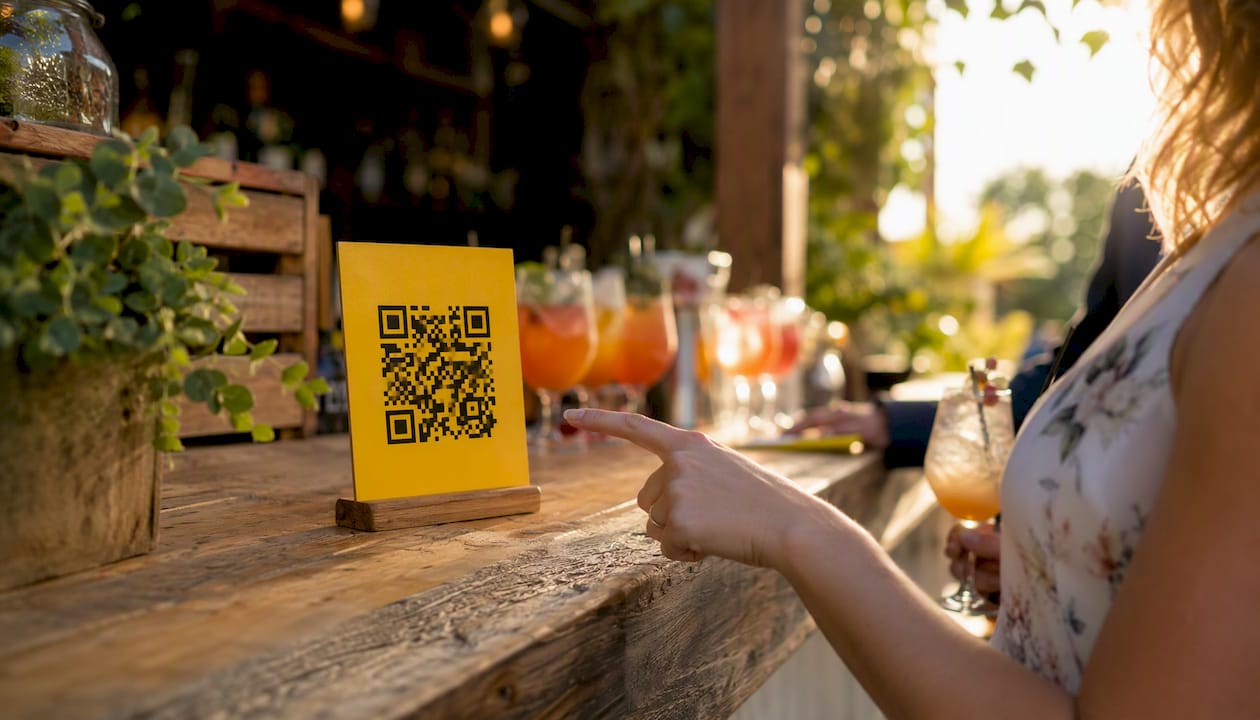
Pro Tip: Put your QR sign at eye level near the bar, registration table, or step-and-repeat backdrop, not on a wall by the exit. Guests upload when they’re already holding their phones, which is usually right after a photo, not on the way out.
Setting up an event gallery on SnapPix follows the same three-stage flow whether you’re running a 40-person volunteer breakfast or a 400-person gala.
Before doors open, run through a short checklist:
On moderation, keep your rules simple: approve anything that shows the event, decline anything showing a beneficiary’s face without documented consent, and flag anything blurry or off-topic rather than deleting it outright, in case a volunteer wants context later.
Pro Tip: Assign moderation to someone who wasn’t at the bar all night. A clear head catches consent issues faster than someone reviewing photos from memory the next morning.
Not every event photo platform is built with a nonprofit’s constraints in mind: tight budgets, volunteer staffing, and a duty of care toward beneficiaries whose images might end up in a gallery. A handful of features separate the platforms worth paying for from the ones that will cause a headache later.
Security and access controls come first. Password-protected galleries and private links mean your donor list, or worse, a vulnerable beneficiary’s photo, doesn’t end up indexed on a public search result. A limited upload window (SnapPix keeps galleries open for three months post-event) also stops stray uploads trickling in long after your comms deadline has passed.
Moderation and consent features protect the people in your photos. Manual approval before publishing lets you catch anything that needs a second look, and metadata capture (who uploaded, when) gives you an audit trail if a consent question comes up months later. This matters most at outreach events, shelters, or programmes involving children.
High-resolution export and video support determine whether your gallery is actually useful after the event. A photo that looks fine on a phone screen often falls apart at print size. If your annual report or grant application needs imagery, low-resolution exports are a dead end.
Custom branding, guestbook messages, and photo challenges aren’t just decoration. A gallery styled with your organisation’s colours and logo feels intentional rather than generic, and guestbook messages give your development team quotable donor sentiment without a follow-up email. Some nonprofits report social sharing increasing meaningfully once a themed photo challenge is tied to a fundraising milestone, though the exact lift varies by event and audience.
Integration possibilities are worth asking about during procurement, even if you don’t need them immediately. If your organisation runs a CRM for donor tracking, ask any vendor whether exported galleries can be tagged or organised by campaign, so this year’s gala photos don’t get lost among five years of archives, similar to how Esther KaiKai Memorial Outreach organises its archive by year and update.
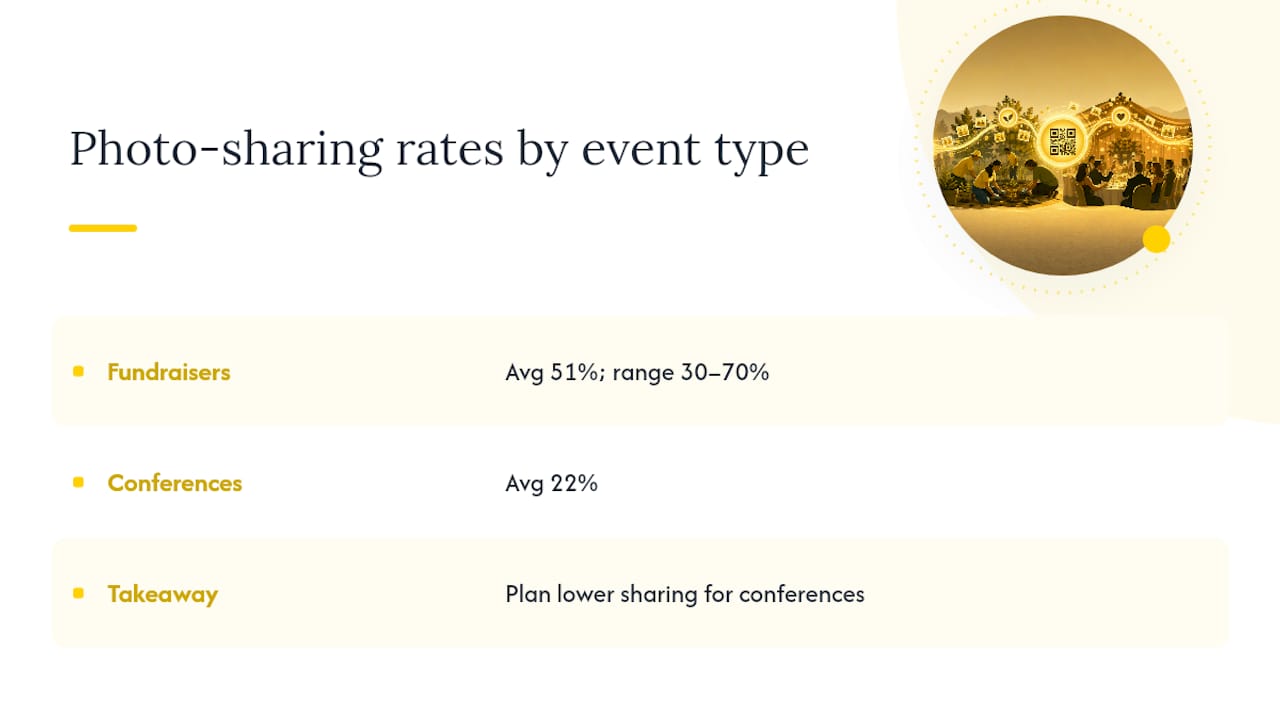
The category data is worth internalising here: fundraisers average a 51% photo-sharing rate, but conferences sit closer to 22%, per NonProfit PRO’s event analysis. If your event resembles a conference more than a gala, plan your expectations accordingly rather than assuming every event behaves like a wedding reception.
Different event formats generate very different photo behaviour, and the workflow that works for a black-tie gala won’t suit a Saturday-morning volunteer clean-up.
Across most of these, the common thread is the same: someone owns setup, the QR or link is visible at the right physical or digital moment, and moderation happens close to real time rather than as a backlog days later.
Photo-sharing platforms tend to price themselves one of three ways: a flat one-time event fee, a base fee plus paid extensions for longer gallery hosting, or a tiered plan based on photo volume or guest count. SnapPix uses the first model, a single flat fee per event with the gallery staying live for three months, which is the easiest structure to budget against because there’s no surprise invoice waiting after the event.
A simple rule of thumb: compare the one-time fee against what those photos are actually worth to your organisation. If a gala’s gallery produces the hero image for your annual report, three social posts, and a donor thank-you campaign, a modest flat fee is cheap compared with commissioning a photographer for the same output.
Ask any vendor directly about nonprofit pricing. Many platforms, including SnapPix, will consider charity pricing or bulk-event discounts if you can show proof of nonprofit status or you’re booking for a season of events rather than one. It rarely hurts to ask, and it’s a normal procurement question.
Watch for these limitations before you commit:
Pro Tip: Ask upfront whether high-resolution downloads are included in the base fee or billed separately. This is the detail that most often turns a “flat fee” into a surprise line item.
Guest behaviour is not random. Certain tactics reliably shift the number of people who actually pick up their phone and upload, and the data backs this up: fundraisers average a 51% photo-sharing rate, with results ranging from roughly 30% to 70% depending on how the event is run. That range is the gap your tactics can close.
Concerts and festival-style events see the highest share rates at 53%, fundraisers sit close behind at 51%, while conferences trail at just 22%, according to NonProfit PRO’s category breakdown. If your event leans formal or lecture-style, don’t expect gala-level participation, adjust your goal to the format rather than a generic industry average.
SnapPix was built around the exact constraints nonprofit organisers face: limited staff time, tight budgets, and a need for photos that actually get used afterwards. The core mechanics, no-app QR uploads, AI-driven smart albums, a digital guestbook, and password-protected galleries, cover the checklist most nonprofits need without asking anyone to become a technical administrator for the evening.
SnapPix reports having collected over 4,200 guest photos across the events it has served, a useful signal of real-world use across formats from weddings to corporate gatherings and community events. The event photo market has matured significantly in recent years, with dedicated platforms scaling from modest beginnings to serious commercial businesses, a sign this category has moved well past novelty status.
What organisers get in practice:
For a nonprofit weighing a handful of app-free options, these features consistently line up with what a small events team actually needs on the night.
Most organisers assume the hard part is choosing the platform. It isn’t. The hard part is getting guests to notice the QR code exists in the first place, and that’s a signage and staffing problem, not a technology problem.
I’ve seen the same mistake repeated across otherwise well-run events: a single QR sign placed near the entrance, where guests glance at it once on the way in and never again. By the time they’re holding a drink and standing near the photo backdrop, the sign is forgotten. Multiple, well-placed signs beat one perfect one every time.
The other underestimated fix is embarrassingly simple: loop your slideshow display and put a volunteer near the QR sign for the first thirty minutes. That’s usually enough to establish the habit for the rest of the night. Guests who see the flow once tend to repeat it without prompting.
Don’t overthink the technology decision. Do overthink the fifteen minutes before your first guest arrives.
SnapPix gives nonprofit organisers a genuinely app-free way to collect every guest photo without asking anyone to download anything or create an account. Set up takes minutes: create your event gallery, generate a QR code, and you’re ready to collect photos the moment guests arrive.

The feature set matches what nonprofits actually need on event night: no-app QR uploads, AI-driven smart albums that sort photos automatically, password-protected galleries to keep sensitive images under control, and a digital guestbook for donor messages alongside the photos themselves. Pricing runs on a one-time flat fee per event rather than a subscription, so there’s no ongoing cost to justify to your board.
If you qualify for charity status, ask about nonprofit pricing when you set up your event. Head to the SnapPix how-it-works page to see the full setup flow, or browse the feature list to check it covers everything your event needs before you commit.
Do guests need to download an app to share photos? No. Platforms like SnapPix work entirely through a QR code or link opened in a phone’s browser, so guests upload without installing anything.
How long does an event photo gallery stay accessible? SnapPix keeps galleries live for three months after the event, giving your comms team time to download and use images before the window closes.
What’s a realistic photo-sharing rate to expect at a fundraiser? Fundraisers average a 51% sharing rate, though results range from roughly 30% to 70% depending on signage, staffing, and how visible the QR code is.
Can we control who sees the gallery? Yes. Password-protected galleries and private links restrict access to invited guests, which matters when beneficiary images or donor information appear in photos.
Is there ongoing cost after the event? SnapPix charges a one-time flat fee per event rather than a subscription, with an optional annual extension if you need the gallery to stay live longer than three months.

Event hosts' practical guide to posed and candid photos: perception research, hands on shooting tips, and no app guest uploads to boost candid coverage.

Which event technologies are production ready for 2026 and how to adopt them with clear consent, governance, and a no app QR photo pilot.

Which routes keep EXIF or strip GPS? Quick checks to view or remove metadata, plus a three month workflow to collect guest photos.