Secure event photo sharing: a guide for UK organisers
SnapPix TeamPublished 12 Aug 202632 min read
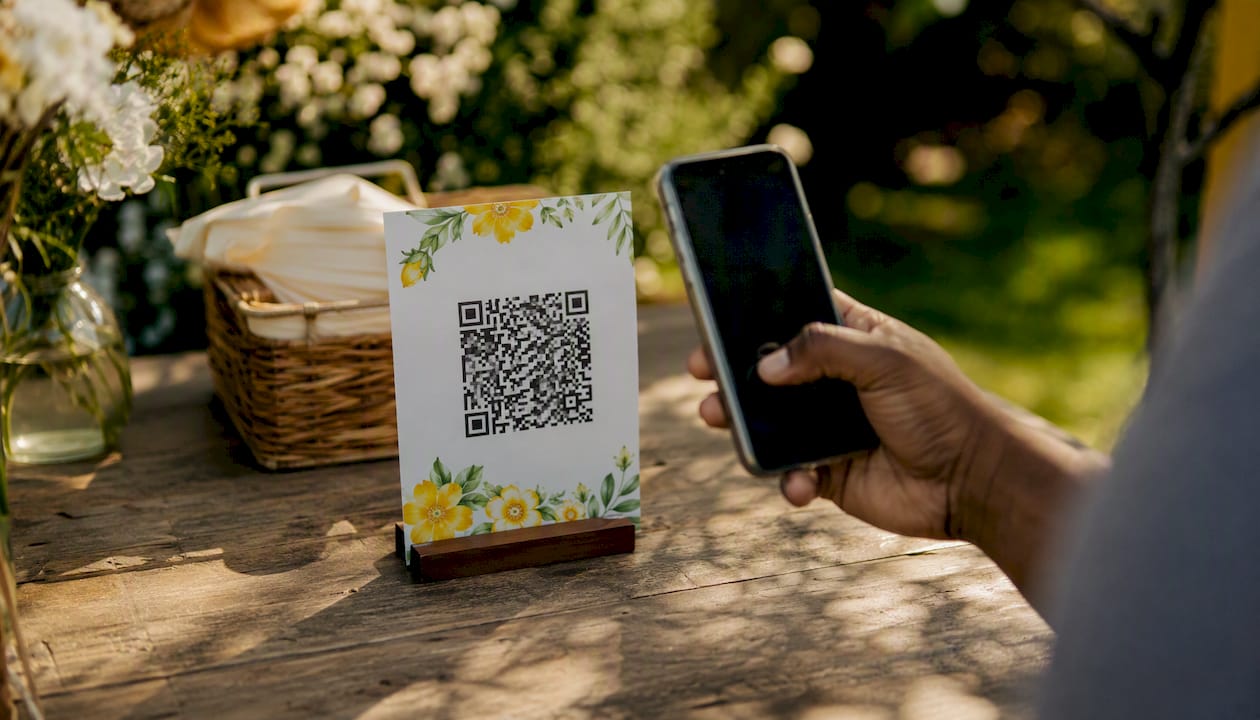
For most UK event organisers, SnapPix is the clearest choice for secure event photo sharing. It requires no app installation, collects guest photos through a simple QR code, and keeps galleries password-protected with a three-month hosting window. Guest photos have already been collected through the platform, which gives you a practical sense of its reliability.
Two alternatives worth knowing about:
Pro Tip: The single fastest way to lock down privacy at any event is to enable a gallery password and set an upload expiry before you share the QR code. Do both before the event starts, not after.
Secure event photo sharing works best when privacy controls, no-app guest uploads, and a clear retention policy are in place before the event starts.
| Point | Details |
|---|---|
| Enable password and expiry first | Set gallery password and upload expiry before sharing the QR code, not after. |
| Test the QR flow on a guest phone | Run the full upload journey on a typical guest device before the event to catch friction early. |
| Confirm DPA with your vendor | Request a signed data processing agreement; under UK GDPR, your vendor is the data processor. |
| Export a backup before expiry | Download all photos at least one week before the gallery expiry date and store copies in two places. |
| SnapPix for most UK events | SnapPix offers no-app QR uploads, password-protected galleries, moderation, and flat per-event pricing. |
The market for digital event photo platforms is growing fast, and the options have multiplied. The table below compares the leading platforms on the criteria that matter most to UK organisers.
| Criteria | SnapPix | GuestPix | DropEvent | Eversnap |
|---|---|---|---|---|
| Best for | Weddings, parties, corporate events | Small private gatherings | Large corporate bulk uploads | Weddings and milestone events |
| Privacy & access controls | Password-protected galleries, guest list, moderation, expiry | Invite-only links, basic password | Admin approval, domain-restricted uploads | Password galleries, invite list |
| Upload methods | QR code, link, browser upload, camera roll | Link, email | Link, email, app | QR code, app, link |
| No-app friction for guests | None required — fully browser-based | None required | App preferred for full features | App required for some features |
| Storage & retention | 3 months included, annual extension available | Varies by plan | Varies by plan | Varies by plan |
| Image/video quality & downloads | High-resolution downloads, unlimited guests | Standard resolution | High-resolution | High-resolution |
| Pricing model | Flat fee per event | Freemium with paid tiers | Per-event or subscription | Per-event |
| Extra features | AI smart albums, photo challenges, digital guest book, RSVP builder | Basic album sorting | Bulk download, admin dashboard | Slideshow, guestbook |
| Ease of setup | Very quick, no technical knowledge needed | Quick | Moderate | Moderate |
For most UK organisers, SnapPix hits the right balance. The no-app QR upload flow means guests of any age or technical confidence can contribute photos without downloading anything. Password protection and moderation are built in from the start, not bolted on as paid extras.
Trust signals to verify with any vendor:
Three criteria are non-negotiable: privacy controls, low upload friction for guests, and a clear moderation and retention policy. Everything else is secondary.
Questions to ask any vendor before committing:
Red flags to watch for:
Some platforms use client-side encryption (encrypting photos before upload, as Gallerif describes), which maximises privacy but means passwords cannot be recovered if lost. Understand the trade-off before choosing that approach for a large event.
Pro Tip: Before your event, run the full QR upload flow on a typical guest’s phone — an older Android or a basic iPhone model. If it takes more than 30 seconds from scan to upload, your guests will skip it.
The setup process follows three steps: create your gallery, set access controls and retention, then share your QR code or link and collect photos.
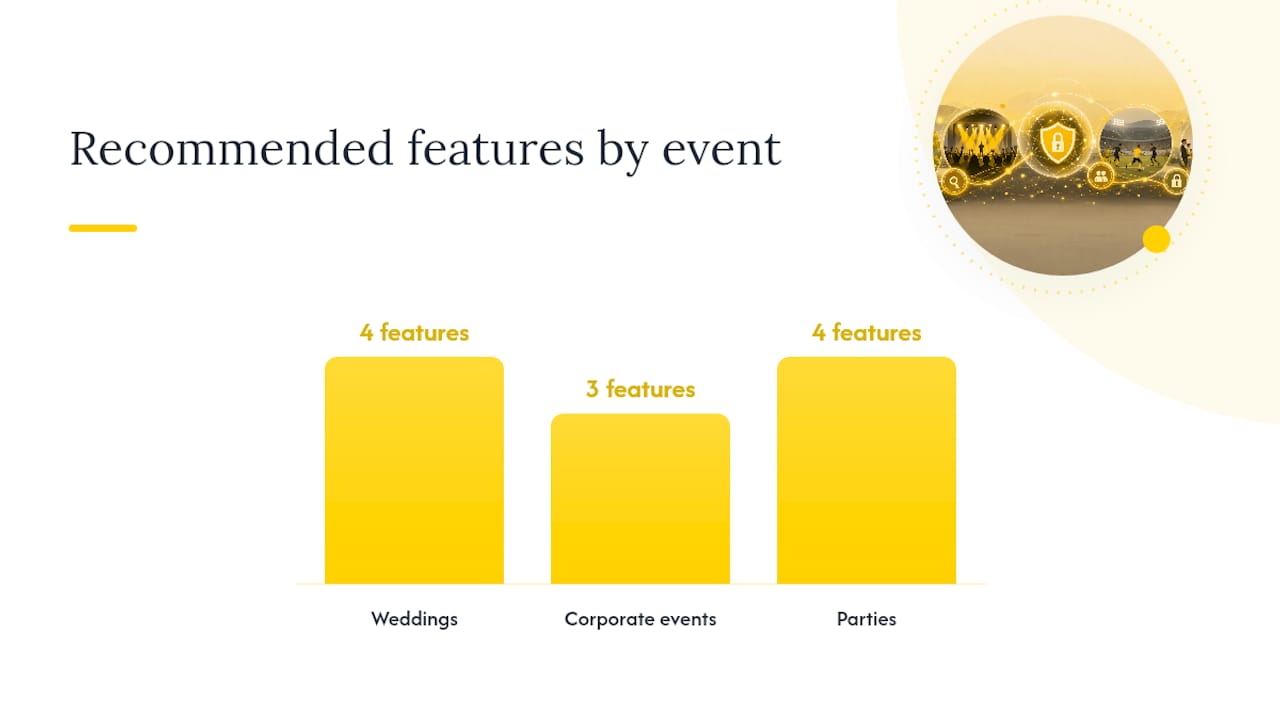
Use-case configuration at a glance:
3-step setup checklist:
Visible signage and a brief verbal mention from the host or MC at the start of the event consistently increase upload rates. Photo challenges work especially well at weddings and parties because they give guests a specific prompt rather than a blank invitation.
The key documents to verify are a data processing agreement, a clear data retention policy, and evidence of lawful basis for processing. Without these, collecting guest photos at a UK event carries legal risk under the UK GDPR.
Privacy checklist for UK events:
Security items to verify with your vendor:
Key compliance point: Under UK GDPR, you are likely the data controller for guest photos collected at your event. Your vendor is the data processor. Always request a signed DPA from your vendor before going live. Legitimate interests can serve as a lawful basis in some corporate contexts, but consent is simpler to document and easier to defend. This is general guidance — confirm your specific situation with a qualified data protection adviser.
Pricing for event photo platforms in the UK typically falls into three shapes: a flat fee per event, a subscription covering multiple events per year, or a freemium model with paid add-ons for retention and advanced features.
Common retention options and what they mean in practice:
SnapPix uses a flat fee per event with no subscription required, which makes budgeting straightforward. The hosting window lasts several months, with an annual extension available if you need longer access.
For recurring events (monthly networking evenings, for example), a subscription model may work out cheaper. For one-off occasions like weddings, a per-event fee avoids paying for capacity you will never use. Some platforms that manage membership-style recurring access, such as SoCal Sights, illustrate how tiered access models can work for ongoing event programmes.
Pro Tip: Export a full backup of all photos at least one week before your gallery expiry date. Do not rely on the platform’s own retention as your only copy.
Support quality varies significantly between platforms, and it matters most at the worst possible moment: the morning of your event when something is not working. Look for providers that offer live chat or email support with a response time measured in hours, not days.
SnapPix provides direct support for event organisers, which is particularly useful during setup and on the day itself. For corporate events with multiple stakeholders, check whether the vendor offers onboarding assistance or a dedicated account contact. A provider that publishes clear documentation and setup guides reduces your reliance on reactive support in the first place.
Before committing to any paid plan, test the support channel with a real question. Response speed and clarity during the sales process is usually a reliable indicator of what you will get post-purchase.
Most event photo platforms operate as standalone tools rather than deep integrations with event management software. That is not necessarily a problem: a QR code and a link work everywhere, from printed programmes to email invitations to event apps.
SnapPix includes an RSVP builder and guest list management, which reduces the need to juggle separate tools for guest registration and photo collection. For corporate events using platforms like Eventbrite or Cvent, the simplest integration is embedding the gallery link or QR code in your confirmation email or event app.
If you manage recurring events or membership-based programmes, look for platforms that support multiple galleries under one account, so you are not starting from scratch each time.
The guest experience on mobile is where most platforms win or lose. A guest who has to download an app, create an account, or navigate more than two screens before uploading a photo will often give up. Browser-based upload via QR code removes all of that friction.
SnapPix is fully browser-based for guests: scan the QR code, take a photo or select from the camera roll, and upload. No account, no app, no password for the guest. The host experience is managed through a web dashboard, which works on mobile and desktop.
For hosts, the key mobile tasks are checking moderation queues, sharing the QR code, and monitoring upload counts in real time. A clean, responsive dashboard makes those tasks quick. Platforms that require a desktop browser for host management create unnecessary friction on event days when you are moving around.
Watermarking is more common on professional photography platforms than on guest-upload tools, but it is worth understanding your options. Some platforms, such as Picdrop, offer configurable watermarking as a standard feature, which is useful for photographers sharing proofs or for corporate events where brand protection matters.
For most wedding and party organisers, watermarking guest uploads is not a priority. The more relevant protection is controlling who can download photos: password-protected galleries with download permissions limited to invited guests give you practical copyright control without adding friction.
If you are a professional photographer using an event platform to share proofs with clients, confirm whether the platform supports watermarking before committing. For organiser-led guest upload scenarios, focus on access controls rather than watermarks.
Backup and recovery policies are rarely the first thing organisers check, but they should be. Ask any vendor two direct questions: do you maintain redundant backups of uploaded photos, and what is your recovery process if data is lost?
Reputable platforms store photos across multiple servers or cloud regions, so a single hardware failure does not result in data loss. Confirm this is the case before your event, not after. Also check whether the vendor’s terms of service include any liability limitation for data loss — most do, which is why your own export backup matters.
The practical answer is straightforward: download a full backup of all photos before any gallery expiry date, and store it in at least two places (a cloud service and a local drive). Do not treat the platform’s hosted gallery as your archive.
The platforms that cause the most frustration at events are the ones that ask guests to do too much. An app download at a wedding reception, where guests are already juggling drinks and conversations, is a real barrier. The no-app QR approach that SnapPix uses is not just a convenience feature; it is the reason upload rates are meaningfully higher than app-dependent alternatives.
Privacy controls matter just as much. A platform that defaults to public galleries or offers password protection only on premium tiers creates risk for organisers who do not read the small print. SnapPix builds password protection and moderation into the standard offering, which means you are not making a privacy decision by accident.
The three-month hosting window is long enough for most events, and the flat per-event fee means you know the cost upfront. For UK organisers who want a clear, privacy-first setup without ongoing subscription commitments, that combination is hard to beat.
Every photo collected at your event deserves to be private, accessible, and easy to share. SnapPix delivers all three without asking your guests to download anything.

Here is what you get with SnapPix for your next UK event:
Ready to set up your event gallery? See how SnapPix works and create your first event in minutes. A data processing agreement is available on request for organisers who need it for GDPR compliance.
Before committing to a platform, review these resources alongside any vendor’s own documentation.
Before signing any paid plan: request the vendor’s DPA, ask for their SOC 2 or ISO 27001 documentation, and confirm data residency. A vendor that cannot provide these documents promptly is a red flag.

Event hosts' practical guide to posed and candid photos: perception research, hands on shooting tips, and no app guest uploads to boost candid coverage.

Which event technologies are production ready for 2026 and how to adopt them with clear consent, governance, and a no app QR photo pilot.

Which routes keep EXIF or strip GPS? Quick checks to view or remove metadata, plus a three month workflow to collect guest photos.