8 Low Friction Guest Engagement Ideas That Scale Across Your Event
SnapPix TeamPublished 1 Sept 202623 min read
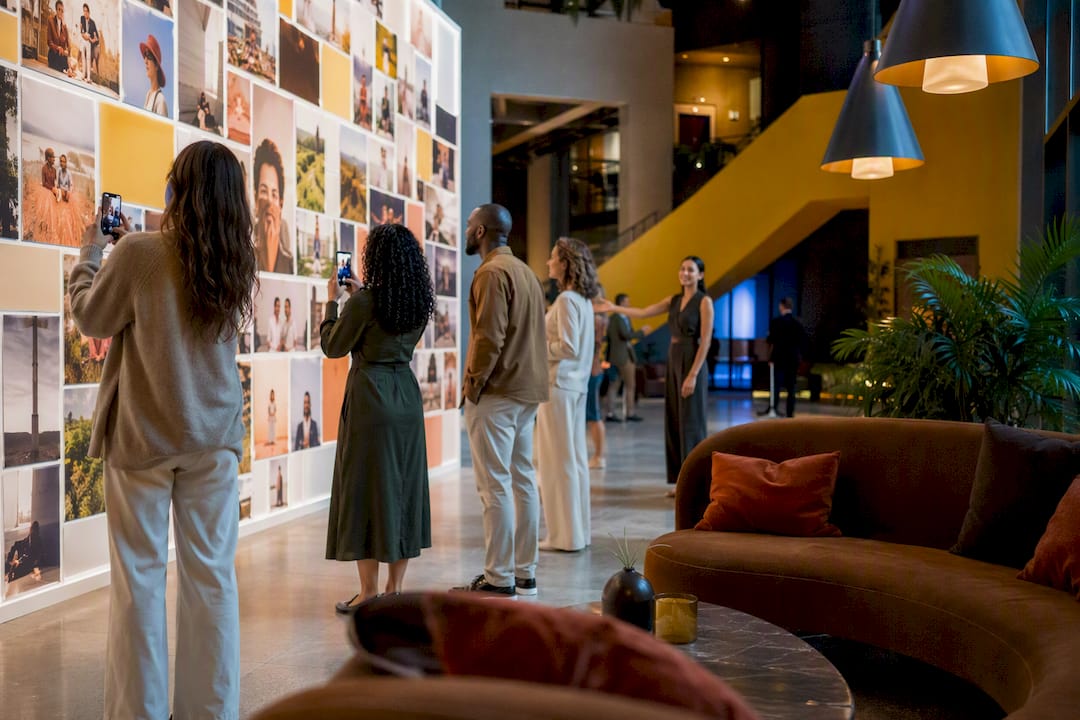
The most effective approach is offering low-friction, optional activations matched to your audience and the natural rhythm of your event, rather than one big showpiece. Lean on three categories: photo and keepsake capture, short interactive stations, and tech-enabled voting or polling. Pick two that suit your guest list and your time windows, and run them well.
TL;DR:
- Focus on low-friction, flexible engagement options like QR photo collection and live polling that fit naturally into event rhythms and guest preferences.
- Plan activations for specific event stages, such as arrival, meal times, or transitions, ensuring they are short, well-staffed, and avoid bottlenecks.
- Scale activations by zoning into smaller stations, staggering activities, and adjusting for group size to prevent overcrowding and maximize participation.
- Use signage paired with verbal prompts and strategic placement to improve guest interaction with activations, especially for passive or outdoor setups.
- Follow up within 48 hours with personalized galleries and brief surveys to boost post-event engagement and harness ongoing interest.
Not every idea deserves your budget or your floor space. These eight consistently perform well because they need little explanation and almost no persuasion to join in.
Notice the mix: photo-driven (QR collection, print booth) and genuinely low-tech (conversation cards). Guests rarely need convincing to hold a drink and answer a printed question.
Engagement isn’t one moment. It’s a sequence, and the strongest events treat arrival, mid-event, and wind-down as three separate design problems.
Arrival and welcome. Interactive registration (a tablet check-in that also asks a fun icebreaker question) sets the tone before the first drink is poured. Welcome tokens work well too: hand each guest a coloured token or sticker tied to a table topic or trivia answer, so their first conversation is already scripted for them.
Social icebreakers. Conversation cards on tables, a “find someone who…” bingo sheet, or a seating puzzle where guests must locate their place by solving a clue all lower the barrier to talking to strangers. These cost almost nothing and need zero staffing.
Photo and keepsake activations. Instant-print booths and Polaroid stations remain popular because guests leave with something physical. A live mosaic wall, where guest photos build a giant image in real time, tends to pull people back repeatedly because they can watch their own contribution land, a dynamic that drives further participation as more images appear. QR-based photo collection runs alongside any of these: place a printed or projected QR code at entrances, tables, and the bar, with a one-line instruction (“Scan. Snap. Done, no app needed”) and it becomes a passive collection net that runs the entire event without anyone managing it.
Food and drink stations. Build-your-own taco or grazing stations, tasting flights, and short mixology demos double as engagement because guests interact with the food and with each other while queuing. These need adequate staff or the queue becomes the event.
Games and competitions. Scavenger hunts, whether digital via an app-free web link or old-fashioned paper, work for almost any group size. Trivia rounds and table challenges with small prizes (a bottle of something decent, not a branded pen) keep energy up between courses or during a corporate agenda’s dead patches.
Live entertainment. Roaming micro-acts, a magician working tables, a caricaturist moving between groups, add texture without demanding attention from everyone at once. Schedule these during natural lulls: between courses, during a venue changeover, or the first 30 minutes of a cocktail reception.
Tech-enabled options. Live polling during a keynote, Q&A and wellness breaks woven into the agenda, and AR filters at a photo point all raise participation without adding much physical footprint. A social wall displaying the event hashtag alongside guest photos gives people a reason to check their phones for the right reasons.
Accessibility. Add captions to any screen-based polling or trivia. Keep at least one seating area near every standing activation. For sensory considerations, avoid stacking a loud live act directly next to a quiet conversation zone, and always offer a non-alcoholic option at any tasting station.
Pro Tip: Never rely on a single sign to explain an activation. Guests skim signage in under two seconds; a short verbal nudge from a host or the MC does more for uptake than a beautifully designed poster.
Run every idea through the same five filters before committing budget:
Ask suppliers and venues about power access, physical footprint, noise limits, and insurance cover before booking anything with moving parts or electricity.
For larger groups, scale by zoning activities into themed areas rather than concentrating everyone at one installation, staggering time slots, and running multiple small stations instead of one large one, a tactic that consistently prevents overcrowding at bigger events. One well-staffed, well-run activation beats multiple under-staffed ones every time.
QR-based, no-app photo capture removes the single biggest barrier to guest participation: the download step. Guests open a camera, scan, and upload. That removed friction is precisely why hospitality brands with strong engagement report guests who spend more per visit than disengaged ones, and photo participation is one of the easiest engagement wins available.
A working setup checklist:
SnapPix guests have contributed over 4,200 photos across weddings, corporate events, and parties using exactly this no-app model. This is evidence that a simple QR workflow captures the candid moments a hired photographer misses. Pair QR collection with a physical booth when you want posed group shots too; the two capture different moments and rarely compete for guest attention.
Place activations during cocktail hour, agenda transitions, or scheduled breaks, never during a speech or the main meal.
Engagement shouldn’t stop when the last guest leaves. The window immediately after an event is when interest peaks, and most hosts waste it by going silent.
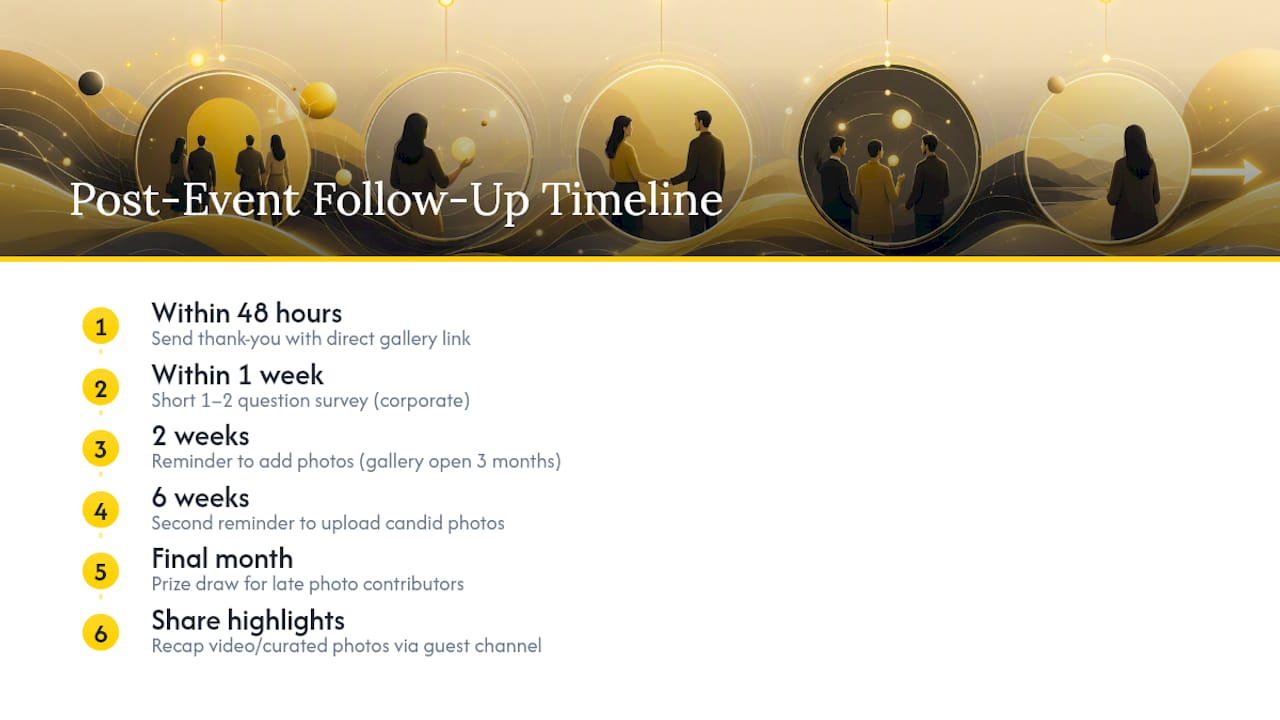
Send a thank-you message within 48 hours that includes a direct link to the shared photo gallery, not a generic “thanks for coming” email. Guests who see their own photos included are far more likely to open a follow-up message than those who receive a plain text note. For SnapPix galleries, the upload window stays open for three months, so remind guests at the two-week and six-week marks that they can still add photos, which typically surfaces a fresh batch of candid shots taken on personal phones that never made it into a formal album.
For corporate events, follow up with a short survey sent within a week, while the experience is still fresh, asking one or two specific questions rather than a long form. A five-question survey about a single session gets better completion rates than an eleven-page feedback form nobody finishes. Share a highlights recap, a short video or curated photo set, across whatever channel the guests already use: email for corporate lists, a shared album link for social groups.
Consider a small incentive for late contributions: a prize draw for anyone who uploads a photo in the final month of the gallery’s life. It costs little and often pulls in the guests who forgot on the night itself.
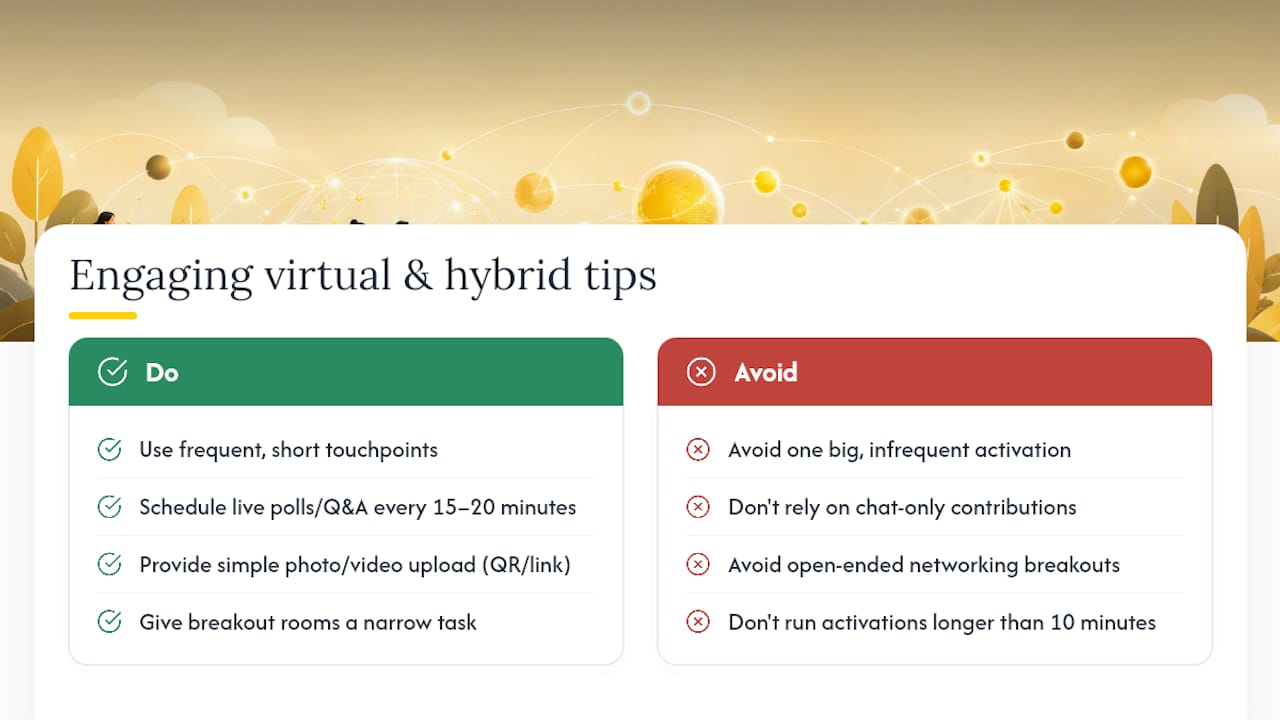
Virtual guests disengage faster than in-person ones because there’s no ambient social pressure keeping them in the room. Compensate with more frequent, shorter engagement touchpoints rather than one big activation.
Live polling works particularly well online because the result appears instantly on shared screens, giving remote attendees the same visible feedback loop that a mosaic photo wall gives an in-person crowd. Schedule a poll or a quick Q&A every 15 to 20 minutes during any virtual session longer than 45 minutes; attention drops sharply without a structured interruption.
For hybrid events, give remote guests a way to contribute visually, not just via chat. A shared photo or video upload link works for remote attendees exactly as it does for a wedding guest: no app, no login, just a QR code or web link displayed on screen for anyone watching from home to submit a selfie or a short clip. Mixing those remote contributions into the same live social wall the in-room audience sees closes the gap between the two groups noticeably.
Breakout rooms with a specific, narrow task (rank three options, solve one puzzle) outperform open-ended “networking” breakouts, which tend to produce silence and awkwardness on camera. Keep any virtual activation under ten minutes; attention online decays faster than it does in a physical room.
A wedding photography client once ran QR signage without a single verbal mention from the officiant or MC. Uploads stayed flat until a bridesmaid casually announced it during a toast, and the gallery tripled its photo count within the hour.
Three lessons stuck: keep signage copy blunt and short, brief a host to nudge guests verbally rather than trusting a poster alone, and remind guests after the event that the upload window stays open for months, not just on the night.
— Liam
SnapPix removes the one obstacle that kills most photo-sharing plans: the app download nobody bothers with. Guests scan a QR code, shoot or upload straight from their camera roll, and their photos land in a private gallery that stays open for three months, giving latecomers and forgetful guests plenty of time to add what they captured.

Photo challenges nudge guests towards specific shots (a candid dance floor moment, a table group photo) rather than leaving contribution entirely to chance, and AI-driven smart albums sort the results so you aren’t scrolling through hundreds of near-duplicates afterwards. If you’re weighing this against a rented booth, the two approaches solve different problems rather than compete directly. Check the full feature list and set up your event gallery before your next guest list goes out.

Secure sponsor access to event photos with a host controlled workflow. Use time limited QR links, view only tokens, instant revocation, and access logs.

A practical host first workflow: collect no app QR uploads, keep moderation and professional curation, set retention and backup plans so you stay in control.

Event hosts' practical guide to posed and candid photos: perception research, hands on shooting tips, and no app guest uploads to boost candid coverage.