How to collect wedding photos from guests in 2026
SnapPix TeamPublished 21 Jul 202628 min read
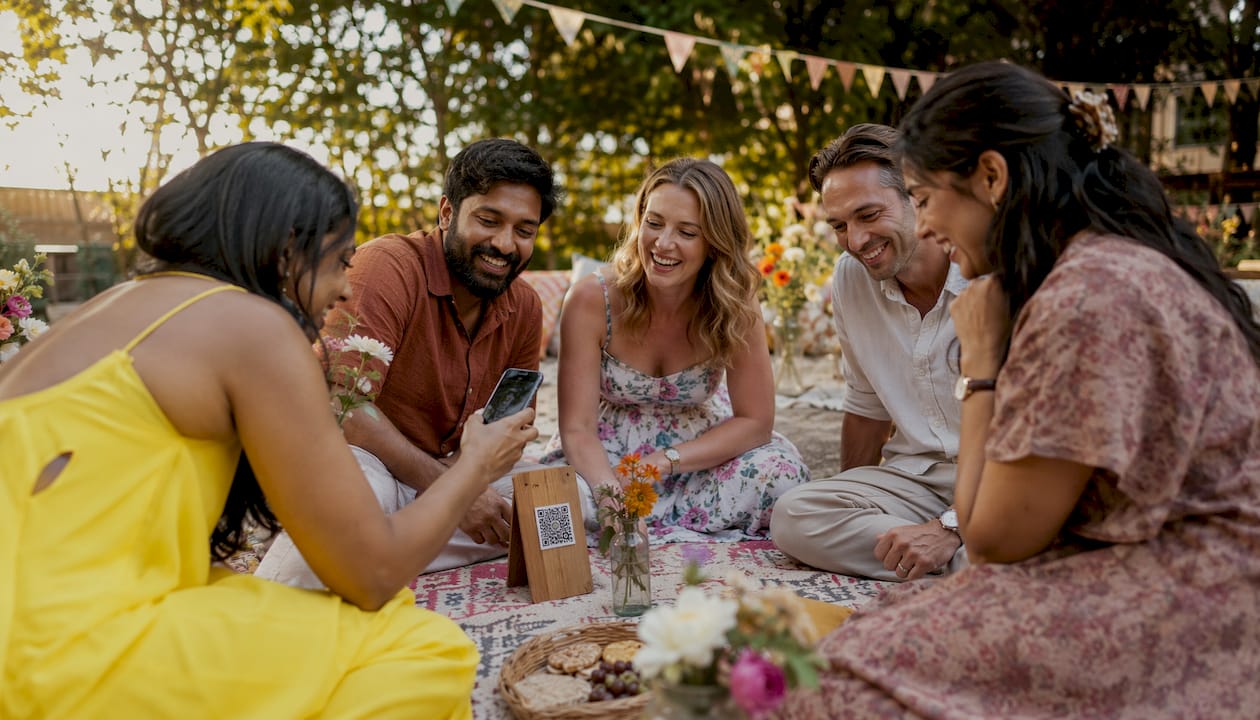
The easiest method is a no-app QR code platform. Guests scan a code at their table, select photos from their camera roll, and upload in under ten seconds. No downloads, no logins, no fuss.
Professional photographers deliver 400–800 edited images from a typical wedding day, but your guests collectively take thousands more. Those candid shots of your grandmother laughing, your best friend tearing up during the vows, the chaos on the dance floor at midnight: they only exist on people’s phones unless you make it genuinely easy to share them.
The good news is that the technology to collect every guest photo in one place is straightforward and affordable. Here are the methods that actually work:
For most UK couples in 2026, a no-app QR code platform is the strongest starting point. It combines the lowest barrier for guests with the highest photo quality and privacy.
QR code photo platforms are the clearest step forward from the old hashtag era. Guests point their phone camera at a printed code, a browser page opens, and they upload directly from their camera roll. No app store visit, no account creation. QR-code-based platforms achieve 50–70% guest participation, compared to 15–25% for hashtag methods, because that friction gap is enormous in practice.
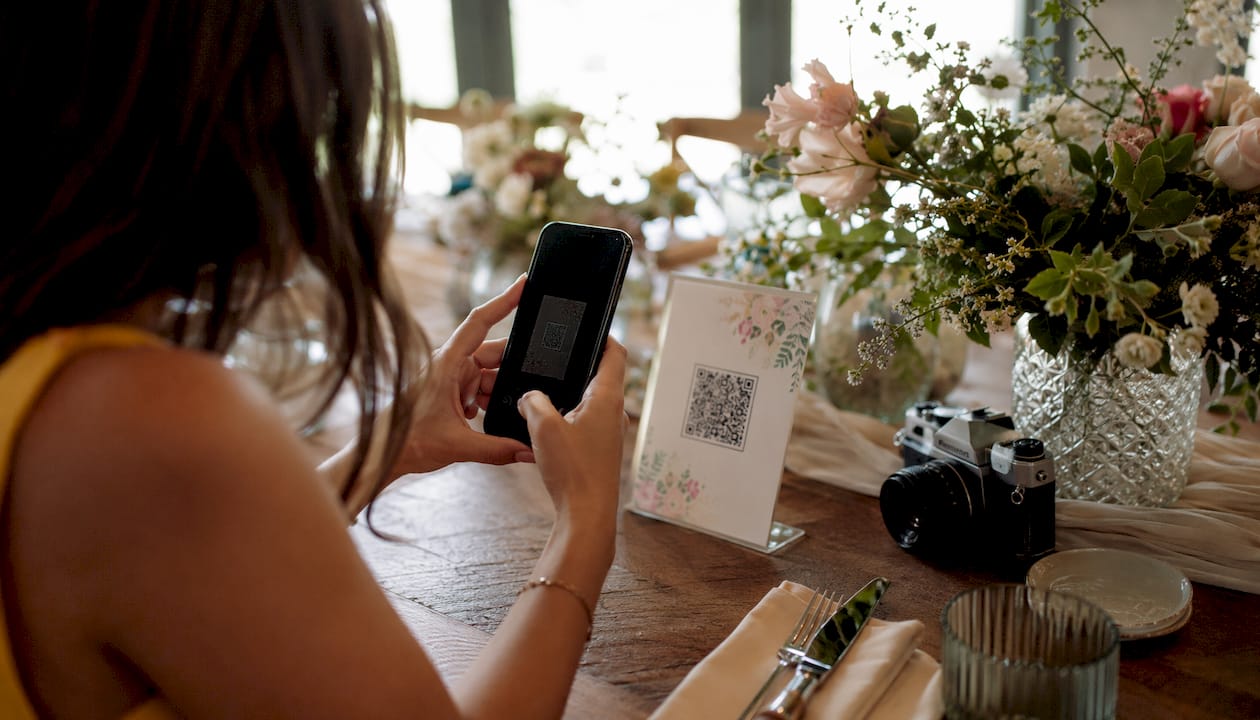
GuestPix and WedUploader both operate on this model, offering password-protected galleries and real-time upload notifications. Kululu and Pixel Party take a similar approach, with Pixel Party adding a live slideshow feed so guests can see their photos appear on screen during the reception. Snap-pix goes further with AI-driven smart albums and photo challenges built in, which we cover in more detail later.
Google Photos is the strongest free option for collecting guest contributions. A shared album set to “anyone with the link can contribute” lets guests upload without needing a Google account. It handles iPhone HEIC, Android HEIF, and all video codecs without compressing anything, so the 4K video your friend shot of the first dance arrives intact.
Google Drive and Dropbox work differently. Both require account login for many guests, which creates a barrier at exactly the wrong moment. Dropbox in particular often prompts account creation mid-upload, causing guests to abandon the process entirely. If you go the cloud storage route, Google Photos is the clear choice.
The wedding hashtag had its moment, but it has real limitations now. Not every guest uses Instagram, photos are compressed by the platform, and everything posted is public by default. Guests who forget the hashtag mid-reception simply do not contribute. For a private, high-quality collection, a dedicated platform outperforms hashtags on every measure.
Placing disposable cameras or Polaroid-style instant cameras on tables gives guests a tactile, nostalgic way to contribute without any technology at all. This works especially well for older guests or outdoor ceremonies where phones stay in pockets. The trade-off is real: you will need to collect the cameras, develop or scan the film, and digitise the results after the wedding. It adds charm and inclusivity, but it does add post-wedding effort.
A dedicated table near the exit with a printed QR code, a tablet for uploads, or even a box for memory cards gives guests a clear, intentional moment to contribute. It works best as a complement to table QR codes rather than a standalone method.
Here is how these methods compare across the dimensions that matter most:
| Method | App required? | Ease of use | Guest experience | Cost | Privacy |
|---|---|---|---|---|---|
| GuestPix | No | Very easy | Excellent | Paid | High (password-protected) |
| Wedibox | No | Easy | Good | Paid | High |
| Snap-pix | No | Very easy | Excellent | Paid (flat fee) | High (password-protected) |
| Kululu | No | Easy | Good | Free/Paid | Medium |
| WedUploader | No | Easy | Good | Free/Paid | High |
| Pixel Party | No | Easy | Very good (live feed) | Paid | High |
| Google Photos | No | Easy | Good | Free | Medium (link-based) |
| Google Drive | No (but login needed) | Moderate | Fair | Free | Medium |
| Dropbox | No (but login needed) | Moderate | Fair | Free/Paid | Medium |
| Wedding Photo Swap | Yes | Moderate | Good | Free/Paid | High |
| WedShoots | Yes | Moderate | Good | Paid | High |
| Cluster | Yes | Moderate | Good | Free | Very high |
| Instagram hashtags | No | Easy | Variable | Free | Low (public) |
| Polaroid/disposable cameras | No | Very easy | Charming | Low | Very high |
The biggest barrier to guest photo participation is friction, and the second biggest is simply not asking at the right moment. Removing the technical hurdle gets you halfway there; the other half is timing and placement.

QR code placement matters more than most couples expect. Placing codes at every table, at the bar, near the dance floor, and on ceremony programmes produces far more uploads than a single entrance sign. Guests who miss the entrance sign will see the one on their table. Guests who forget during dinner will spot it again at the bar. Multiple touchpoints build momentum throughout the day.
Pro Tip: Print your QR code on cocktail napkins, place cards, and the back of the menu card. Guests handle these items repeatedly throughout the evening, which means repeated reminders without any extra effort from you.
A live photo feed projected during the reception is one of the most effective engagement tactics available. When guests see their photos appearing on screen in real time, the room shifts. People start actively looking for fun moments to capture because the feedback is immediate. Pixel Party and Snap-pix both support this feature.
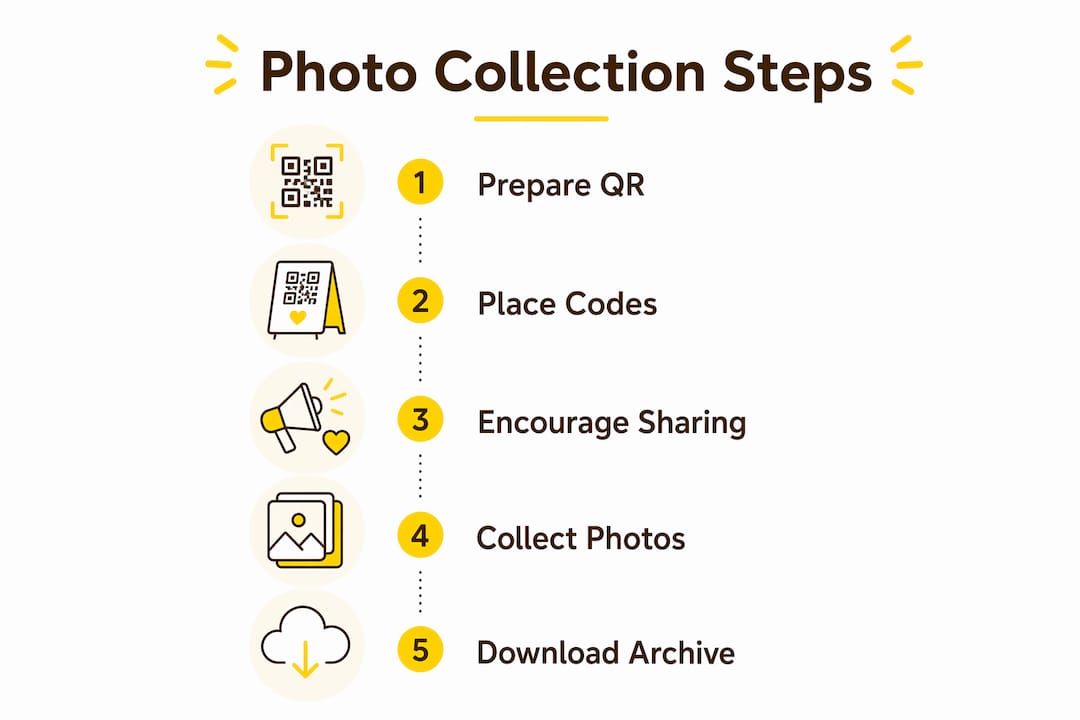
Here are the practical steps to maximise guest contributions:
Guest photos do not age well in camera rolls. Within a week they are buried under new photos; within a month some guests have cleared their storage. Prompt collection, combined with a warm personal ask, makes the difference between a complete album and a handful of uploads.
The market has grown considerably, and the options now range from free cloud tools to purpose-built wedding platforms with AI features. Here is a closer look at the ones worth your attention.
GuestPix is built specifically for wedding photo sharing. Its QR code system is clean and well-tested, with strong privacy controls and a straightforward guest experience. Couples who want a dedicated tool without any technical setup will find it reliable.
Wedibox takes a slightly different approach by linking custom QR codes directly to Google Photos or Dropbox albums. This suits couples who already use those services and want a tidy bridge between a printed code and their existing cloud storage.
WedUploader offers unlimited uploads with real-time notifications when guests contribute. There is no app download and no login required, which keeps the guest experience as frictionless as possible. It suits weddings of any size.
Pixel Party adds a live photo feed that displays incoming guest photos during the reception. For larger weddings where the energy of shared moments matters, this interactive element genuinely changes how guests engage with photo sharing.
Wedding Photo Swap and WedShoots both require guests to download an app, which introduces the friction that no-app platforms avoid. Wedding Photo Swap adds a chat layer and community feel; WedShoots offers photo challenges and a timeline view. Both suit tech-comfortable guest lists who are willing to install something.
Cluster is a private group sharing app with strong privacy controls. It requires app installation from all guests, which limits participation at larger weddings, but works well for small, intimate celebrations where every guest is comfortable with it.
Kululu keeps things simple: a web upload via QR code or direct link, no app, no account. It is a clean, low-friction option for couples who want the basics without extra features.
Google Photos remains the strongest free option. Shared albums with open contribution links work across all devices, preserve original quality, and require no Google account from guests. For couples on a tight budget, it is hard to beat. The trade-off is that it lacks the wedding-specific features, photo challenges, and organised galleries that paid platforms offer.
Google Drive and Dropbox are reliable storage tools, but both introduce login friction that reduces guest participation. They work better as a destination for your downloaded photos after the event than as a live collection tool during it.
Instagram hashtags remain popular but are best treated as a supplementary method rather than a primary one. Public posts, compressed images, and the assumption that all guests use Instagram make it unreliable as your main collection strategy.
User feedback across wedding forums consistently highlights two themes: guests appreciate not having to download anything, and couples value having everything in one organised gallery rather than scattered across platforms. Both point in the same direction: a dedicated no-app platform wins for most weddings.
The right method depends on four things: your guest list size, your guests’ tech comfort, your privacy preferences, and how much post-wedding organisation you want to do.
Guest list size is the clearest guide. For a micro wedding with fewer guests, a Google Photos shared album may be sufficient. For weddings with a moderate number of guests, a dedicated QR code platform offers advantages in completeness and ease. For large weddings, a centralised platform is the only realistic way to gather photos from everyone without chasing individuals.
Guest tech comfort matters too. If your guest list skews older or less tech-savvy, no-app browser-based platforms are the right call. App-based tools like WedShoots or Cluster work well when your guests are comfortable installing things, but they will always exclude a portion of the room.
Privacy is a genuine consideration. Public Instagram hashtags expose your wedding photos to anyone online. Shared Google Photos links are semi-private. Password-protected galleries on dedicated platforms give you full control over who sees what.
Here are the key questions to work through before you decide:
Setting up your chosen method does not need to take long. For a QR code platform, the typical process is: create your event, generate the QR code, print it for table placement, and share the link in your wedding website or day-after message. Most platforms complete setup in under 15 minutes.
Pro Tip: Download your full photo collection to a personal hard drive as soon as possible after the wedding. Most platforms host photos for 3–12 months; do not rely on the platform as your permanent archive.
Once photos are collected, a little organisation goes a long way. Sort by time to create a chronological story of the day, pull the 50–100 strongest candid shots for a “through your eyes” section in your wedding album, and share the full gallery back with guests as a thank-you. For tips on curating the results, the perfect wedding gallery guide on the Snap-pix blog covers the process in detail.
Planning a wedding involves a lot of moving parts beyond photos. If you and your partner are also thinking about managing shared costs and budgets together, a budget app for newlyweds can help you stay organised across all the financial decisions that come with the big day.
If you want every guest photo in one place without any of the usual friction, Snap-pix is worth a close look. It is a flat-fee platform built specifically for events like yours: guests scan a QR code, upload directly from their browser, and their photos land in your gallery instantly. No app download, no account creation, no technical knowledge required from anyone.

What sets Snap-pix apart from a simple shared album is the layer of features designed to make the day more engaging and the results easier to manage. AI-driven smart albums organise incoming photos automatically. Photo challenges prompt guests to capture specific moments, which builds participation throughout the reception rather than relying on a single announcement. A digital guest book lets people leave messages alongside their photos. Galleries are password-protected, so you control exactly who has access.
The upload window stays open for three months after your wedding, which means late contributors are never locked out. Over 4,200 guest photos have already been collected through the platform, and setup takes minutes rather than hours. For UK couples who want a complete, organised gallery without the post-wedding chase, Snap-pix is a practical and affordable choice.
No-app QR code platforms are the most effective way to collect wedding photos from guests, consistently achieving participation rates of 50–70% compared to 15–25% for hashtag methods.
| Point | Details |
|---|---|
| No-app platforms win on participation | QR code platforms with browser-based uploads achieve 50–70% guest participation vs 15–25% for Instagram hashtags. |
| Multiple QR code placements matter | Placing codes at every table, the bar, and in programmes produces far more uploads than a single entrance sign. |
| Timing your ask is critical | A personal thank-you message the morning after the wedding with a direct album link yields higher upload rates than table cards. |
| Privacy favours dedicated platforms | Password-protected galleries on platforms like GuestPix or Snap-pix give full access control; public hashtags do not. |
| Snap-pix for a complete solution | Snap-pix combines no-app QR uploads, AI smart albums, photo challenges, and a three-month upload window in one flat-fee platform. |

Event hosts' practical guide to posed and candid photos: perception research, hands on shooting tips, and no app guest uploads to boost candid coverage.

Which event technologies are production ready for 2026 and how to adopt them with clear consent, governance, and a no app QR photo pilot.

Which routes keep EXIF or strip GPS? Quick checks to view or remove metadata, plus a three month workflow to collect guest photos.