4,200+ Guest Photos: No App QR Festival Photo Sharing for Organisers
SnapPix TeamPublished 17 Sept 202620 min read
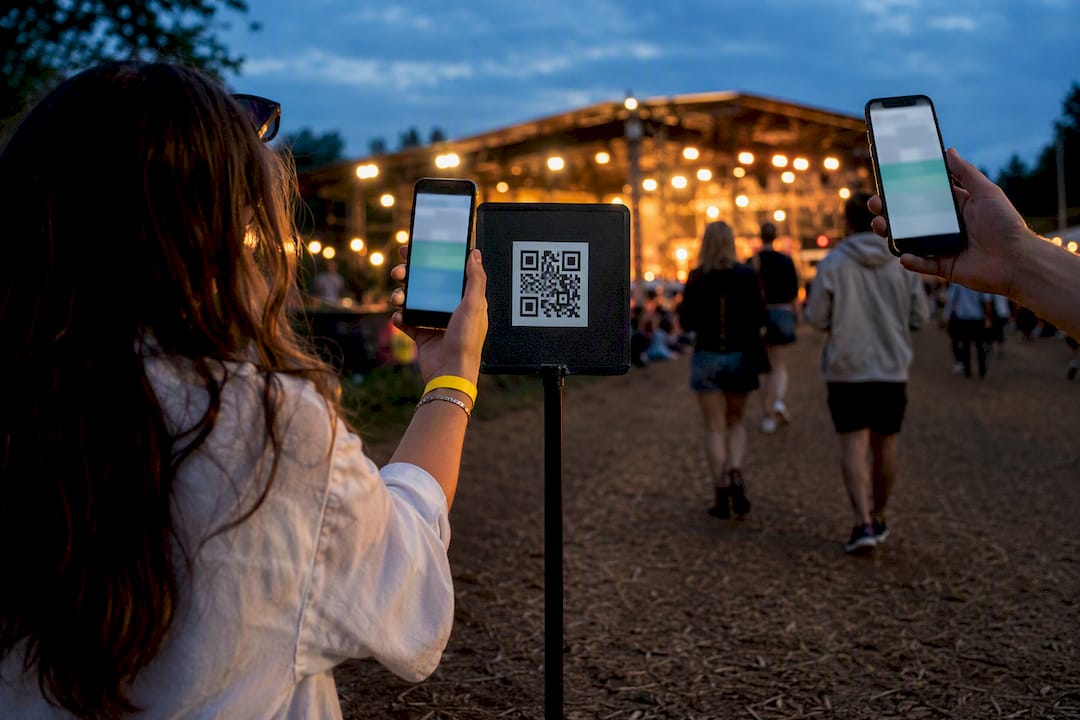
The fastest app-free way to collect festival photos is a QR-code browser gallery: guests scan, upload from their camera roll or take a photo live, and everything lands in one shared feed without a single download. A platform like SnapPix has already collected over 4,200 guest photos this way, and organisers can create an event and start collecting in minutes.
TL;DR:
- A browser-based QR code gallery allows guests to upload photos instantly without downloads or accounts, supporting large crowds with offline queues and moderation tools.
- Organizers should test QR codes beforehand, place codes at high-footfall spots, and run engaging challenges to boost contributions during the event.
- Privacy safeguards include clear consent signage, password protection for private events, and upfront decisions on photo retention periods, typically around three months.
- Once the event ends, curated highlights with descriptive titles and shared stories enhance long-term memories and marketing value.
- SnapPix exemplifies this approach with AI sorting, no-app uploads, a three-month hosting window, and built-in photo challenges, making it accessible for festivals of all sizes.
Three steps make up the whole workflow. Nothing about it requires a guest to think twice.
The guest side is where the simplicity pays off. Someone scans the code with their phone camera, lands on an upload page, and either snaps a photo there and then or pulls one from their camera roll. It appears in the live feed within seconds, and everyone watching the gallery sees it too.
Behind that simplicity, organisers get real controls: moderation queues before photos go public, support for multi-day festivals with separate albums per day or stage, and queued uploads that catch up automatically once a signal returns. Many festivals also restrict professional camera use for ticket-holders, which makes smartphone-based, browser-first uploading the realistic default rather than a fallback.
Not every “no-app” tool is built for a crowd of ten thousand people spread across three stages. Before you commit to one, run it against this list.
Pro Tip: Test your QR code on a phone with one bar of signal before the event, not a phone on venue Wi-Fi. That’s the connection most guests will actually have.
Getting this right is less about technology and more about sequencing. Here’s the order that avoids last-minute scrambling.
Festival photographers routinely plan around spare batteries, backup storage, and long shooting days, and the same logic applies to your gallery setup: build in a buffer, because photo volume spikes hard in the first hour after doors open.
A generic “share your photos!” sign gets ignored. Specific challenges get results.
Micro-challenges with a clear, narrow ask beat open-ended prompts, largely because guests don’t have to think about what counts as worth sharing. If you want ready-made wording for posters and stage announcements, there are practical prompts and tactics built specifically for this.
Fields, tents, and packed crowds are hostile to mobile signal, so any gallery worth using needs offline-first behaviour: photos queue on the guest’s phone and sync automatically once a connection returns, with no manual retry needed. Setting up a couple of physical Wi-Fi collection points near food stalls or entrances gives people a reliable spot to offload a backlog of photos if their queue has built up.
Privacy needs the same forward planning as connectivity:
Roughly 4,200 guest photos have been collected through one such workflow to date, which gives a rough sense of how quickly volume builds once a gallery is genuinely easy to reach.
The festival ends, but the gallery’s job doesn’t. Pull out the best twenty or thirty shots and build a curated highlights set rather than dumping the full feed on social media.
Storytelling research on festival memory backs this up directly: attendees naturally condense their experiences into short phrases or titles to make them memorable, so a gallery that mirrors that instinct gets shared further than a flat photo dump.
SnapPix runs the exact model this article describes, which is why it’s worth a closer look rather than a generic mention.
Across events run this way, more than 4,200 guest photos have already been collected, and the pattern holds regardless of event size: once the barrier to contribute drops to “scan and tap,” people upload far more than anyone expects. For a deeper walkthrough of the QR setup itself, the step-by-step gallery guide covers the finer details this article only summarises.
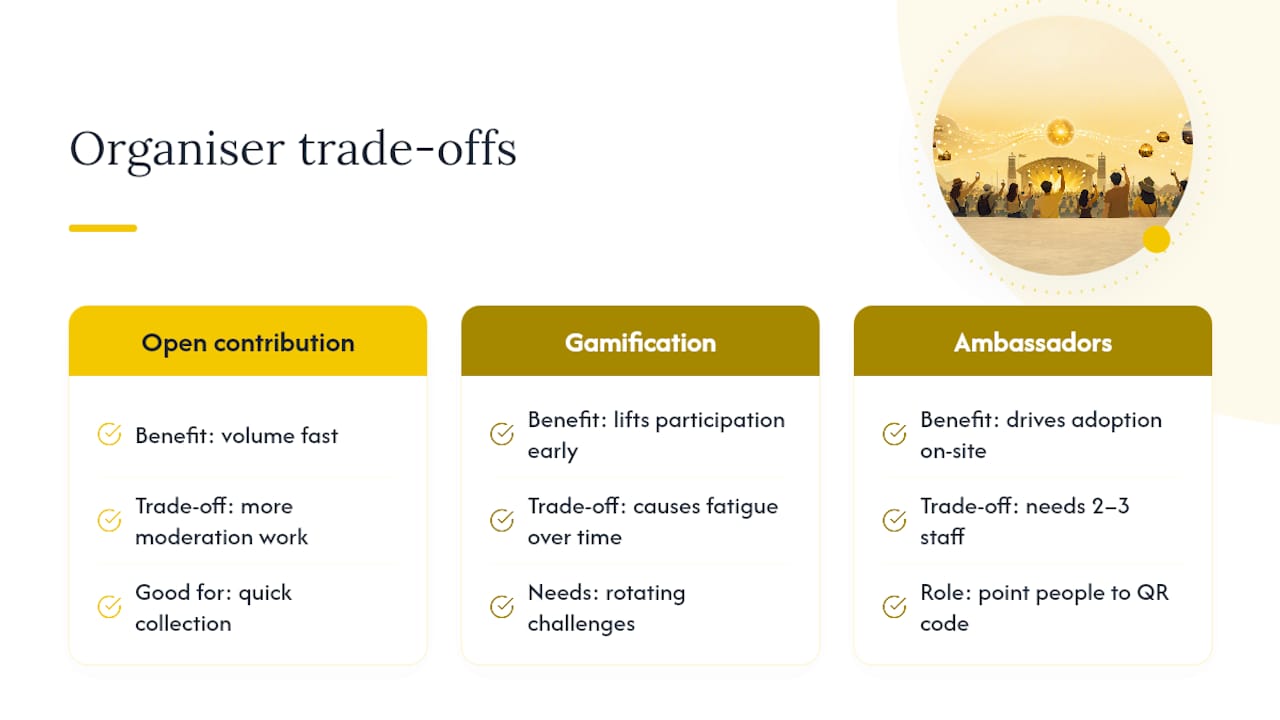
Speed, inclusivity, and privacy rarely pull in the same direction, and the honest answer is you’ll trade some of one for more of another. Open contribution gets you volume fast, but it raises your moderation workload; heavy gamification lifts participation early, then risks fatigue if you don’t rotate the challenges.
My one non-negotiable tip: appoint two or three ambassadors on the day whose only job is pointing people at the QR code. Technology solves collection; a human pointing at a poster solves adoption.
— Liam
This type of platform gives you the no-app workflow described here: a QR-code gallery guests reach through their browser, photo challenges to keep uploads coming, and a hosting window to preserve photos after the event.

Instead of building this from scratch or hoping a spreadsheet of email requests works, set up an event on SnapPix and generate your QR code before your next festival. Visit the features page to see the full gallery, challenge, and guest-book toolkit, and if you’re planning where to place codes and screens on-site, these event display examples are worth a look for signage placement too.
The best approach doesn’t require an app at all: a QR-code browser gallery like SnapPix lets guests upload instantly without downloading anything.
Set up a shared gallery guests can reach by scanning a QR code, since this removes the friction of app downloads and account sign-ups that stops most people contributing.
Beyond dedicated event tools, most festival photos still end up shared through general social platforms like Instagram and Facebook, though these lack a single organised gallery for one event.
Pricing varies by platform and feature set; SnapPix uses a one-time flat fee per event rather than a subscription, and current pricing is listed on its features page.
Retention windows vary by platform, but a 3-month hosting period after the event is a common standard, giving contributors time to revisit and download their photos.

Set up a private online guest photo album for your wedding or party: guests scan a QR code, no app needed, and every photo lands in one gallery.

How to get lovely wedding rehearsal dinner photos in the UK: what to capture, how to brief people, and an easy way to collect every guest's snaps in one place.

Learn how to control who can see and add to your event photo gallery, what expiry really means, and how to keep guest photos private and safely saved.