Nonprofit gala photo sharing made simple and budget-friendly
SnapPix TeamPublished 28 Aug 202625 min read
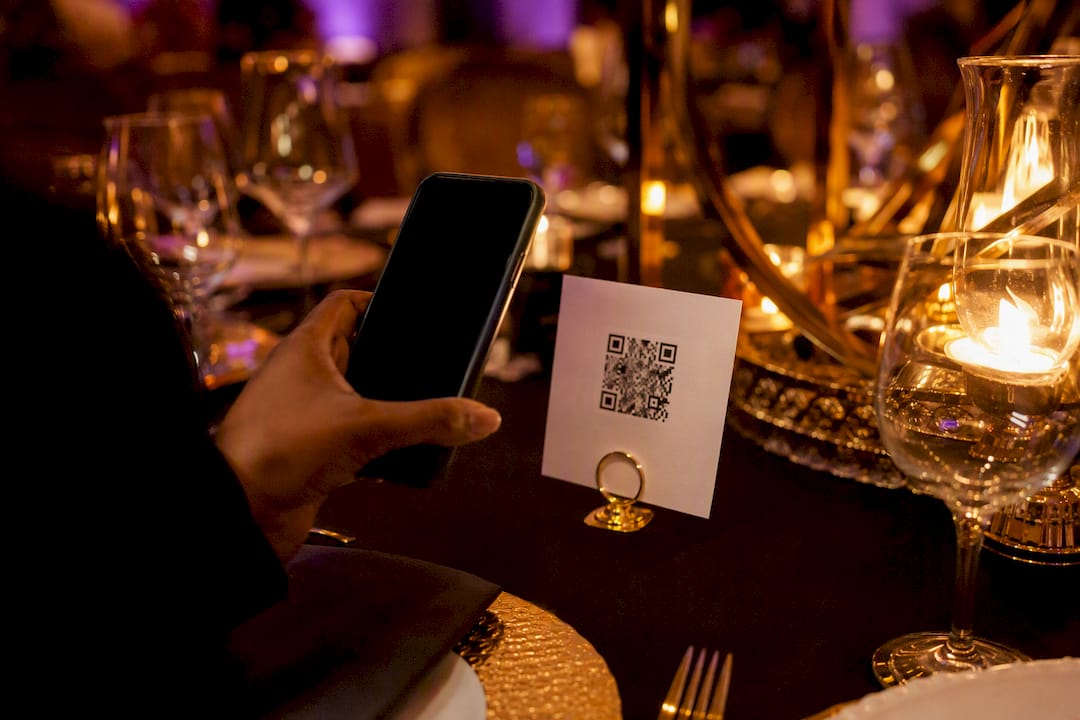
The fastest way to capture gala photos without hiring a full photo team is a QR-based guest-upload gallery paired with one engagement activation, such as a photo challenge or a sponsored booth. Guests scan, upload, and your gallery fills itself, giving you candid coverage and ready-to-use stewardship content by the time the last table is cleared. Platforms like SnapPix are built for exactly this job.
TL;DR:
- QR-based guest-upload galleries are most effective for galas with 80 to 500 attendees at a single venue, especially when staffing is limited.
- Testing QR codes on multiple devices a week before the event minimizes upload issues caused by device incompatibilities.
- Incorporating photo challenges or prompts significantly boosts guest participation, resulting in richer coverage and more candid images.
- Combining a small photo booth with volunteer photographers can provide high-quality shots without doubling the event budget.
- Download and back up all gallery photos within 48 hours after the event to prevent loss and manage access to sensitive images carefully.
These tactics work best for galas with 80 to 500 guests, one main venue, and a small events team stretched thin on the night. If you’re already juggling seating charts, sponsor recognition, and the live auction, you don’t have time to manage a professional photographer’s schedule too.
A single photographer, however skilled, can only be in one place at a time. While they’re capturing the keynote speaker, they miss the table of major donors laughing over dessert, or the volunteer coordinator hugging a beneficiary near the bar. Those unscripted moments are often the ones that move people to give again next year.
Most nonprofits can’t stretch the budget to hire two or three photographers for a single evening, and even if they could, extra staff means extra logistics on a night already full of moving parts. Distributed capture solves this differently: instead of one lens, you have fifty or a hundred, all pointed at different corners of the room. Guest-sourced photos catch the texture a hired photographer misses entirely, the candid reactions, the side conversations, the small gestures that tell your organisation’s story far better than a posed group shot ever could.
A QR gallery removes the single biggest barrier to guest participation: nobody has to install anything. The guest points a phone camera at a code, a browser page opens, and they upload straight from their camera roll or capture a photo live. No app store, no account creation, no friction.
The flow typically runs like this:
WeTransfer’s Albums product works on a similar principle, letting organisers create a shared album that guests can contribute to via link or QR code without forcing every viewer to sign up. The trade-off with general-purpose tools like this is usually moderation and organisation, since they aren’t built specifically for events. Plan for a rough upload cap per guest and one dedicated moderator checking content quality during the event, not after.
Pro Tip: Test the QR code on both iPhone and Android cameras a full week before the gala. A code that scans fine on one phone but stalls on another will cost you dozens of missed uploads on the night.
Guests rarely upload photos just because a QR code exists nearby. Give them a reason. A short challenge list turns passive attendees into active photographers who fill your gallery for you.
A volunteer stationed near the entrance with a laminated challenge card and a QR poster does most of the heavy lifting here. Track success simply: count total uploads against guest numbers, and note which challenge prompt generated the most activity, so next year’s event repeats what worked.
A rented or sponsor-funded photo booth earns its cost when your gala has a strong social element, cocktail hour, a themed backdrop, an award ceremony where guests want a polished keepsake. Booths generate consistently framed, well-lit images that a phone camera in a dim ballroom simply won’t match.
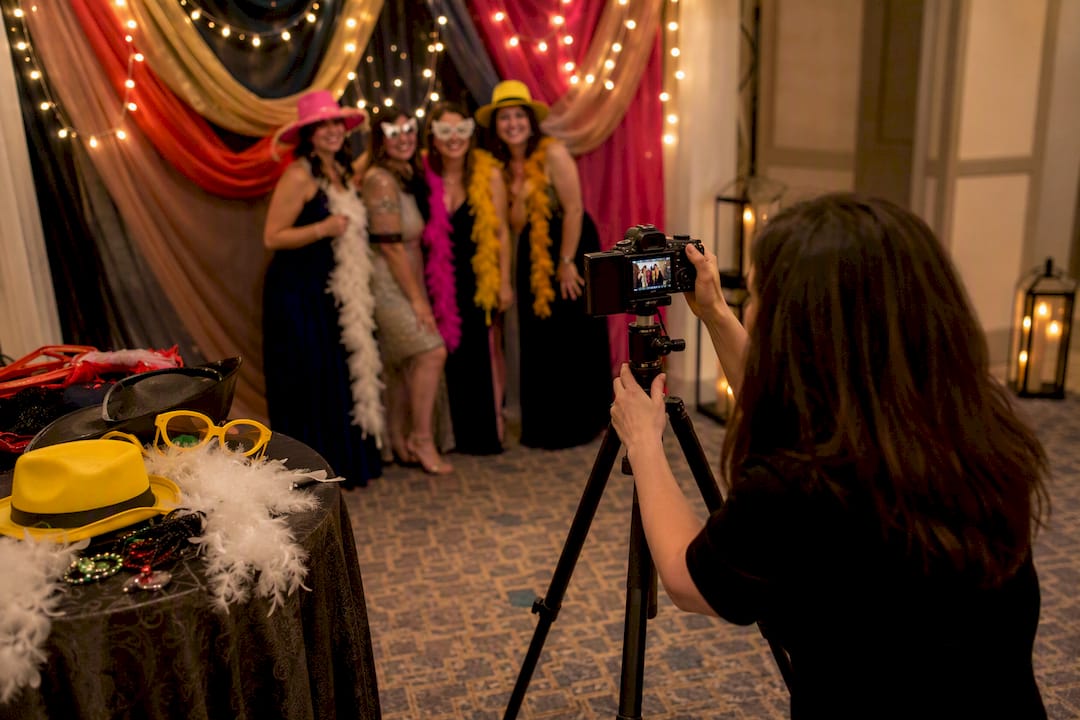
Volunteers with cameras cost nothing but need briefing and can miss shots if they’re also managing other duties. Hired roaming photographers deliver professional quality but add a line item many galas can’t stretch to alongside catering and auction costs. The most practical approach for most nonprofits combines a QR gallery for volume with either a small booth near the bar or one briefed volunteer photographer for hero shots, covering both breadth and polish without doubling your budget.
Getting this right doesn’t require technical skill, just a bit of planning in the week before doors open.
Before the event:
During the gala: 5. Display QR codes prominently at check-in and on every table. 6. Announce the gallery once from the stage or microphone, early in the evening. 7. Run a mid-evening reminder or challenge prompt to boost lagging uploads. 8. Have a moderator spot-check content every 30 to 60 minutes.
After the event: 9. Download the full gallery and back it up. 10. Tag or sort standout images for stewardship and marketing use. 11. Share curated highlights with sponsors, board members, and donors within a week.
Pro Tip: Announce the gallery once, early, then let signage do the rest. Repeated announcements from the stage annoy guests far more than they boost uploads.
Display simple consent language wherever guests will see the QR code: “By uploading, you agree your photos may be used in [organisation]'s marketing and stewardship materials.” A line on table tents or the upload page itself covers most galas without needing a separate signed form.
Avoid publishing images of children without a guardian’s explicit permission, and be cautious with any photo where a guest’s expression, medical condition, or personal circumstances might be sensitive if shared publicly. When in doubt, hold the image back rather than post it. Keep a simple record of who opted out at check-in, and always check your venue’s own photography policy, some restrict flash photography or booth placement in specific areas.
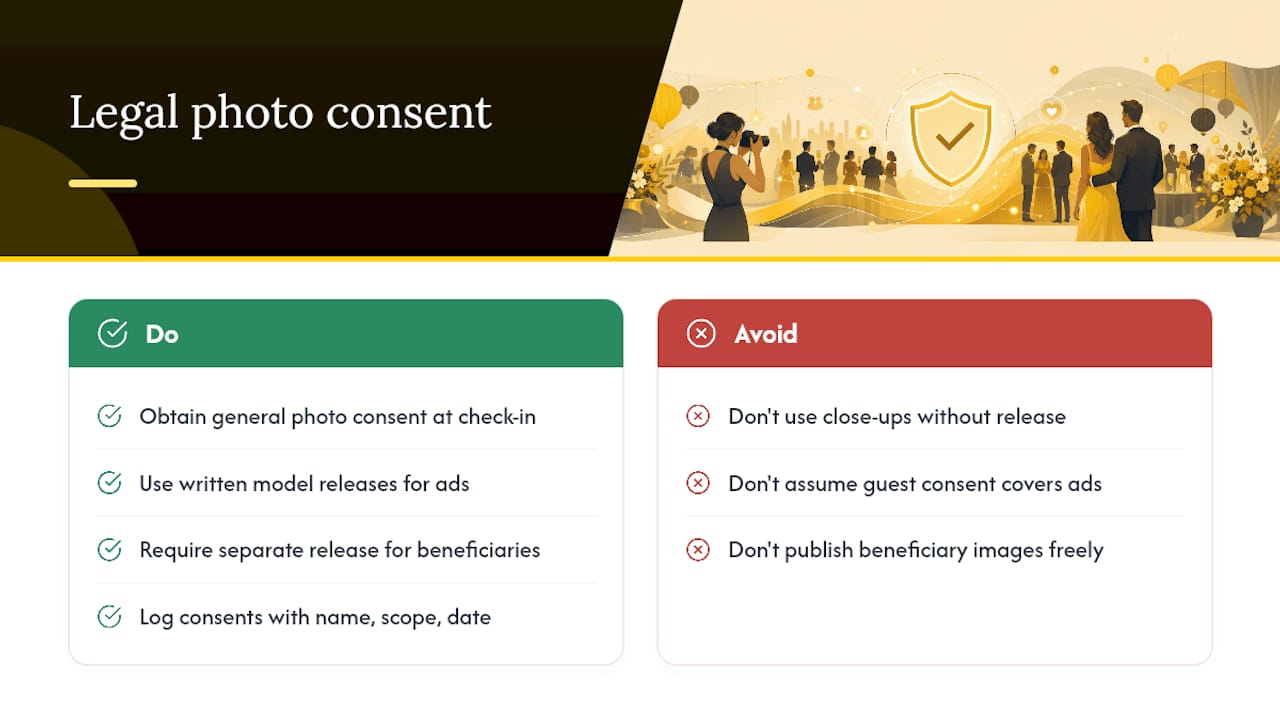
Consent for general event photography and model releases for marketing use aren’t the same thing. A guest agreeing that their photo might appear in a gallery is different, legally, from consenting to have their face used in a fundraising advertisement or annual report cover.
For most gala photography, a clear consent notice at check-in or on the upload page covers routine stewardship use, thank-you emails, social recaps, internal newsletters. Where images will appear in paid advertising, major donor solicitations, or any campaign with wider commercial reach, a written model release is the safer standard, particularly for any close-up or identifiable shot of a named individual.
This matters more for sensitive contexts. If your gala includes beneficiaries of your organisation’s services, people receiving care, students, clients in recovery programmes, additional care is warranted. Some organisations require a separate signed release for beneficiary images, distinct from the general guest consent notice, because these individuals may face real consequences from unwanted exposure. Check whether your state has specific right-of-publicity statutes, since several US states give individuals stronger control over commercial use of their likeness than others.
Keep records of who consented and to what scope. A simple spreadsheet noting names, whether they opted in for marketing use, and the date is usually sufficient for a mid-sized nonprofit and protects the organisation if a question arises later. When your gala photography extends beyond casual documentation into anything resembling a paid campaign asset, a brief consultation with legal counsel familiar with nonprofit marketing is worth the modest cost.
Not every donor can make it to the ballroom, but that doesn’t mean they should miss the evening entirely. A modest live-streaming setup lets remote supporters watch the keynote, the paddle raise, or the awards moment in real time, extending your reach well past the guest list.
A phone on a tripod streaming to a private Facebook or YouTube link covers the basics for free. For a slightly more polished feel, pair that stream with your QR gallery so remote viewers can watch live and see uploaded photos populate throughout the evening, giving them a sense of presence even from a distance. Some organisers send remote donors a direct link to the gallery itself, timed to go out during the event, so they feel part of the room rather than watching after the fact.
Keep expectations realistic. A single-camera livestream won’t match a produced broadcast, and audio is usually the weakest link, invest in a decent lapel mic for the speaker before worrying about camera quality. If remote engagement matters to your fundraising strategy, consider a short highlight reel sent within 48 hours to everyone who couldn’t attend, built directly from your QR gallery uploads. It costs nothing beyond editing time and keeps the evening’s momentum alive for donors who only experienced it through a screen.
A gallery full of donor photos is only useful if it survives the week after the gala. Download the full set to at least two locations, a cloud drive and a local backup, within 48 hours of the event ending. Relying solely on a hosting platform’s storage without your own copy is the single most common way nonprofits lose a year’s worth of gala photos to an expired link or a forgotten password.
Password-protect galleries containing donor or beneficiary images, especially if any sensitive content sits alongside general event shots. Limit moderator and download access to two or three trusted staff or volunteers rather than sharing login credentials broadly. If your platform offers a defined hosting window, note the expiry date on your events calendar so nobody forgets to pull the archive before it disappears.
Beyond the technical steps, think about who can see what. Separate your general “shareable on social media” folder from anything containing beneficiaries, minors, or sensitive donor moments, so a well-meaning volunteer doesn’t accidentally post the wrong image. A little organisation at the download stage saves considerable regret later.
Most gala planning guides still default to “budget for a professional photographer” as the first line of advice. That’s not wrong, but it’s incomplete, and for a lot of nonprofits it’s simply unaffordable. The bigger opportunity that gets underrated is treating every guest’s phone as a coverage asset rather than a distraction to manage.
What the research on low-friction uploads consistently shows is that removing app downloads and account sign-ups measurably increases how many people actually participate in photo collection. Organisers who treat that friction reduction as the priority, rather than chasing a bigger photography budget, tend to end up with more usable content, not less.
My honest read: skip the debate over whether to hire one photographer or two. Set up the QR gallery first, brief one volunteer to prompt uploads, then decide if a booth or extra photographer is worth the spare budget. Coverage from the crowd, done well, beats a single lens every time.
— Liam
SnapPix costs a single flat fee per event, not a subscription you’ll forget to cancel, so a nonprofit gala doesn’t need a recurring line item just to collect its own photos. That’s the practical difference between this and general-purpose album tools: it’s built specifically for the guest-upload, photo-challenge, stewardship workflow this guide just walked through.

Guests scan a QR code and upload straight from their phone, no app, no account, and their photos land in a gallery that stays live for three months, giving your team time to curate content for thank-you emails, social recaps, and next year’s appeal letter long after the last dessert plate is cleared. Built-in photo challenges do the engagement work covered earlier in this guide automatically, and AI-driven smart albums sort the flood of uploads so a single volunteer moderator can manage the gallery without living on their phone all evening. Nonprofits have already used the platform to collect thousands of guest photos across real events without hiring extra photography staff.
If your next gala is on the calendar, check the SnapPix features page to see the QR gallery, photo challenges, and guest book in detail, and set up your event gallery before invitations go out.

Event hosts' practical guide to posed and candid photos: perception research, hands on shooting tips, and no app guest uploads to boost candid coverage.

Which event technologies are production ready for 2026 and how to adopt them with clear consent, governance, and a no app QR photo pilot.

Which routes keep EXIF or strip GPS? Quick checks to view or remove metadata, plus a three month workflow to collect guest photos.