Event Hosts: Shared Album Limits, iOS 27 Storage Change and SnapPix
SnapPix TeamPublished 6 Sept 202619 min read

Every iCloud Shared Album caps out at 5,000 photos and videos, 100 subscribers, and 200 shared albums per owner or subscriber. Contributors have upload rate limits, and owners have a daily cap on the number of invites they can send. Shared Albums have historically not counted against your iCloud storage, but reporting on iOS 27 suggests that’s changing for permanent albums.
TL;DR:
- Shared albums are limited to 5,000 photos and videos, 100 subscribers, and 200 shared albums per user, which can hinder large or ongoing events.
- Photos are downsampled to 2,048 pixels and videos capped at 720p and 15 minutes, reducing original quality for sharing and printing needs.
- Apple is shifting from free sharing without storage impact to billing for permanent albums, affecting users on small iCloud plans.
- Invite and upload rate limits can slow down large guest lists, requiring planning and workarounds like staggered invites or multiple albums.
- For bigger events or high-quality needs, alternatives like browser QR uploads or dedicated event galleries provide more scalability and better quality retention.
If you’re planning a wedding gallery or a group trip album, these are the numbers that decide whether it’ll actually hold up:
A shared album can hold up to 5,000 photos and videos, and that figure covers everything from someone’s blurry sunset shot to a 15-minute clip of the first dance. Once you hit it, the album simply stops accepting new items until something is removed.
Shared Albums aren’t a full-resolution archive, and Apple is upfront about the trade-off. Photos get downsampled to 2,048 pixels on the long edge, and videos are capped at 720p and roughly 15 minutes, according to Apple’s official limits. For a guest shooting on a modern iPhone with a 48-megapixel sensor, that’s a significant drop from the original file.
The good news: originals stay put on each contributor’s own device unless they choose to save the shared version elsewhere. So nothing is technically lost, it’s just not what ends up in the shared album itself.
Pro Tip: If you need full-resolution copies for printing or editing, ask contributors to send the file directly via AirDrop or a personal iCloud link rather than relying on what lands in the shared album.
Historically, no. Photos and videos in Shared Albums have sat in iCloud without touching your storage quota, a policy Apple has maintained for years and confirmed on its Shared Albums support page. That’s part of why Shared Albums became a popular workaround for people on the free 5GB tier.
That’s now shifting. Reporting on the iOS 27 developer beta indicates Apple has introduced a split between temporary and permanent Shared Albums, and permanent albums created under the new system may count toward iCloud storage, a real departure from how the feature has always behaved. Temporary albums, by contrast, appear to expire after around 30 days.
What this means in practice: if you’re on a small iCloud plan and lean on Shared Albums to stretch your storage, this change is worth watching closely rather than assuming last year’s rules still apply.
The 1,000-per-hour and 10,000-per-day contributor caps apply across all your shared albums combined, not per album. So if you’re uploading from three different weddings in one weekend, they all draw from the same daily allowance, per Apple’s documented limits.
The invite cap causes more friction in practice. Owners can send only 200 invites a day, which sounds generous until you’re running a corporate event with 350 attendees and want everyone contributing from day one.
Limits don’t bend, so recovery is about working around them, not through them.
Before deleting anything, confirm nobody still needs the original upload. Once a photo is removed from a full shared album, it’s gone from that album for every subscriber, not just you.
A little preparation avoids most of the friction above. Create two or three albums before the event rather than waiting until one fills up mid-celebration, and stagger who gets invited on day one versus day two if your guest list is large.
If full-resolution files matter (think a professional photographer’s group shots), ask them to send originals via AirDrop or a personal iCloud link instead of relying on the shared album’s downsampled copies. Decide in advance whether Optimise iPhone Storage should be on for your device. Turning it off means originals stay local, which is useful if you’re the designated keeper of the full-quality files.
Pro Tip: If your workflow depends on the old free-storage behaviour, create your permanent legacy albums before updating to a new iOS release, since new albums created after an update may follow the changed rules.
Shared Albums work well for a family or a small friend group. They start to strain once you’re past 100 contributors, need full-resolution files as standard, or expect a genuinely high volume of uploads in a short window, which is closer to how [community discussion around Shared Albums](https://www.reddit.com/r/apple/comments/qcs8kr/psa_dont_use_shared_albums_if_you want_to_share/) tends to frame the feature: built for collaboration, not archiving.
At that scale, three category-level alternatives are worth knowing:
Pick based on how tech-comfortable your guests are, how long you need the gallery to stay live, and whether original quality is non-negotiable.
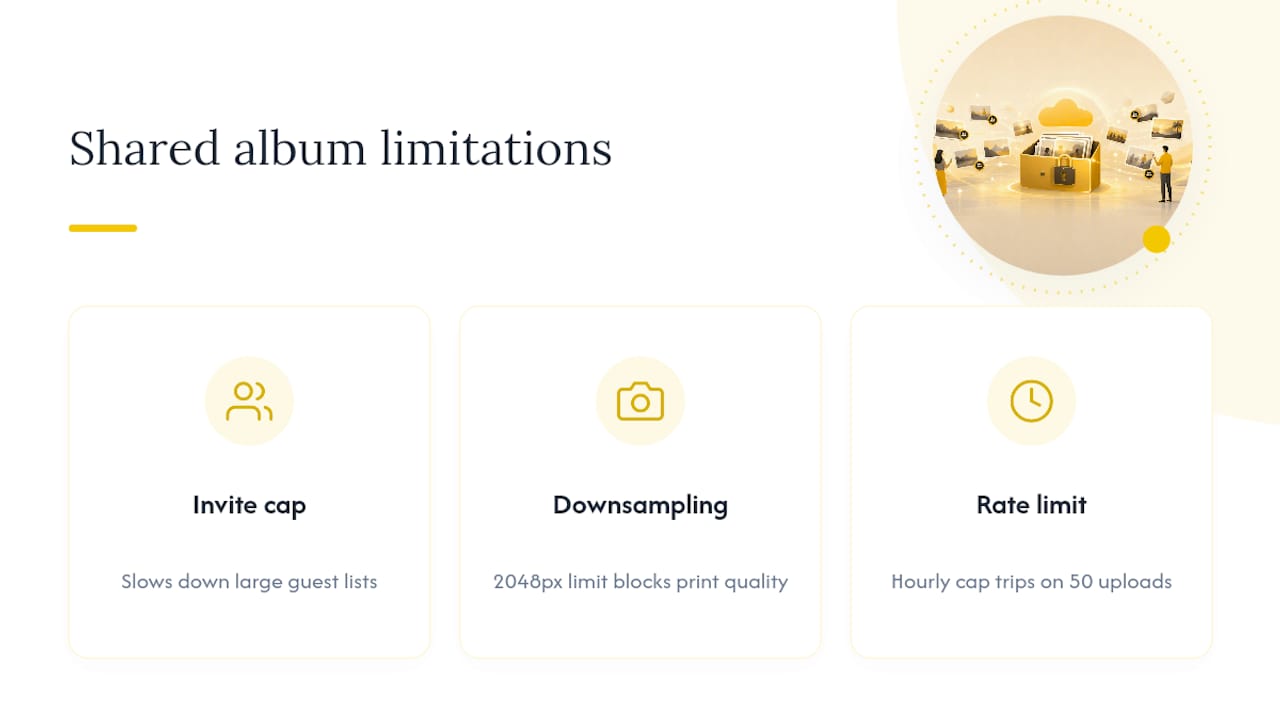
Every event I’ve looked into hits the same three walls: the invite cap slows down big guest lists, the 2,048-pixel downsampling frustrates anyone who wanted print-quality shots, and the hourly rate limit trips up whoever’s uploading fifty photos at once after the speeches. None of that is a flaw exactly, Shared Albums were never built for 300-guest weddings. They were built for family photo swaps.
That gap is exactly why SnapPix exists as a dedicated option for hosts.
— Liam
SnapPix sidesteps the exact friction points covered above. Guests scan one QR code and upload straight from their browser, so there’s no 200-invite ceiling, no app install, and no rate-limit error mid-reception.

Every gallery stays live for three months, well past the historic 30-day window some Shared Album behaviour has followed, and hosts using it have collected thousands of guest photos across various events. AI-driven smart albums sort the chaos automatically, and photo challenges nudge guests to keep contributing throughout the night rather than stopping after the first course. For hosts who want the technical detail, the SnapPix features page covers the QR gallery, guest book, and challenge tools in full, and the deletion policy explains exactly how long your photos stick around. If a big guest list is on the horizon, start by setting up your event gallery before the invites go out.
The numeric caps in this article come from Apple’s own documentation: the Shared Album limits page and the Shared Albums how-to guide. The iOS 27 storage change is drawn from MacRumors’ developer-beta reporting. For QR-based alternatives, see QRlytics’ event playbook and SnapPix’s own guide to instant album QR codes.

A practical host first workflow: collect no app QR uploads, keep moderation and professional curation, set retention and backup plans so you stay in control.

Event hosts' practical guide to posed and candid photos: perception research, hands on shooting tips, and no app guest uploads to boost candid coverage.

Which event technologies are production ready for 2026 and how to adopt them with clear consent, governance, and a no app QR photo pilot.