The fastest way to share photos at a live event, sorted
SnapPix TeamPublished 25 Aug 202624 min read
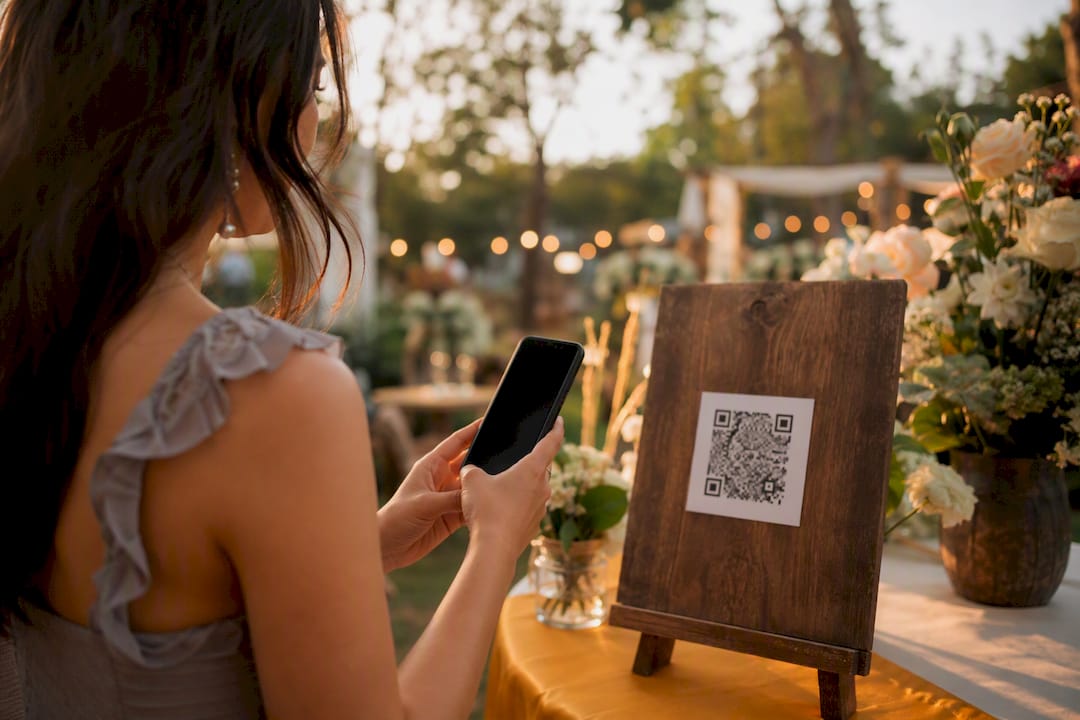
The fastest way to collect and display guest photos at a live event is a no-app QR gallery with a live slideshow, and you can set it up in minutes. Guests scan a code, upload straight from their camera roll or browser, and their photos appear on a shared screen before the night is over. No app store, no login screens, no chasing people for their pictures three weeks later.
Two things make this approach work so well:
SnapPix has already collected a large number of guest photos this way, proof that the no-app model holds up under real event conditions, not just in a product demo.
A no-app QR gallery paired with a live slideshow delivers real-time photo collection and dramatically higher guest access rates than shared drives or folder links.
| Point | Details |
|---|---|
| Skip the app entirely | Browser-based QR uploads remove the single biggest barrier to guest participation. |
| Same-evening delivery wins | Automated live galleries reach very high guest access versus under 15% for shared drives. |
| Signage wording matters | A friendly, benefit-led prompt beats a flat “scan to upload” instruction by a wide margin. |
| Moderate by event type | Weddings and corporate events benefit from moderation queues; open parties usually don’t need one. |
| SnapPix proof point | Thousands of guest photos collected with a three-month upload window and AI-driven smart albums. |
Most people assume “live event photo sharing” means posting to social media as the party happens. The standard term for what organisers actually want is a shared event gallery: a private, browser-based collection point that guests reach through a QR code or link, with no account creation needed on either side.
The guest side of this is deliberately dull, in the best way:
The host side takes a little more attention, but not much. You create the event gallery, decide who can see it (public link versus password), set an expiry window, and generate the QR code or shareable link. From there, your job is mostly watching the upload feed and moderating anything that shouldn’t be there.
Timing matters more than most organisers expect. Uploads that happen live show up in the gallery within seconds, which is what makes a live slideshow worth running at all. If your photographer or guests batch their uploads and dump everything at midnight, the slideshow goes quiet for hours and then floods. Shared album platforms built around link or QR-code access solve the access problem, but the pacing of uploads is still down to you.
Pro Tip: Brief your photographer to upload in small batches during natural lulls, the speeches, the cake cutting, rather than saving everything for one big export at the end.

Not every feature on a pricing page matters equally. Some exist to reassure the host; others exist to get guests to actually pick up their phone and upload something.
On the host side, four controls do most of the work:
Guest experience is where participation actually gets won or lost. A gallery that shows uploads instantly, rather than after review, keeps momentum going because people can see their contribution land. Simple prompts on signage beat generic instructions by a wide margin: event distribution guidance points out that “Help us capture the memories, scan here to share your favourite shots” outperforms a flat “Scan to upload,” because it gives guests a reason rather than a command.
Selfie matching deserves a specific mention on privacy. If you’re using it, say so clearly on the gallery landing page: something like “We use face matching so you can find your own photos fast, this is optional and your face data isn’t stored beyond the event.” Clear, short consent copy builds guest trust far more than a buried privacy policy link ever does.
A live slideshow only works if the display side is boring and reliable. Guests don’t care how it’s connected; they care that their photo shows up without a frozen screen or a garish orientation error.
Image size matters more than people assume. Practitioner workflow guides recommend showing web-ready previews on the live display rather than full-resolution files, which load faster on patchy venue Wi‑Fi while the original masters stay available for export afterwards.
Pro Tip: Test the venue’s Wi‑Fi a day ahead, and bring a mobile hotspot as backup. A slideshow that stalls mid-speech is worse than no slideshow at all.
Good results come from boring, thorough preparation, not last-minute app downloads. Configuration done properly before the event is one of the strongest predictors of whether guests actually use the gallery, and rushed setups tend to show up later as confused guests and mismatched branding.
Before the event:
On the day:
After the event:
Pricing for shared event galleries typically follows a flat, per-event model rather than a subscription, which suits organisers who want one clear cost rather than a recurring bill. What tends to add cost on top of a base package: custom branding, extended video storage, and longer gallery hosting beyond the standard window.
Timing is where the real value shows up. Guests want their photos while the event is still fresh in their social feed, not two weeks later. Traditional shared-drive delivery often sees under 15% of guests ever bothering to check a folder link, while same-evening automated delivery through a live gallery can push access rates into a very high range. That gap alone justifies picking a platform built for immediacy over a generic file-sharing folder.
When comparing platforms, check five things: ease of setup without technical support, quality of the moderation tools, export options for high-resolution downloads, how granular the privacy settings are, and whether customer support responds quickly on the actual event day, not just during business hours.
The right settings change depending on who’s in the room and how much control you need over what goes public.
Getting this wrong in either direction causes real friction. A wedding running unmoderated uploads risks awkward surprises on the big screen; a birthday party running heavy moderation just slows the fun down for no real benefit.
SnapPix was built around exactly the checklist above, rather than bolting a QR code onto an existing app. The core setup: a no-app gallery, a QR code guests scan once, and a three-month upload window so latecomers and out-of-town guests still get their photos in.
For a wedding, that means setting the gallery to moderated uploads, turning on the guestbook, and leaving the three-month window open so photos from the honeymoon send-off still land. For a corporate reception, it means branding the gallery to match the event, restricting access by password, and exporting the gallery afterwards for the internal newsletter.
Thousands of guest photos collected across weddings, birthdays, corporate events and graduations, without a single guest needing to download anything.
Most advice on this topic obsesses over the wrong variable: which app has the shiniest filters, or which platform has the most social integrations. What actually determines whether a gallery works is whether guests can reach it in under ten seconds of confusion. That’s it. Every feature list is secondary to that one friction point.
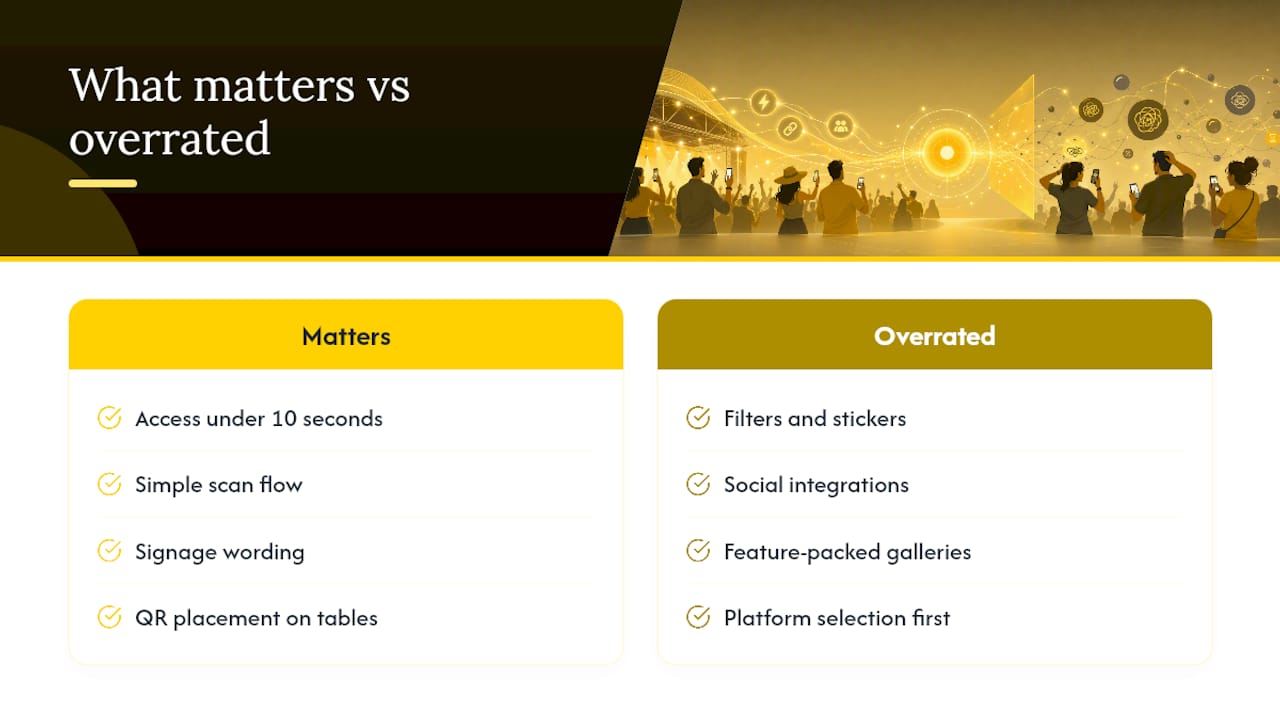
The conventional wisdom that “more features equals better engagement” doesn’t hold up well here. A gallery stacked with filters, stickers, and social cross-posting options can actually slow guests down at the exact moment you want them uploading fast. Simplicity at the point of scan matters more than richness once they’re in.
Where I’d push organisers to focus first: signage wording and QR placement, not platform selection. A beautifully built gallery with a QR code buried on the back of the seating chart will collect a fraction of the photos that a mediocre gallery with a code on every table card will. Get the friendly prompt and the placement right before you worry about anything else on the feature list.
— Liam
SnapPix removes the two biggest headaches organisers run into with live photo sharing: guests refusing to download another app, and photos scattered across a dozen phones you’ll never see. Set up a no-app QR gallery, run the live slideshow, and let the AI smart albums sort everything while your photo challenges keep guests engaged rather than watching from the sidelines.

Pricing runs as a straightforward flat fee per event, with optional extras for branding or extended gallery hosting if you want the memories to stay live longer than the standard window. Have a browse of the full feature set to see what fits your event, whether that’s a wedding, a corporate reception, or a milestone birthday, and get your gallery built before the invitations go out.

Set up event photo uploads before guests arrive with a no app QR gallery, guest prompts, and host moderation. Uploads resume when venue signal returns.

Set up a no app, no account shared gallery hosts can test quickly. Practical host checklist, COPPA privacy notes, upload prompts, and backup steps to...

Secure sponsor access to event photos with a host controlled workflow. Use time limited QR links, view only tokens, instant revocation, and access logs.