The easiest way to handle birthday party photo sharing
SnapPix TeamPublished 26 Aug 202641 min read
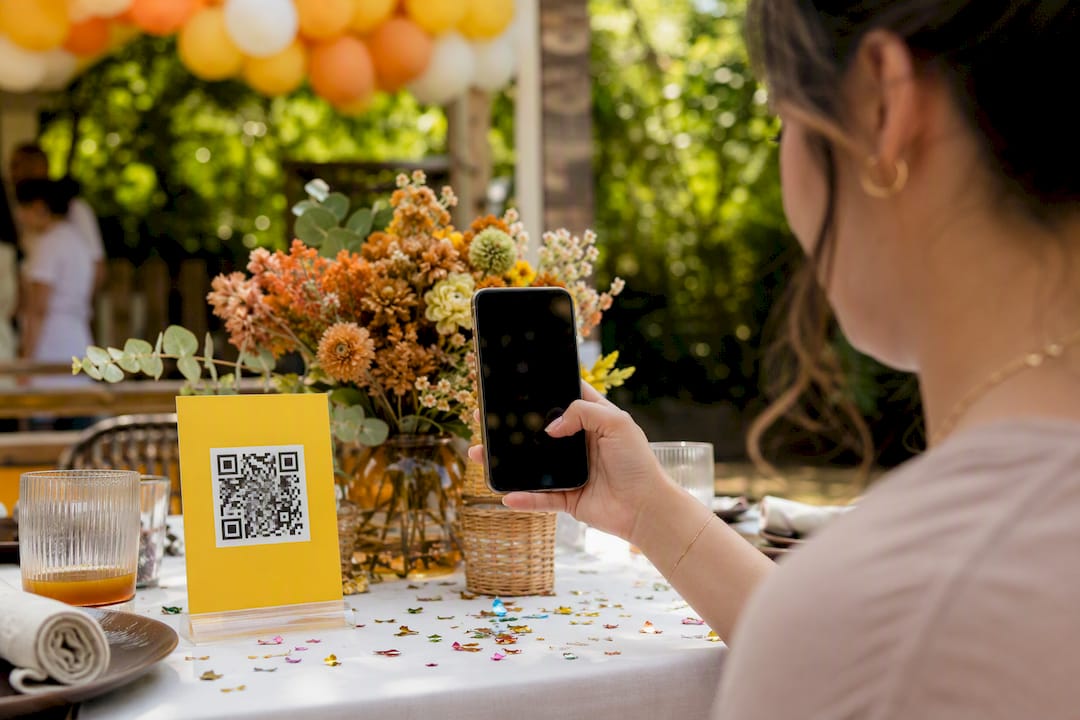
Use a no-app QR-code gallery, and you solve birthday party photo sharing in one move. Guests scan a code, upload straight from their phone browser, and you get every photo without chasing a single WhatsApp thread the next morning. SnapPix is the option we recommend for this: it needs no app and no account from your guests, and it collects everything into one place automatically.
The mechanics are simple. Guests scan or tap a link, add their photos and videos in the browser, and that’s it. Meanwhile, you can display those uploads live on a screen during the party, then download the whole lot as a finished album once the candles are out.
Pro Tip: SnapPix has already collected over 4,200 guest photos across events, so the workflow is proven well beyond a single birthday, according to Liam.
A no-app QR-code gallery is the most reliable way to collect and organise birthday party photos, and platforms like SnapPix show the model working at scale.
| Point | Details |
|---|---|
| Choose no-app upload | Guests should scan and upload through a browser, with no account or download required. |
| Set access controls early | Default to invite-only or password-protected galleries for private birthday parties. |
| Use placement and prompts | Position QR signs at entrances, gift tables and food areas, then reinforce with a verbal announcement. |
| Handle consent proactively | Ask before posting identifiable photos of children or guests publicly on social media. |
| SnapPix fits the checklist | SnapPix offers three-month hosting, AI-driven albums and has collected over 4,200 guest photos across events. |
Sharing birthday celebration photography used to mean five different group chats, a Google Drive folder nobody opened, and at least one guest who “will send them later” and never does. A QR gallery collapses that into four steps, and none of them require your guests to install anything.
1. You create the gallery. Set up an event page ahead of time and you get a QR code plus a short link. This takes minutes, not hours, and you can do it from your phone the same week you send invitations.
2. You share the code. Print it on a table sign, paste the short link into your group chat, or throw it on a slide if you’re running a screen at the venue. There’s no single right channel. The point is visibility, not formality.
3. Guests upload. They scan the code with their phone camera, land on a page in their browser, and add photos or videos directly. No download, no sign up, no five-minute app-store wait while the cake is being cut. This low-friction design is exactly why QR-based uploads increase participation compared with asking guests to email files or join a shared album app.
4. You moderate and download. Depending on the settings you choose, uploads can appear instantly on a live photo wall or wait for your approval first. Either way, you keep the ability to hide or remove anything before it goes public.
What happens after the last guest leaves matters just as much as the party itself:
The live photo wall deserves a second mention, because it changes how guests behave during the party itself. When people see their photo pop up on a screen near the buffet, they tend to take more, and better, ones for the rest of the night. It’s a small mechanic with an outsized effect on how much material you end up with by the end of the evening. A step-by-step QR setup guide walks through exactly how to generate and position that code so it gets scanned rather than ignored.
Not every “no-app” gallery works the same way underneath. Before you commit to one for your birthday celebration photography, run it against this checklist.
Upload flow. Confirm guests genuinely need no app and no account, only a scan or a tap. Some services market themselves as app-free but still gate uploads behind a sign-up form, which defeats the purpose.
Access controls. Look for password protection, invite-only sharing, and a clear expiry date on the gallery link. A public link with no password means anyone who finds it can view your guests’ photos, which isn’t ideal for a private family party.
File handling. Check three things specifically:
Display features. A live slideshow or photo wall keeps energy up during the party. A digital guestbook where people leave a message alongside their photo adds a layer that a plain folder of images never will.
Editing and export. Some platforms use AI to sort photos into smart albums automatically, grouping by time of day or even by who’s in the shot. That saves you hours of manual sorting after the event. One-click download of the entire gallery is the feature that actually matters most once the party’s over. You don’t want to click “save” 200 times.
Pro Tip: Test the QR code on at least two different phones before the party, one iPhone and one Android. A code that scans fine on your own phone can behave differently on someone else’s camera app.
Storage duration is worth confirming too. Some galleries stay live for a few weeks; others, like SnapPix, keep the event gallery accessible for three months after the party, which gives slower-to-upload guests a real chance to add their photos once the initial excitement has faded.
Getting good results from a photo gallery isn’t about luck. It’s about three short windows of preparation, each requiring only a few minutes of effort.
Before the party:
During the party:
After the party:
Pro Tip: Assign one friend or family member as the designated “uploader nudge” for the night. A person walking around saying “did you scan the code yet?” gets far more uploads than a sign alone ever will.
Not every birthday needs a public gallery, and most don’t. For a private family party, invite-only or password-protected access is the sensible default, not an afterthought. A fully public link works fine for something like a milestone birthday you’re happy to share widely, but for a child’s birthday or a smaller gathering, restrict access from the outset.
Moderation gives you a second layer of control. Two common approaches exist:
Either approach works. Manual approval suits parties with young children or a mixed group of guests you don’t know well; auto-display suits smaller, trusted gatherings where speed matters more than gatekeeping.
Retention windows matter more than most hosts realise. A gallery that stays live for three months gives late uploaders time to catch up, but you should still export your favourite photos to your own device well before that window closes. Treat the platform as a collection point, not permanent storage.
Finally, don’t assume every guest wants their face shared beyond the party itself. If you’re planning to post the album, or individual photos, publicly on social media afterwards, a quick check with anyone prominently featured is good practice, especially where children are involved. Checking a provider’s own privacy statement before you choose it gives you a useful benchmark for what “clear data handling” looks like from a reputable platform.
The single biggest factor in how many photos you collect isn’t the tool, it’s how visible the invitation to contribute is. Guests who don’t see a sign, or don’t hear an announcement, simply won’t think to upload, even if they took great photos on their phone.
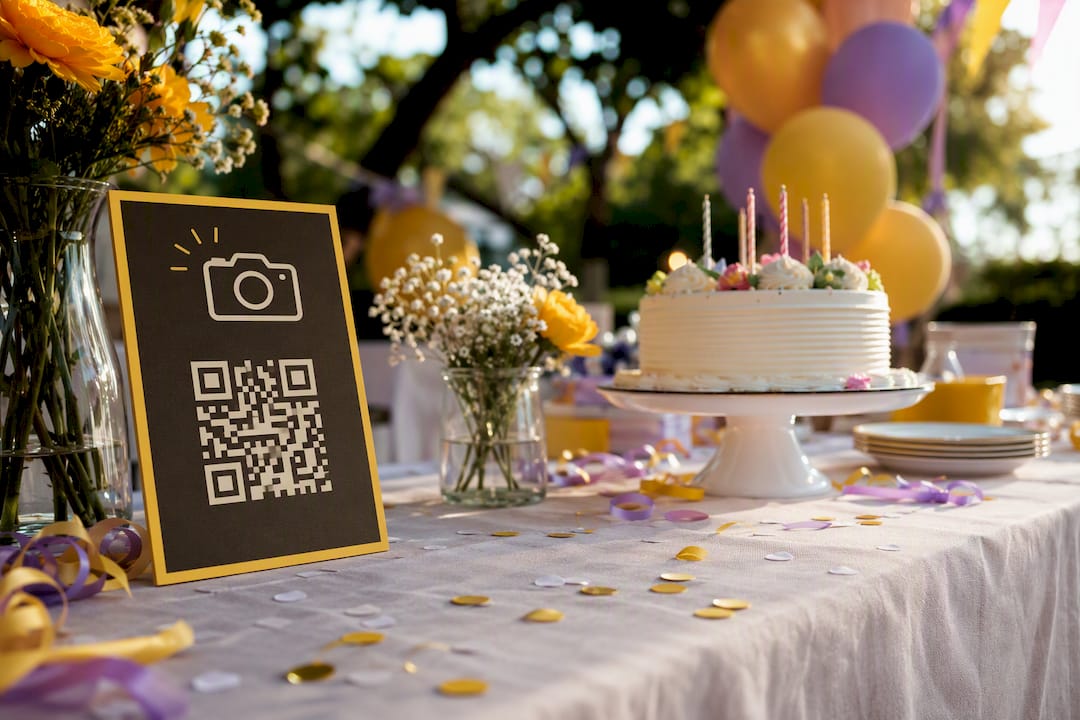
Placement matters more than quantity. One QR sign at the entrance gets missed by half your guests. Three signs, placed at the entrance, the gift table, and near the food, catch people at natural pause points during the party rather than relying on one glance on the way in.
A verbal prompt beats a written one. A thirty-second announcement early in the party, ideally paired with someone pointing at the screen showing the live slideshow, does more than any sign alone. Nominating one person as the informal “reminder” for the evening keeps momentum going without you having to manage it yourself.
Pro Tip: Send a follow-up message the day after the party, not a week later. Memory-book services generally find follow-ups sent within a few days catch far more content than reminders sent weeks out, once the moment has faded from people’s minds.
SnapPix matches the checklist above item for item, because it was built around the same problem this guide addresses: guests losing photos across a dozen different phones and chat threads. The gallery works exactly as described. You create it, get a QR code and short link, guests upload through their browser with no app and no account, and you retain full control over what’s displayed and who can access it.
A few specifics worth knowing if you’re weighing it against other options:
The platform has already collected over 4,200 guest photos across events, which tells you the workflow holds up under real party conditions, not just in a demo. For anyone wanting the exact setup sequence, from generating your first QR code to positioning it around a venue, the SnapPix blog’s placement guide covers it in detail, and this guide draws on that same practical grounding throughout.
App-free gallery tools generally fall into two categories, and knowing the difference saves you from picking the wrong one for your party.
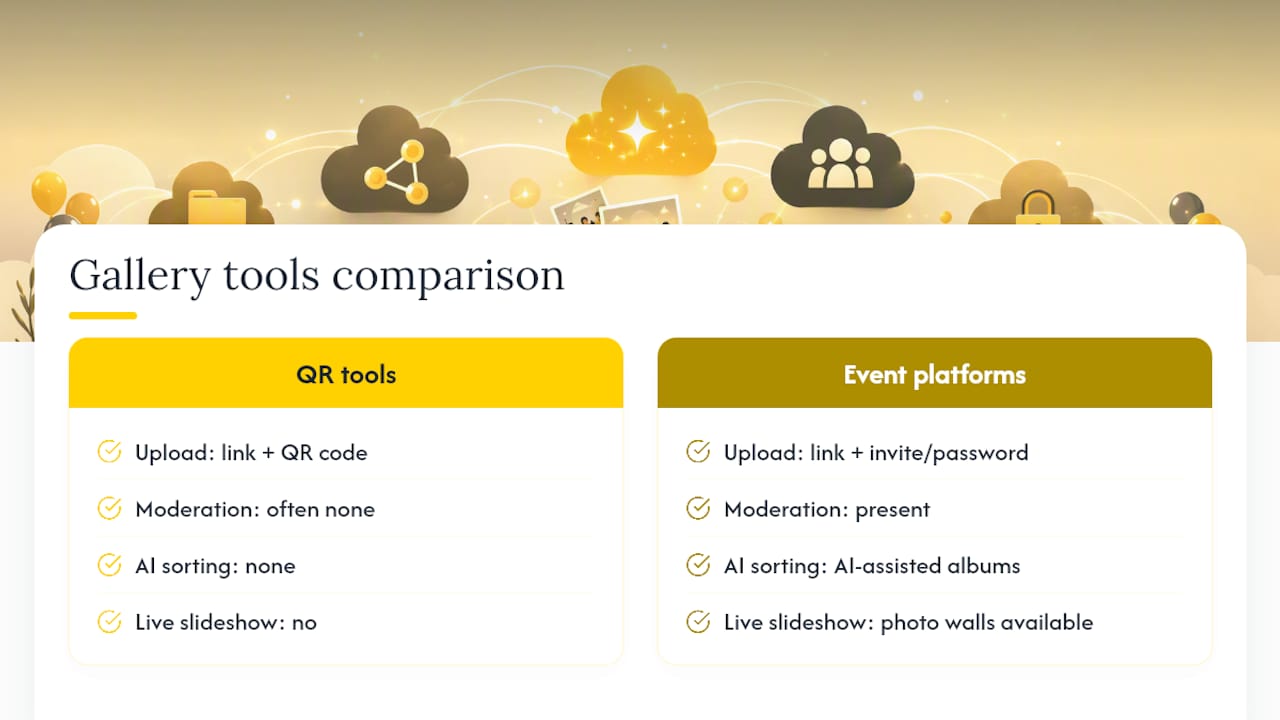
Entry-level QR gallery tools focus on the basics: a link, a QR code, and a shared folder guests can drop photos into. These tend to be lightweight and quick to set up, but often lack moderation controls, live slideshows, or automatic organising. Fine for a casual gathering; limiting for anything you want to turn into a proper keepsake afterwards.
Full-feature event gallery platforms, SnapPix included, add password protection, invite-only access, AI-assisted album sorting, live photo walls, and a defined hosting window measured in months rather than days. Pricing across this category typically works as a one-time flat fee per event rather than an ongoing subscription, which suits a single birthday party far better than a recurring plan built for businesses running dozens of events a year.
The trade-off is straightforward: basic tools cost less or nothing but leave you doing more manual work afterwards; full-feature platforms cost a modest one-off fee but hand you a finished, organised album with far less effort on your end. For a birthday party, where you want the memories without spending your Sunday afternoon renaming and sorting 300 photos, the flat-fee, full-feature route tends to pay for itself in time saved alone.
Photo sharing services vary widely in how transparent they are about data handling, and it’s worth checking before you hand over a room full of guests’ photos. Look for three things specifically: how long uploaded content is retained, whether the provider states clearly who can access it, and whether there’s a defined process for deleting content on request.
Password protection and invite-only access are table stakes for anything hosting photos of a private gathering. A provider that only offers a fully public link, with no option to restrict who can view it, is worth avoiding for family events.
Reading an established provider’s privacy documentation gives you a useful comparison point even if you never use that specific service. Microsoft Clarity’s privacy page, for instance, lays out data handling in plain, concise language, which is the standard worth holding any event gallery provider to. If a platform’s privacy terms are vague, buried, or missing entirely, treat that as a red flag rather than an oversight.
Retention policy matters as much as access control. A defined hosting window, whether that’s a few weeks or a few months, tells you exactly how long your guests’ content sits on someone else’s server, and when you need to have exported your own copy. Vague or open-ended retention, by contrast, leaves you unsure whether your gallery is even still live six months from now.
Most upload problems on the night trace back to one of four causes, and each has a quick fix.
QR code won’t scan. Usually a lighting or printing issue rather than a technical fault. Print the code large enough (at least 5cm square), avoid glossy paper that causes glare, and test it under the actual lighting conditions of your venue beforehand, not just at home.
Upload seems stuck or slow. This is almost always a weak Wi-Fi or mobile signal at the venue, particularly in basements or large halls with thick walls. Encourage guests to upload using their mobile data if the venue Wi-Fi is patchy, since a phone’s cellular connection often outperforms shared venue Wi-Fi at a busy party.
Video won’t upload. Large video files sometimes exceed a platform’s size limit. Check the maximum file size in advance, and let guests know if long videos should be trimmed before uploading.
Photos aren’t appearing on the live wall. Check your moderation setting first. If you’ve selected manual approval, uploads won’t display until you approve them, which can look like a fault when it’s actually working as designed.
The simplest fix for most of these is preparation rather than troubleshooting mid-party: test the code on multiple devices beforehand, know your file size limits, and check your moderation setting is what you intended before guests arrive.
Sharing photos of children at a birthday party sits in a legal grey area that depends heavily on where you live, so treat any blanket “it’s always fine” or “it’s always illegal” claim with scepticism. Generally speaking, taking photos at a private event you’re hosting, on your own property or a venue you’ve booked, is not the same legal situation as publishing those photos publicly afterwards.
The practical distinction that matters most is between collecting photos and publishing them. Gathering uploads into a private, password-protected gallery for family and friends is a very different act from posting a child’s photo publicly on social media without a parent’s knowledge. Many parents are comfortable with the former and not the latter.
A sensible default for any party involving children who aren’t your own: ask the parent or guardian before you post identifiable photos of their child publicly, even if you’re comfortable including that photo in a private gallery shared only with attendees. This isn’t a substitute for legal advice specific to your situation. If you’re organising a larger event, or one where photos might be used commercially, checking your local rules or speaking to a legal professional is the responsible route rather than guessing.
Keeping your gallery invite-only or password-protected by default, rather than fully public, sidesteps most of this risk before it becomes a question at all.
Once the party’s over and you’ve got a full album, the temptation is to post everything straight to social media. A little restraint here goes a long way toward keeping everyone happy.
Curate before you post. Nobody needs all 300 photos on a public feed. Pick a genuine highlight reel, the fifteen or twenty shots that actually tell the story of the day, rather than uploading the entire dump.
Check for anyone who’d rather not be tagged. Not everyone wants to be publicly tagged in party photos, whether for personal, professional, or simply preference reasons. A quick “any objections to me posting these?” message to close friends before you publish costs nothing and avoids an awkward conversation later.
Be extra careful with children. If your birthday gathering included guests’ children, default to asking their parents before posting any photo publicly, even a group shot where a child is only in the background.
Keep the private album separate from the public post. This is where a proper gallery earns its keep. Guests can access the full, unfiltered album through their invite-only link, while your public social post stays a curated, smaller selection you’re comfortable with everyone seeing. Treating these as two separate audiences, rather than posting your entire private gallery publicly, keeps the private moments private.
Consent for photo sharing works best when it’s handled upfront rather than after the fact. A short note on your invitation, something as simple as “we’ll be collecting photos in a shared gallery, let us know if you’d rather not be included,” sets expectations before anyone’s even arrived with a camera.
For the gallery itself, invite-only or password-protected access already limits who sees the photos to people who were actually at the party, which covers most consent concerns for private events. The bigger consent question arises when you want to share beyond that closed group, on social media, in a printed keepsake sent to extended family, or in any other public form.
Where children are involved, permission sits with the parent or guardian, not the child, and this holds true regardless of how casual the gathering feels. A quick conversation at drop-off or pickup, “mind if I include a few photos of the kids in our shared album?”, handles this without turning it into a formal process.
If a guest asks you to remove a specific photo after the fact, honour that request without pushback. It costs you nothing and preserves the trust that makes people comfortable contributing to the next party’s gallery too. Most gallery platforms make removing a single photo a quick task, which is exactly the kind of moderation control worth confirming before you choose one.
The conventional advice on this topic obsesses over features, more filters, more layout options, more integrations, when the research consistently points somewhere simpler: participation lives or dies on how few steps a guest has to take. Every extra tap, every login screen, every “download this app first” loses you photos you’ll never get back.
Most hosts overthink the tool and underthink the signage. A brilliant gallery with no QR code visible past the entrance collects a fraction of what a basic one gets when it’s printed on every table. Prioritise visibility and prompts over feature lists.
What the data around low-friction uploads actually supports is unglamorous: pick a no-app tool, put the code everywhere, say it out loud once, and send a reminder the next day. That sequence beats a more feature-rich platform used carelessly, every time.
— Liam
SnapPix cuts out the biggest source of lost photos: guests who mean to send theirs later and never do. Instead of chasing group chats for weeks, you get one QR code, one link, and a gallery that fills itself while the party’s still happening.

Every feature covered in this guide, no-app browser uploads, invite-only access, live photo walls, AI-sorted albums, and a three-month hosting window, comes built into the SnapPix feature set. It’s a flat one-time fee per event, so there’s no ongoing subscription to manage after the candles are blown out. If you’re weighing up whether a printed keepsake is worth adding once the gallery’s full, this wedding photography portfolio is worth a look for how a well-curated album can be presented.
Set up your gallery now, generate your QR code, and have it ready to print or share before your next guest list goes out.
For deeper setup guidance and inspiration beyond this guide, these sources are worth a look:

Set up event photo uploads before guests arrive with a no app QR gallery, guest prompts, and host moderation. Uploads resume when venue signal returns.

Set up a no app, no account shared gallery hosts can test quickly. Practical host checklist, COPPA privacy notes, upload prompts, and backup steps to...

Secure sponsor access to event photos with a host controlled workflow. Use time limited QR links, view only tokens, instant revocation, and access logs.