SnapPix: Private Birthday Photo Sharing for Hosts That Guests Use
SnapPix TeamPublished 14 Sept 202621 min read

The fastest app-free way to gather and share birthday photos is a QR-code event album. Guests scan, upload straight from their phone browser, and every candid shot lands in one gallery. This type of platform runs exactly this way: no app to download, a live slideshow option to display uploads on the day, and a shareable gallery you control.
TL;DR:
- Most QR-code album services, including SnapPix, keep the gallery accessible for several months post-party, allowing late uploads and extended participation.
- Checking the upload quality is essential, as some platforms may compress images, and verifying the hosting window ensures guests can add photos within the desired timeframe.
- Setting up the album involves generating a QR code, testing it on multiple devices, and placing it in high-traffic areas to maximize guest participation.
- Using a helper or giving verbal reminders significantly increases the likelihood of guests scanning the code and uploading their photos during the event.
- Privacy controls should be established beforehand, including access restrictions and moderation settings, to prevent unapproved photos from appearing publicly.
Birthday photo sharing has traditionally meant chasing down photos scattered across group chats, someone’s camera roll, and three different social media tags. A QR-code album fixes that by giving every guest one place to drop their pictures, the moment they take them.
You create an event, the platform generates a unique QR code, and guests scan it with their phone’s normal camera. That opens a web page in their browser, no download, no account, no waiting for an app to install between the cake cutting and the speeches. They pick photos or record a quick video and upload directly. You, as the host, watch the gallery fill up in real time from your own device.
A few things vary between providers, so check them before you commit:
The upload flow itself rarely takes guests more than a few moments once they’ve scanned the code.
Getting an album live before guests arrive doesn’t need a technical bone in your body. Here’s the order that works:
Pro Tip: Test the upload on the exact phone models your closest guests use, not just your own. Older Android handsets and browsers can behave differently, and it’s far better to catch that on Tuesday than mid-party on Saturday.
The SnapPix birthday party photo sharing guide walks through printable templates if you want table cards ready to go rather than designing your own.
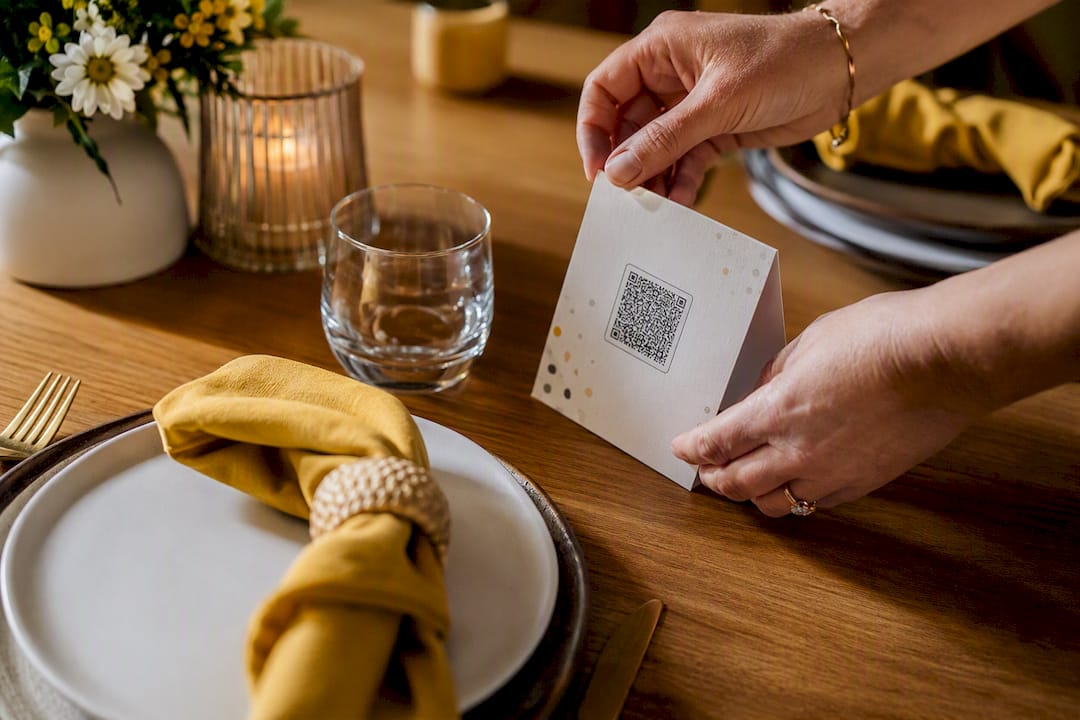
A QR code that nobody notices is just decoration. Getting genuine participation is less about the technology and more about placement and a nudge at the right moment.
None of this requires a big production. A printed card, one confident announcement, and someone on hand to help covers most of what makes the difference.
Sharing a QR code publicly means anyone who scans it can, in theory, see the gallery, so it’s worth setting access properly before you print a single card.
The SnapPix guide to temporary photo sharing covers these access options in more detail if you’re weighing password protection against an open link.
SnapPix was built around the exact problem this article’s been solving: guests taking great photos that never reach the host. The SnapPix features page lists a QR Gallery with no-app browser uploads, a three-month access window so latecomers can still add photos, AI-organised smart albums that sort the flood of images automatically, photo challenges to nudge participation, and a digital guest book for written messages alongside the pictures.
Over 4,200 guest photos have already been collected through SnapPix, a usage figure that reflects genuine adoption rather than a feature list on paper.
If you’re setting up SnapPix specifically for a birthday, the checklist is short:
Four steps, and the gallery does the rest of the work while you enjoy the party.
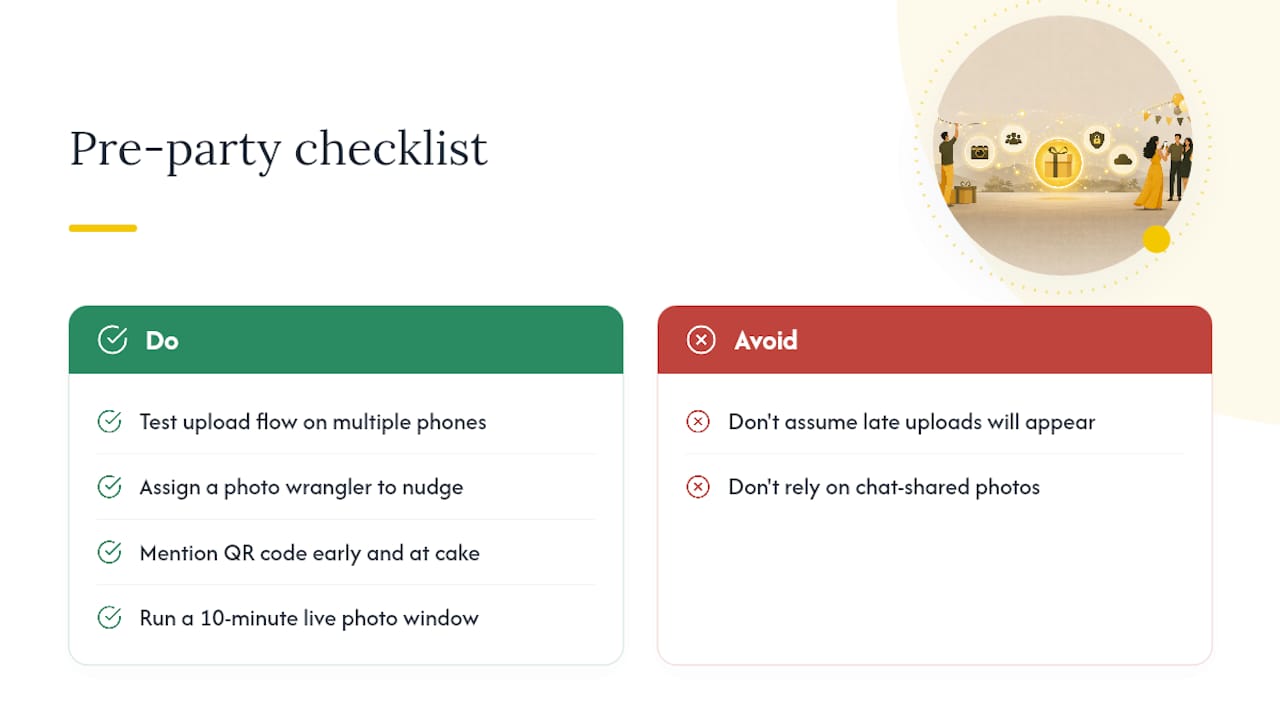
Test the upload flow yourself before the party, on more than one phone. Assign a photo wrangler, one person whose job is nudging guests, and mention the QR code at two separate moments, once early and once when the cake appears.
Don’t assume late uploads will simply appear. Plenty of guests leave their best shots sitting in a personal chat thread and forget the album exists entirely. If candid, unposed moments matter to you, consider running a short, dedicated photo window, ten minutes where the slideshow’s live and the MC is actively encouraging scans, rather than hoping the code does its job passively all evening.
— Liam
If you’ve read this far, you already know the mechanics: QR code, browser upload, no app. What’s left is picking a platform and actually setting it up before the candles are lit. The one-time activation per event gives you the QR Gallery, an upload window, and AI smart albums, all without a recurring subscription.

Head to the SnapPix features page to activate your event and pull your QR code. Before the party, run through the quick checklist: generate the code, test uploads on two phones, decide whether you want moderation switched on, and set up the live slideshow if you’ve got a screen free. Print your QR templates early, ideally a few days out rather than the morning of, so there’s no scramble if the printer jams.
For platform comparisons, EventPics lists its iOS and Android apps if you want to weigh app-based alternatives. For composition ideas once the gallery’s filling up, this guide on capturing authentic moments offers useful framing tips that translate well from weddings to birthdays.
Some QR-based platforms, including EventPics, offer free albums with browser uploads and no app required, though free tiers often cap storage or the hosting window compared with paid options like SnapPix.
For general photo sharing, Google Photos and Apple Photos dominate personal use, but for a single event like a birthday, a dedicated QR-code album collects contributions from every guest in one place rather than scattering them across separate accounts.
There’s no single universal answer, since “best” depends on whether you want an app or a browser-only experience. Look for no-app uploads, a live slideshow option, and a clear retention window before choosing.
Most QR-code album platforms, including SnapPix, offer a live slideshow feature that displays uploaded photos on a connected TV or projector as guests add them, and you can usually export the finished gallery afterwards to build a longer keepsake slideshow.
This varies by platform. SnapPix keeps galleries accessible for an extended period after the event, giving guests plenty of time to add photos they forgot on the day.

Event hosts' practical guide to posed and candid photos: perception research, hands on shooting tips, and no app guest uploads to boost candid coverage.

Which event technologies are production ready for 2026 and how to adopt them with clear consent, governance, and a no app QR photo pilot.

Which routes keep EXIF or strip GPS? Quick checks to view or remove metadata, plus a three month workflow to collect guest photos.