Organisers: 4,200+ Guest Photos, No App QR Conference Photo Sharing
SnapPix TeamPublished 23 Sept 202631 min read
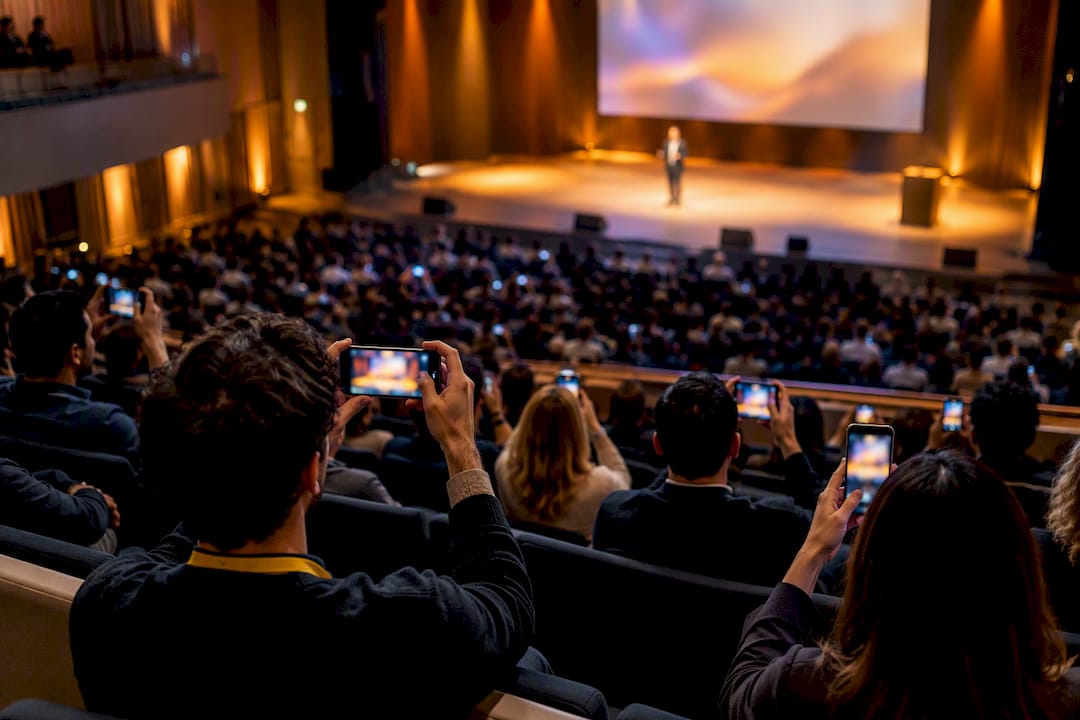
A no-app QR code that opens straight to a browser camera, feeding a live gallery attendees can watch update in real time, is the fastest and most reliable way to run conference photo sharing today. No downloads, no account creation, no waiting for a follow-up email. SnapPix is one platform built around exactly this flow, and it works because friction, not lack of interest, is what actually stops people uploading.
TL;DR:
- Using a no-app QR code that opens directly to a browser camera increases participation rates and enables almost instant uploads, often within three seconds after scanning.
- To maximize engagement, place QR codes in high-attention areas like stage screens and banners rather than small posters, and run photo challenges linked to sponsors or themes to incentivize sharing.
- Properly managing privacy involves password-protected galleries, clear consent signage, and a dedicated moderator to review flagged content during the event for smoother moderation.
- Venue Wi-Fi limitations are the biggest technical hurdle; fallback to mobile data and use upload systems that support resumable, retry-capable transfers to prevent stalls and ensure successful image sharing.
- Integrating QR-based photo sharing alongside existing event apps offers a low-friction, external route that significantly boosts photo uploads without competing with or complicating the primary app experience.
You print or display a QR code. Someone scans it with their phone camera, no app store detour required. It opens a browser page that either launches their camera directly or gives them a simple upload button pulling from their camera roll. They tap, upload, done. The whole thing runs on browser camera APIs and presigned upload links, which is a technical way of saying the phone talks straight to storage without routing through a slow middle server.
That matters more than it sounds. One documented build of this exact flow recorded under three seconds from scan to first photo, with 92% of guests actually participating and an average of 8.3 photos uploaded per person. Compare that with the old approach: asking attendees to email photos to an inbox, or worse, download a dedicated conference app just to submit five snaps from the coffee break. Most people never bother.
The other half of this flow is the live gallery. Photos appear on a shared screen or projector within seconds of being uploaded, which does two things at once:
Removing the app step is not a minor convenience. It is the entire reason participation rates jump the way they do, because every extra tap between “I want to share this” and “it’s shared” loses a chunk of your audience.
Get this right two weeks out, not two hours before doors open. Here’s the order that works:
Our complete guide to QR placement and signage goes deeper on exact positioning if you’re running a multi-room venue.
Pro Tip: One large, well-lit QR code on the main stage screen between sessions will out-perform ten small stickers scattered around the venue. Attendees look at screens; they walk past posters.
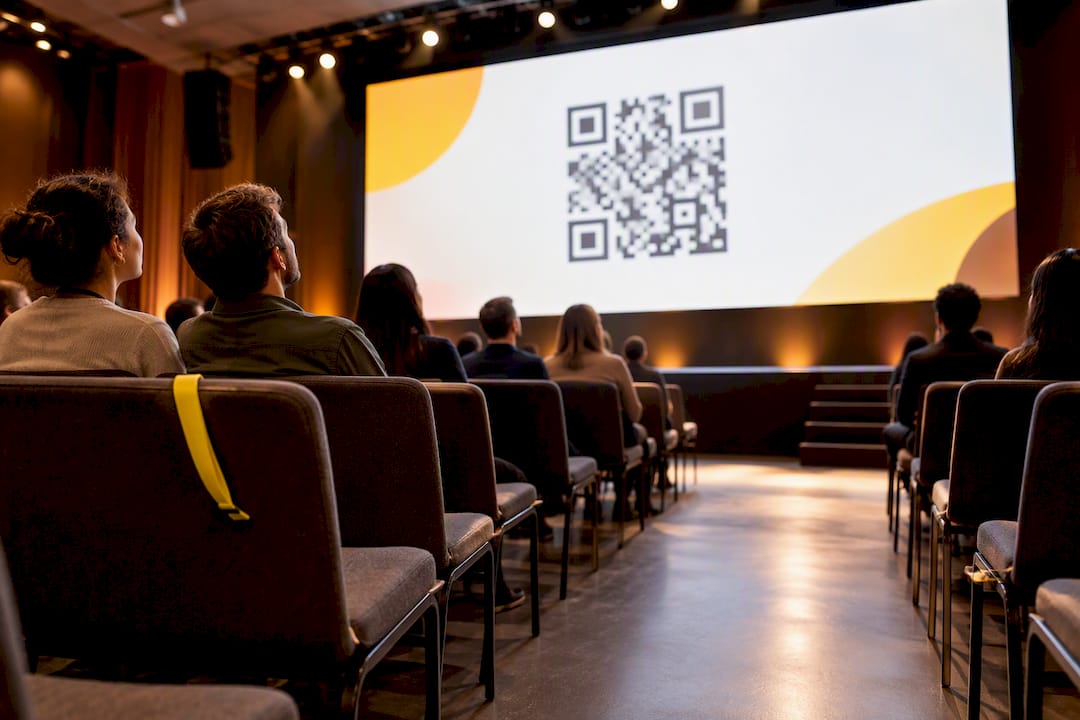
Not every photo moment calls for the same upload journey. Matching the method to the context is what separates a gallery with 50 photos from one with 2,000.
Keep these separate in how you communicate them. Telling a keynote speaker to “scan and snap” mid-talk is unrealistic; telling them they can upload their own session shots that evening is not.
Openness works best with a few boundaries set in advance, not improvised on the day. Three decisions matter most: who can view the gallery, who can add to it, and how long any of it stays accessible.
Password-protected galleries solve the first problem cleanly. Only attendees with the link and password can view or contribute, which matters if your conference includes unreleased product information or sensitive sponsor material on stage screens. Platforms like Google Photos handle this through link-based sharing with collaborator controls, including the ability to reset a shared link entirely if it circulates further than intended, which is a useful model for how any event gallery should behave.
Moderation needs a human, even with automated filtering doing the first pass. Auto-filtering can catch obvious problems, but flagged content, duplicate uploads and the occasional off-brand image still need a real person to review before they hit a live wall in front of 500 delegates. This is exactly why designating a single moderator during the event, rather than leaving it to whoever notices, prevents bottlenecks later.
Consent is the piece organisers most often skip. Put a small sign at registration stating that photos may be taken and shared publicly, and give speakers a heads-up if their session will appear in a public gallery.
Pro Tip: State your download and reuse permissions on the same sign as your consent notice. Attendees who know they can freely download high-resolution copies are far more likely to upload their own photos in return.
Venue Wi-Fi is the single biggest reason event galleries stall, and it has almost nothing to do with the photo-sharing platform itself. Convention centres routinely throttle guest networks, and a few thousand phones trying to upload simultaneously during a break will expose any weak spot in seconds.
The fix starts with encouraging attendees to use mobile data as a fallback when the venue network is congested, particularly for anyone on a paid plan with generous data. On the technical side, ask what your platform does behind the scenes: presigned upload URLs, the same architecture that lets phones talk directly to storage instead of routing through a single congested server, make a real difference at scale.
Resumable and retry-capable uploads matter just as much. If a connection drops mid-upload, a well-built system picks up where it left off rather than forcing the guest to start again, which is precisely the kind of edge case engineering teams spend most of their effort solving. In fact, roughly 70% of development work on browser-camera systems goes into handling exactly this: fragmented Android behaviour, iOS Safari quirks, and unreliable venue networks, rather than the core camera function itself.
A QR code alone gets you some photos. A reason to use it gets you thousands. The events that fill a gallery fast almost always run a light challenge alongside the plain upload option, something as simple as “best expo booth shot” or “most creative networking selfie,” judged informally by likes or staff pick at the end of day one.
Sponsor tie-ins work particularly well here. Framing a challenge around a sponsor’s booth (“snap yourself at the [Sponsor] stand for a chance to win”) gives the sponsor visibility they can report on afterwards, and gives attendees a concrete reason to walk over. Keep the announcement simple: a single slide on stage, a line in the welcome email, and a reminder on the same signage carrying your QR code.
Pro Tip: Announce the challenge winner from stage before the final session ends. Public recognition, even something small, drives a visible spike in last-minute uploads.
SnapPix runs on the exact model this article recommends: a QR code that opens a browser camera with no app to install, feeding into a gallery your attendees and AV team can watch fill up live. Access stays open for three months after the event, which covers the long tail of attendees who forget to upload their phone photos until the following week.
AI-driven smart albums sort the resulting flood of images automatically, so you are not manually tagging thousands of near-duplicate crowd shots by hand afterwards. Built-in photo challenges give organisers the engagement mechanics covered above without needing a separate tool. For a multi-day conference, that combination matters: sponsor booth galleries stay organised, session photography sits alongside candid shots, and nothing gets lost between day one and the closing keynote.
Across events run so far, SnapPix has collected more than 4,200 guest photos, a proof point for organisers wondering whether attendees genuinely use a no-app flow when it’s put in front of them. They do, provided the QR code is where their eyes already land.
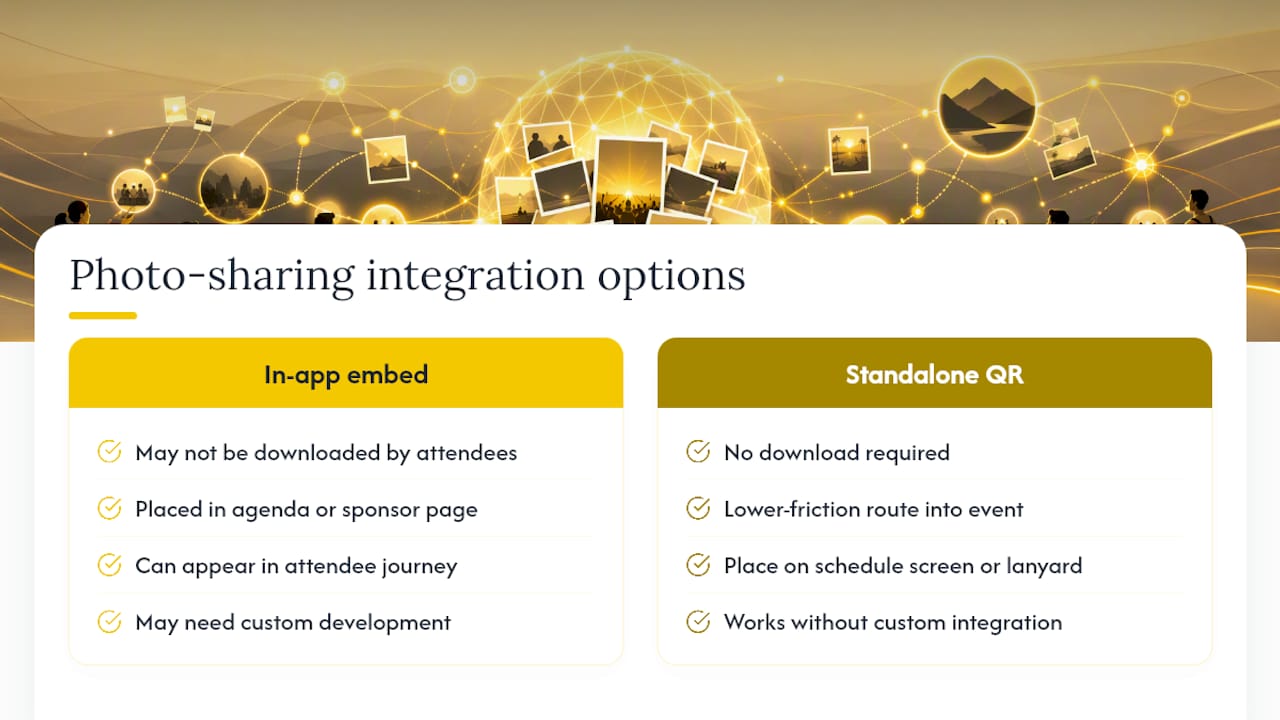
Most conference organisers already run a dedicated event app for schedules, networking and session feedback, and the honest answer is that a QR-based photo flow does not need to compete with it. It sits alongside.
Rather than building photo capture as another feature inside an app attendees may or may not have downloaded, a QR code placed on the same screen as your session schedule, or printed next to the app’s own download instructions on a lanyard card, gives attendees a second, lower-friction route into the same event. Some event management platforms allow a QR code or gallery link to be embedded directly into an agenda item or a sponsor page, which lets photo sharing appear as one more line in the existing attendee journey rather than a separate ask.
The practical approach for most organisers is to treat the photo gallery link as a standard piece of your event’s digital footprint: drop it into the app’s welcome message, add it to the same push notification that announces breaks, and include it in post-event follow-up emails alongside session recordings. If you are working with a development partner to customise branded galleries or deeper integrations, a development-led digital agency can advise on the technical side of stitching a photo flow into a broader event technology stack. For most conferences, though, a standalone QR link handles the job without needing custom integration work at all.
The mistakes that kill a conference gallery are almost always small and avoidable. Poor signage tops the list: a QR code buried on page four of a printed programme nobody reads. Forgetting to brief the AV team is a close second; a live wall that nobody on stage knows how to switch on is a wasted feature.
Brief your staff and AV crew the same way you’d brief a speaker: what the QR code does, where it’s displayed, and who to call if the projector feed freezes. Then run one small experiment at your next event, a single sponsor-tied challenge, or one extra QR placement at the coffee station, and measure whether it moves upload numbers. Small, deliberate changes teach you more than a big relaunch ever will.
— Liam
SnapPix removes the single biggest barrier to conference photo sharing: the app download. Guests scan a QR code, open their browser camera, and upload straight into a gallery you control, with AI smart albums sorting the results and built-in photo challenges doing the engagement work for you. No hidden fees, no extra charges for the features that actually drive participation.

Full Event Access costs £14.99 as a one-off fee per event, covering unlimited guest uploads with the full three-month access window. If you want to see exactly what’s included before committing, the features page breaks down the guest book, RSVP tools and gallery controls in detail.
Before your next conference, run this three-step pilot: generate your QR code, test it on staff phones across at least two operating systems, then display the live gallery on a screen during a small internal run-through. If it holds up under a dozen test uploads, it will hold up on the day. Start setting up your event gallery and see how quickly the first photos land.
A shared gallery with a single access link works better than sending files individually, especially for groups larger than a handful of people. For conferences specifically, a QR code linking to a browser-based upload page with a live gallery lets everyone contribute and view at once without app downloads.
General-purpose social platforms and consumer photo services like Google Photos dominate everyday personal sharing, while dedicated event galleries are built specifically for the reach-versus-control trade-offs conferences need, according to comparisons of photo-sharing services. Which one suits a conference depends on whether you prioritise casual reach or moderated, branded control.
Yes. SnapPix offers a Free plan at £0 per event alongside its paid Full Event Access tier, so smaller conferences or trial runs can test the QR-based flow without upfront cost.
Bulk export and download tools handle this best rather than sharing images one at a time. Platforms built for events typically support exporting an entire gallery in one batch after the event closes, which is far more practical for a photographer’s archive or a full conference gallery than individual file transfers.

Event hosts' practical guide to posed and candid photos: perception research, hands on shooting tips, and no app guest uploads to boost candid coverage.

Which event technologies are production ready for 2026 and how to adopt them with clear consent, governance, and a no app QR photo pilot.

Which routes keep EXIF or strip GPS? Quick checks to view or remove metadata, plus a three month workflow to collect guest photos.