Holiday Party Hosts: No App QR Photo Sharing in Four Steps
SnapPix TeamPublished 18 Sept 202627 min read
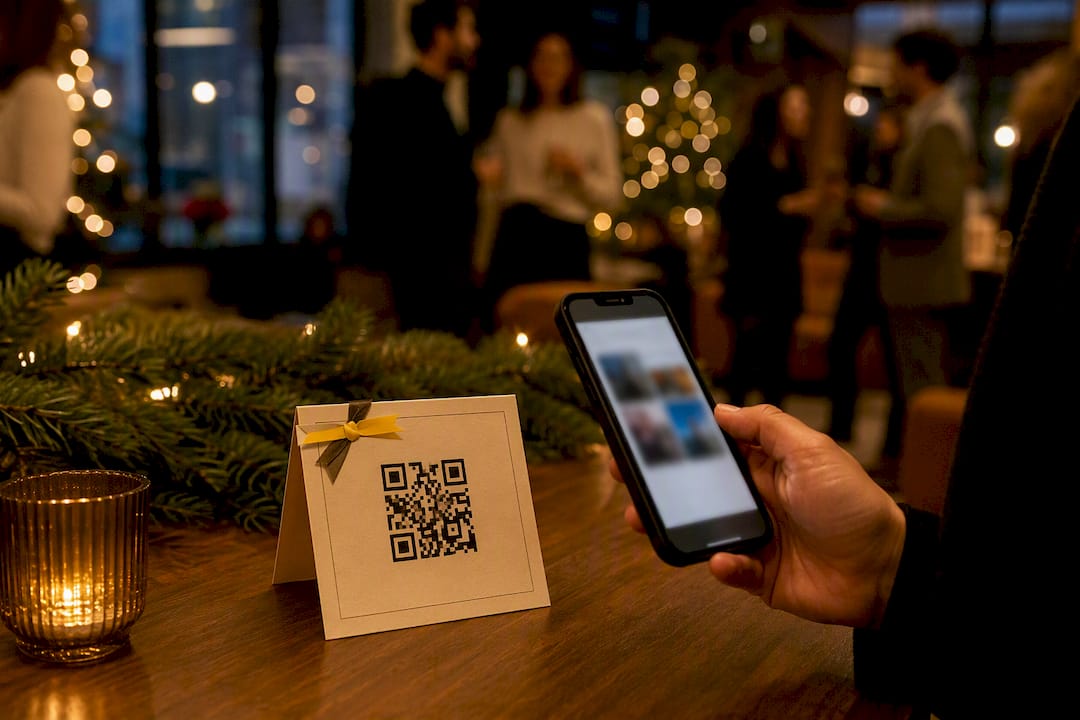
A fast and reliable way to handle holiday party photo sharing is a no-app QR-code gallery. Guests scan a code and upload photos from their phone camera roll, allowing others to see the growing collection in real time. This allows instant uploads and control over who sees the photos. Do this now: create the album, generate the QR code, print it, and place it where guests arrive.
TL;DR:
- Using a dynamic QR code with proper size and placement ensures guests can easily scan and upload photos without frustration.
- Clear, concise signage and multiple reminders significantly increase guest participation and help avoid missed photo opportunities.
- Moderating uploads before the slideshow begins prevents inappropriate or unflattering images from appearing during the event.
- Most platforms default to three months of hosting, with paid extensions available for longer sharing or downloading periods.
- A purpose-built gallery like SnapPix offers a no-app solution suitable for all gathering sizes, with features like password protection and live slideshows.
You don’t need a technical background to run this properly. The whole workflow breaks down into four stages, and each one takes minutes rather than hours.
That sequence matters because most photo-collection failures happen at step three, not step one. Hosts spend time setting up a beautiful gallery, then forget to make it visible. A WeTransfer albums guide shows the appeal of shared album services generally: guests browse without an account, though some services still require sign-up to upload. That’s precisely the friction a no-app QR gallery removes.
A QR code only works if people can scan it without squinting, tilting their phone at an odd angle, or giving up after two failed attempts. Choose a dynamic QR code over a static one. Dynamic codes let you edit the destination link after printing and show you scan counts, so you know whether your signage is actually working.
Size and clarity aren’t optional extras. Practical guidance on QR placement recommends a 10:1 size-to-scan-distance ratio and printing at 300 DPI for anything physical. A code the size of a business card works fine on a table tent viewed from arm’s length; the same code on a wall poster viewed from across the room will frustrate everyone.
Placement decides whether the code gets scanned at all:
Pro Tip: Test the scan yourself, at the actual distance guests will stand, under the actual lighting you’ll have that evening. A code that scans fine on your desk under an office light can fail completely next to candles.
Keep a short link as backup and have the code printed on a few table cards, not just one sign by the door. If someone’s camera struggles, having a host or co-host nearby who can pull up the link on their own phone solves the problem in seconds. A deeper walkthrough on generating and placing QR codes for parties covers the technical setup in more depth.
A QR code sitting quietly on a table doesn’t guarantee uploads. Getting good holiday gathering photo ideas out of your guests takes a little nudging, and the wording on your signage does more work than you’d think.
None of this requires a big production. A single well-worded sign and one live display screen usually does more than an elaborate app-based system ever could.
A live slideshow is the easiest way to reward guests for uploading, and it runs from any browser on a laptop or smart TV. No app, no cables beyond an HDMI lead if you’re projecting, and no special resolution requirements beyond whatever screen you already have plugged in.
Slideshows and digital scrapbooks remain two of the most effective post-event formats for sharing holiday photos, and that holds whether the gathering was ten people or fifty.
Pro Tip: Send the highlight reel the next morning, not three days later. Enthusiasm for reliving last night’s party has a short shelf life, and a same-day or next-day share gets far more views than one that arrives a week on.
Before you send out a single QR code, decide who can see the gallery and who can add to it. This is a five-minute decision that saves you an awkward conversation later.
Platforms differ meaningfully in how they handle data once it’s collected, and it’s worth reading the privacy documentation of whatever tool you choose before you commit a whole guest list to it. Retention and deletion policies vary just as much between services, so check exactly how long photos stay accessible and how deletion works before the event, not after someone asks you to remove a photo of themselves.
Pricing for these tools generally falls into two camps, and knowing which one you’re looking at saves you from an unwelcome surprise later.
A common hosting window is three months from the event date, with a paid extension available if you want the gallery to stay live longer, perhaps to let a relative abroad download photos on their own schedule. Guests never need to pay or create an account to contribute; the entire admin side, permissions, moderation, downloads, sits with the host.
A free shared album, like the kind offered through general file-sharing services, is genuinely fine for a small, low-key gathering among close friends. Once you want password protection, a live slideshow, guest engagement features, or a gallery that looks intentionally designed rather than thrown together, a purpose-built event gallery earns its cost.
Some platforms are built around the problem this article solves: guests scan one QR code, upload from their camera roll or browser, and do not need to download an app. No-app uploads may be combined with features like smart albums, photo challenges to encourage participation, and password-protected galleries for tighter host control.
The platform has already collected thousands of guest photos across real events, which tells you the workflow holds up under actual party conditions, not just in a demo. A wedding host uses it to gather candid shots a hired photographer never catches. A corporate holiday party uses password protection to keep the gallery internal. A family Christmas gathering leans on the digital guestbook so relatives who couldn’t attend still feel part of the evening.
Liam, who covers event technology for SnapPix, has watched the same pattern repeat across dozens of gatherings: the parties with the most photos collected are never the ones with the fanciest camera, just the ones with the clearest signage.
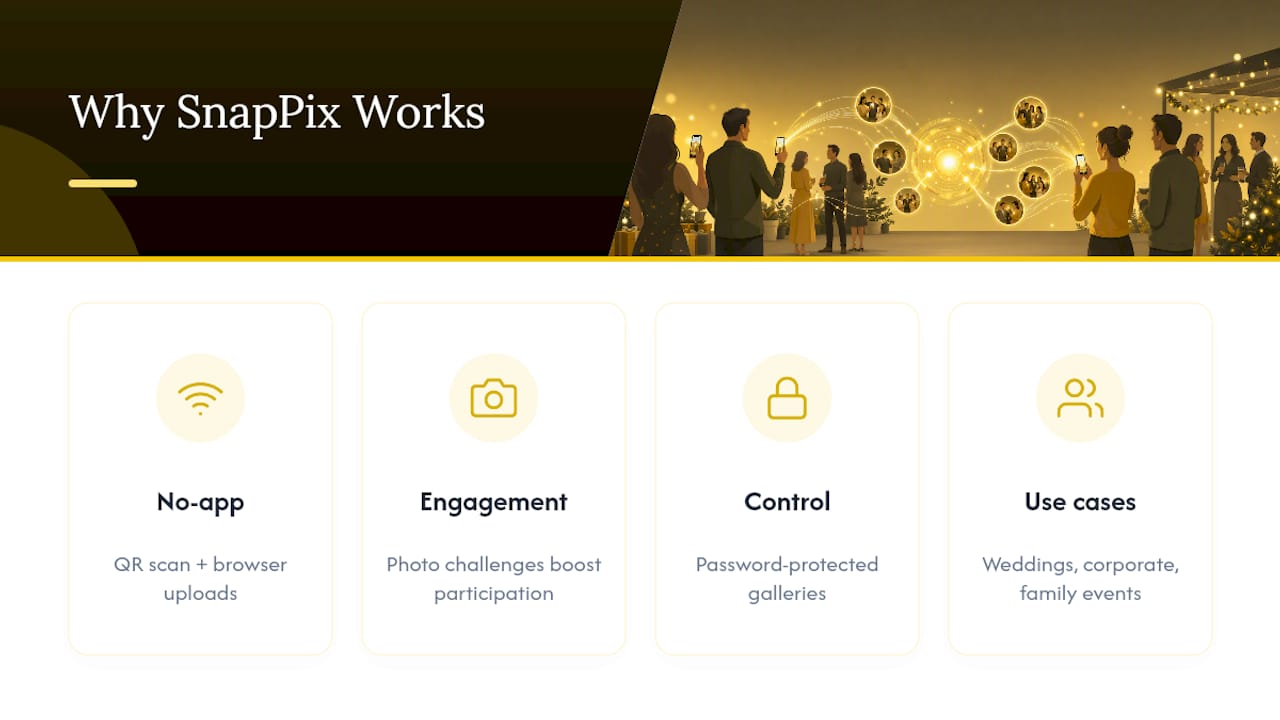
The biggest mistake I see isn’t technical. It’s assuming guests will find the gallery on their own. They won’t. Signage that’s too small, too vague, or placed somewhere nobody lingers is the single most common reason a beautifully set-up gallery collects a dozen photos instead of a hundred.
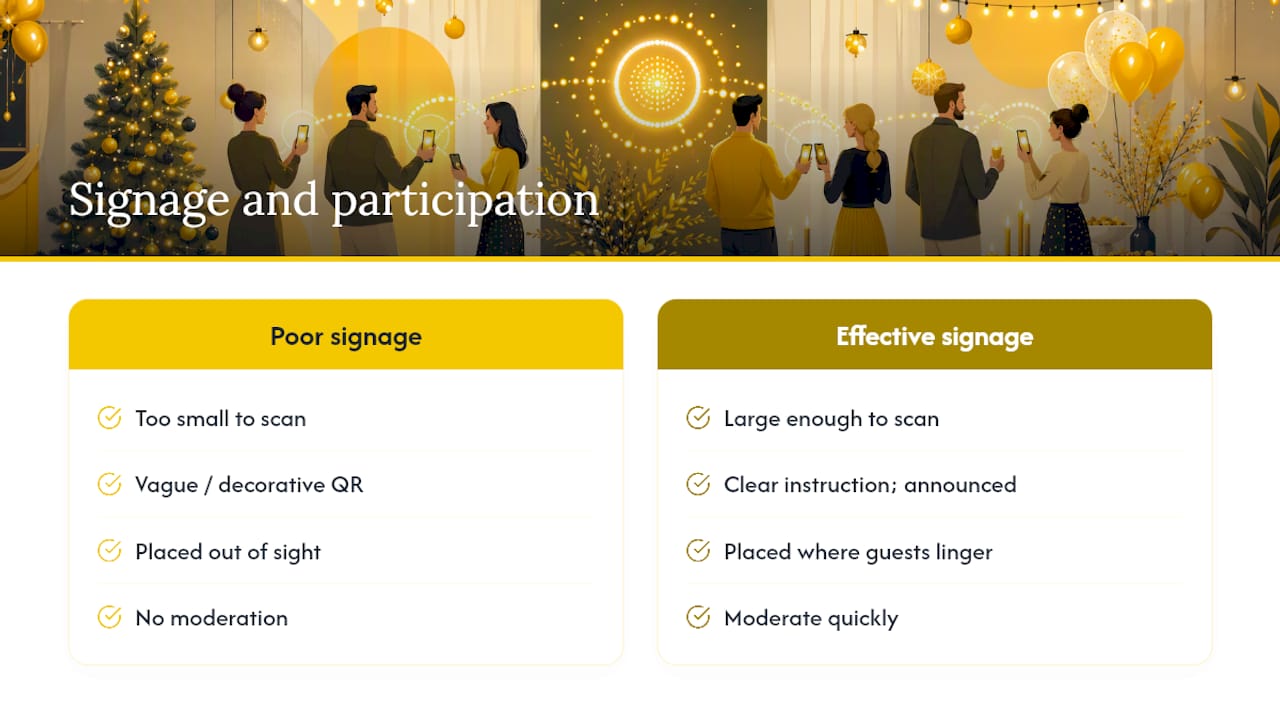
The second mistake is skipping moderation entirely, then being surprised when an unflattering photo ends up on the big screen mid-party. The third is treating the QR code as decoration rather than a working instruction, printed once and never mentioned out loud.
My tested checklist: before, create the album and print signage at the right size; during, announce the gallery twice and run a live slideshow; after, moderate quickly and share the highlight reel the next day. For guests less confident with their phones, keep a host nearby who can open the link directly, no scanning required.
— Liam
SnapPix is the no-app route to collecting every candid moment from your holiday gathering, without asking a single guest to download anything. Set up takes minutes: create your event, generate the QR code, and you’re ready to collect photos the moment the first guest walks through the door.

Hosts can have password-protected galleries, live slideshows from browsers, a hosting period that may last several months, and support for unlimited guests. Whether it’s a family dinner for twelve or an office party for eighty, the setup stays exactly the same. Browse the full feature list on the SnapPix features page, or go straight to activate your event gallery and have your QR code ready before the first guest arrives.
For a deeper look at QR-code mechanics beyond party photos, the 10:1 size and placement guidance covers testing methods worth applying to any printed sign, not just event galleries. Hosts who want a shot list to brief photo-taking guests can check ready-to-use event photography ideas for inspiration beyond the obvious group shots.
If you’re weighing a simple shared album against a purpose-built gallery, the WeTransfer albums walkthrough shows how the free-album route handles sharing and deletion. Growth stories from the wider event-photo market, including one business that scaled from modest beginnings, give a sense of how much demand exists for exactly this kind of tool.
The best option for most holiday parties is actually app-free: a QR-code gallery like SnapPix that guests open in their browser, with no download or account needed to upload.
A dedicated event gallery platform works better than a general file-sharing site once you want features like password protection, live slideshows, or a set hosting window, though a simple shared album is fine for small, informal gatherings.
Slideshows, digital scrapbooks, and shared galleries remain the most effective formats, with a QR-code gallery giving you all three from a single link guests can access instantly.
Most platforms, including SnapPix, default to around three months of hosting from the event date, with a paid extension available if you want guests to keep uploading or downloading afterwards.
No. With a no-app QR gallery, guests scan the code and upload directly from their camera roll or browser; only the host needs to set up and manage the gallery.

Set up a private online guest photo album for your wedding or party: guests scan a QR code, no app needed, and every photo lands in one gallery.

How to get lovely wedding rehearsal dinner photos in the UK: what to capture, how to brief people, and an easy way to collect every guest's snaps in one place.

Learn how to control who can see and add to your event photo gallery, what expiry really means, and how to keep guest photos private and safely saved.